Overview
Every GitHub Actions workflow that deploys to cloud infrastructure is a potential supply chain attack vector. Long-lived credentials stored as repository secrets are high-value targets — a single leaked secret can grant an attacker persistent cloud access. Third-party actions pulled from the Marketplace introduce transitive dependencies that can be silently compromised if pinned only to a mutable tag.
This guide covers the full hardening stack:
What You Will Learn:
- Replace static cloud credentials with OIDC short-lived tokens for Azure and AWS
- Pin all third-party actions to immutable commit SHAs
- Scope workflow permissions to the minimum required
- Configure environment protection rules to gate production deployments
- Use OpenSSF Scorecard and StepSecurity Harden-Runner for continuous supply chain visibility
Who Should Use This Guide:
- DevOps and platform engineers managing GitHub Actions pipelines
- Security engineers auditing CI/CD for supply chain risk
- Cloud architects migrating from long-lived service principal credentials to keyless auth
How OIDC Keyless Authentication Works
Traditional CI/CD pipelines store a cloud credential (Azure service principal secret, AWS access key) as a GitHub secret. That secret lives indefinitely, can be exfiltrated from workflow logs, and must be rotated manually.
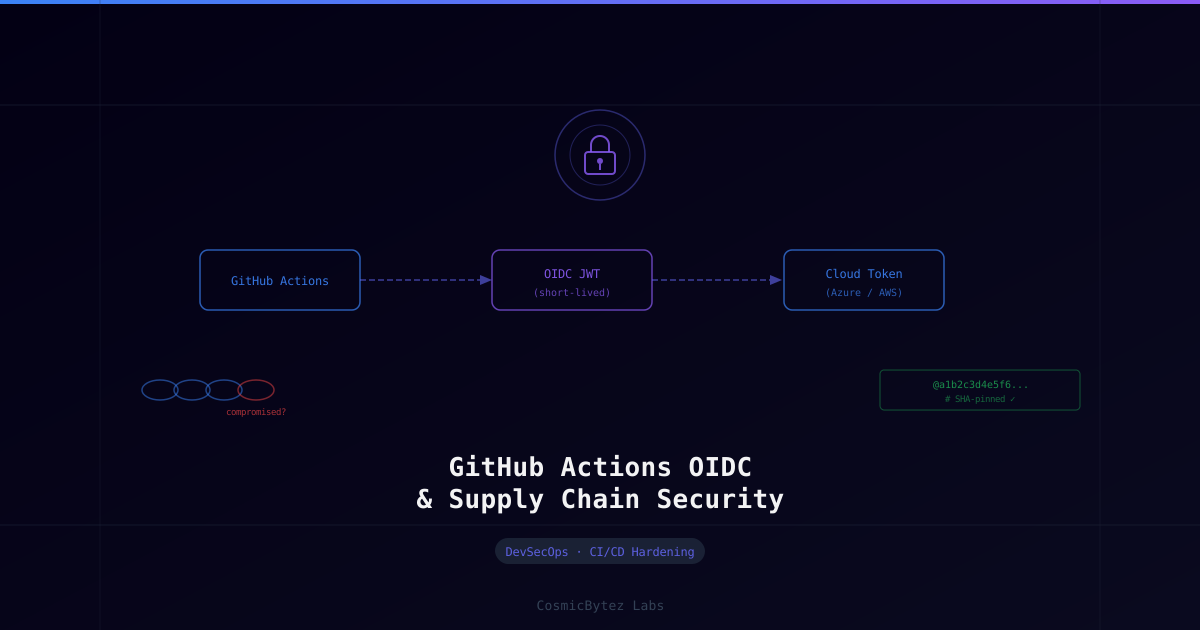
With OIDC, the token exchange works like this:
GitHub Actions Job starts
        │
        ▼
GitHub generates a signed OIDC JWT
(contains: repo, workflow, ref, environment, job claims)
        │
        ▼
Workflow requests cloud token from provider
(Azure AD / AWS STS) using the JWT
        │
        ▼
Cloud provider validates JWT against GitHub's OIDC issuer
(https://token.actions.githubusercontent.com)
        │
        ▼
Cloud provider issues a short-lived access token
(valid only for the current job — expires when job ends)
        │
        ▼
Workflow uses token to deploy/access resources
Key properties of OIDC tokens:
| Property | Value |
|---|---|
| Lifetime | Single job only — auto-expires |
| Storage | Never stored as a secret — generated per-run |
| Rotation | Automatic — no manual rotation needed |
| Scope | Constrained by cloud IAM trust policy |
| Auditability | Full claim set visible in cloud provider logs |
Section 1: Configure OIDC for Azure
1.1 Create a Federated Identity Credential on the App Registration
You need an Entra ID App Registration (or Managed Identity) with a federated credential that trusts your GitHub repository.
Step 1 — Create the App Registration (if not already present)
az ad app create --display-name "github-actions-oidc-myrepo"
APP_ID=$(az ad app list --display-name "github-actions-oidc-myrepo" --query "[0].appId" -o tsv)

# Create service principal for the app
az ad sp create --id "$APP_ID"
SP_OBJECT_ID=$(az ad sp show --id "$APP_ID" --query "id" -o tsv)Step 2 — Assign the required RBAC role
Grant only the permissions the workflow needs — e.g., Contributor on a specific resource group, not the subscription:
RESOURCE_GROUP="rg-production"
SUBSCRIPTION_ID=$(az account show --query "id" -o tsv)

az role assignment create \
  --assignee "$SP_OBJECT_ID" \
  --role "Contributor" \
--scope "/subscriptions/${SUBSCRIPTION_ID}/resourceGroups/${RESOURCE_GROUP}"Step 3 — Add the federated credential
az ad app federated-credential create \
  --id "$APP_ID" \
  --parameters '{
    "name": "github-prod-branch",
    "issuer": "https://token.actions.githubusercontent.com",
    "subject": "repo:MyOrg/MyRepo:environment:production",
    "description": "GitHub Actions production environment",
    "audiences": ["api://AzureADTokenExchange"]
}'Subject claim patterns:
| Deploy trigger | Subject claim |
|---|---|
| Specific environment | repo:MyOrg/MyRepo:environment:production |
| Specific branch | repo:MyOrg/MyRepo:ref:refs/heads/main |
| Pull requests | repo:MyOrg/MyRepo:pull_request |
| Specific tag | repo:MyOrg/MyRepo:ref:refs/tags/v* |
Principle of least privilege: Create separate federated credentials (and separate App Registrations) for
stagingandproduction. Never share a single credential across environments.
1.2 Store App Registration Details as GitHub Secrets (one-time setup)
In your repository Settings → Secrets and variables → Actions, add:
| Secret name | Value |
|---|---|
AZURE_CLIENT_ID | App Registration Application (client) ID |
AZURE_TENANT_ID | Entra ID Tenant ID |
AZURE_SUBSCRIPTION_ID | Azure Subscription ID |
These are non-sensitive identifiers — no password or secret value is stored.
1.3 Update the Workflow to Use OIDC
name: Deploy to Azure (OIDC)

on:
  push:
    branches: [main]

# Minimum permissions — OIDC requires id-token: write
permissions:
  id-token: write
  contents: read

jobs:
  deploy:
    runs-on: ubuntu-latest
    environment: production   # gates on environment protection rules

    steps:
      - name: Checkout
        uses: actions/checkout@v4

      - name: Azure Login (OIDC — no secrets)
        uses: azure/login@v2
        with:
          client-id: ${{ secrets.AZURE_CLIENT_ID }}
          tenant-id: ${{ secrets.AZURE_TENANT_ID }}
          subscription-id: ${{ secrets.AZURE_SUBSCRIPTION_ID }}

      - name: Deploy to Azure App Service
        run: |
          az webapp deploy \
            --resource-group rg-production \
            --name my-app \
--src-path ./dist/app.zipSection 2: Configure OIDC for AWS
2.1 Create the OIDC Identity Provider in AWS
# Add GitHub Actions as a trusted OIDC provider
aws iam create-open-id-connect-provider \
  --url "https://token.actions.githubusercontent.com" \
  --client-id-list "sts.amazonaws.com" \
--thumbprint-list "6938fd4d98bab03faadb97b34396831e3780aea1"2.2 Create an IAM Role with a Trust Policy
Create trust-policy.json:
{
  "Version": "2012-10-17",
  "Statement": [
    {
      "Effect": "Allow",
      "Principal": {
        "Federated": "arn:aws:iam::ACCOUNT_ID:oidc-provider/token.actions.githubusercontent.com"
      },
      "Action": "sts:AssumeRoleWithWebIdentity",
      "Condition": {
        "StringEquals": {
          "token.actions.githubusercontent.com:aud": "sts.amazonaws.com",
          "token.actions.githubusercontent.com:sub": "repo:MyOrg/MyRepo:environment:production"
        }
      }
    }
  ]
}# Create the role
aws iam create-role \
--role-name GitHubActions-MyRepo-Production \
--assume-role-policy-document file://trust-policy.json
# Attach only the permissions the workflow needs
aws iam attach-role-policy \
--role-name GitHubActions-MyRepo-Production \
--policy-arn arn:aws:iam::aws:policy/AmazonS3FullAccess # scope this further in production2.3 AWS OIDC Workflow
name: Deploy to AWS S3 (OIDC)

on:
  push:
    branches: [main]

permissions:
  id-token: write
  contents: read

jobs:
  deploy:
    runs-on: ubuntu-latest
    environment: production

    steps:
      - name: Checkout
        uses: actions/checkout@v4

      - name: Configure AWS credentials (OIDC)
        uses: aws-actions/configure-aws-credentials@v4
        with:
          role-to-assume: arn:aws:iam::123456789012:role/GitHubActions-MyRepo-Production
          aws-region: us-east-1

      - name: Sync to S3
run: aws s3 sync ./dist s3://my-production-bucket --deleteSection 3: Pin Actions to Commit SHAs
Tags like @v4 are mutable — an action author (or attacker who compromises the author's account) can move the tag to a different commit. Pinning to the full SHA is the only guarantee of immutability.
3.1 Find the SHA for an Action
# Using GitHub CLI — find the SHA for the commit a tag points to
gh api repos/actions/checkout/git/ref/tags/v4 --jq '.object.sha'
# For annotated tags, follow the tag object to the commit:
gh api repos/actions/checkout/git/tags/$(gh api repos/actions/checkout/git/ref/tags/v4 --jq '.object.sha') --jq '.object.sha'Or simply navigate to the action's GitHub repository, click the tag, and copy the full 40-character commit SHA from the URL.
3.2 Pinned Workflow Example
steps:
  # ✅ Pinned to SHA — immutable
  - name: Checkout
    uses: actions/checkout@11bd71901bbe5b1630ceea73d27597364c9af683  # v4.2.2

  - name: Setup Node.js
    uses: actions/setup-node@39370e3970a6d050c480ffad4ff0ed4d3fdee5af  # v4.1.0

  - name: Azure Login
    uses: azure/login@a65d910e8af852a8061c627c456678983e180302  # v2.2.0

  # ❌ Avoid — tag is mutable
# uses: actions/checkout@v43.3 Automate SHA Updates with Dependabot
Add .github/dependabot.yml to keep pinned SHAs current:
version: 2
updates:
  - package-ecosystem: "github-actions"
    directory: "/"
    schedule:
      interval: "weekly"
    groups:
      actions:
        patterns:
- "*"Dependabot will open PRs that update the SHA comment and the pinned hash whenever a new version is released.
Section 4: Minimum Workflow Permissions
By default, GitHub grants read on all scopes and write on contents. Override at the workflow and job level to enforce least privilege.
4.1 Default-Deny at the Workflow Level
# Deny all permissions by default for the entire workflow
permissions: {}

jobs:
  build:
    runs-on: ubuntu-latest
    # Grant only what this job needs
    permissions:
      contents: read
      packages: write   # only if pushing to GHCR

  deploy:
    runs-on: ubuntu-latest
    permissions:
      id-token: write   # OIDC token exchange
contents: read4.2 Permissions Reference
| Permission | When to grant |
|---|---|
contents: read | Most jobs — checkout code |
contents: write | Commit back to the repo (changelogs, release notes) |
id-token: write | OIDC cloud authentication — required |
packages: write | Push to GitHub Container Registry |
pull-requests: write | Comment on PRs, approve |
issues: write | Open or comment on issues |
security-events: write | Upload SARIF results to Code Scanning |
Section 5: Environment Protection Rules
GitHub Environments add a gating layer between your workflow and production deployment. Combined with OIDC subject claims scoped to the environment, this creates a two-layer control.
5.1 Configure the Production Environment
- Navigate to Repository → Settings → Environments → New environment
- Name it
production - Under Deployment protection rules, configure:
| Rule | Recommended setting |
|---|---|
| Required reviewers | Add your on-call team (1-2 approvers) |
| Wait timer | 0–5 minutes (gives time to cancel errant runs) |
| Deployment branches | Selected branches: main only |
| Prevent self-review | Enabled — author cannot approve their own PR |
5.2 Environment Secrets vs Repository Secrets
Store production credentials in the Environment secret store, not the repository secret store. Environment secrets are only injected into jobs that reference environment: production and have passed the protection rules.
jobs:
  deploy:
    runs-on: ubuntu-latest
    environment: production   # protection rules enforced here
    steps:
- run: echo "This step has access to production environment secrets"Section 6: Supply Chain Scanning
6.1 OpenSSF Scorecard
Scorecard runs automated checks against your repository for common supply chain risks.
# .github/workflows/scorecard.yml
name: Scorecard Supply Chain Security

on:
  branch_protection_rule:
  schedule:
    - cron: "30 1 * * 0"   # weekly Sunday 01:30 UTC
  push:
    branches: [main]

permissions:
  security-events: write
  id-token: write
  contents: read

jobs:
  analysis:
    name: Scorecard analysis
    runs-on: ubuntu-latest

    steps:
      - name: Checkout
        uses: actions/checkout@11bd71901bbe5b1630ceea73d27597364c9af683  # v4.2.2
        with:
          persist-credentials: false

      - name: Run analysis
        uses: ossf/scorecard-action@62b2cac7ed8198b15735ed49ab1e5cf35480ba46  # v2.4.0
        with:
          results_file: results.sarif
          results_format: sarif
          publish_results: true

      - name: Upload SARIF results to Code Scanning
        uses: github/codeql-action/upload-sarif@v3
        with:
sarif_file: results.sarifKey Scorecard checks:
| Check | What it verifies |
|---|---|
Pinned-Dependencies | Actions pinned to SHA, not tags |
Token-Permissions | Workflow permissions minimized |
Branch-Protection | Main branch requires PR reviews |
SAST | Static analysis running in CI |
Secret-Scanning | GitHub secret scanning enabled |
Dependency-Update-Tool | Dependabot or Renovate configured |
Vulnerabilities | No unfixed OSV vulnerabilities in dependencies |
6.2 StepSecurity Harden-Runner
Harden-Runner monitors network egress and syscalls from your workflow runners, detecting unexpected outbound connections that could indicate a compromised action.
steps:
  - name: Harden Runner
    uses: step-security/harden-runner@c6295a65d1254861815972266d5933fd6e532bdf  # v2.11.1
    with:
      egress-policy: audit   # use 'block' once you've established the baseline

  - name: Checkout
uses: actions/checkout@11bd71901bbe5b1630ceea73d27597364c9af683 # v4.2.2After a few runs, switch egress-policy to block with an allowed-endpoints list:
    with:
      egress-policy: block
      allowed-endpoints: >
        github.com:443
        api.github.com:443
        registry.npmjs.org:443
objects.githubusercontent.com:443Any unexpected outbound connection will fail the job and appear in the workflow summary.
Section 7: Audit and Rotate Legacy Secrets
If you are migrating from long-lived credentials to OIDC, follow this rotation sequence to avoid downtime:
[ ] Inventory all repository and organization secrets
    Settings → Secrets and variables → Actions

[ ] For each cloud credential secret:
    [ ] Identify which workflows consume it
    [ ] Configure OIDC federated credential for the cloud resource
    [ ] Update workflow to use OIDC login step
    [ ] Test in a non-production branch first
    [ ] Merge and validate a successful production run
    [ ] Delete the legacy secret from GitHub

[ ] For any remaining non-OIDC secrets (API keys, database passwords):
    [ ] Verify they are scoped to the minimum required permissions
    [ ] Move production secrets to Environment secret store (not repo-level)
    [ ] Confirm rotation schedule exists (90 days maximum)
    [ ] Enable GitHub secret scanning push protection:
        Settings → Code security → Secret scanning → Push protection

[ ] Enable branch protection on main:
    [ ] Require pull request reviews (1 reviewer minimum)
    [ ] Require status checks to pass (CI build, tests)
    [ ] Require branches to be up to date
    [ ] Restrict who can push directly to main
Hardened Workflow Template
The following is a complete, production-hardened deployment workflow combining all controls from this guide:
name: Production Deploy

on:
  push:
    branches: [main]

# Default-deny all permissions
permissions: {}

jobs:
  build:
    runs-on: ubuntu-latest
    permissions:
      contents: read

    steps:
      - name: Harden Runner
        uses: step-security/harden-runner@c6295a65d1254861815972266d5933fd6e532bdf  # v2.11.1
        with:
          egress-policy: block
          allowed-endpoints: >
            github.com:443
            registry.npmjs.org:443

      - name: Checkout
        uses: actions/checkout@11bd71901bbe5b1630ceea73d27597364c9af683  # v4.2.2

      - name: Setup Node.js
        uses: actions/setup-node@39370e3970a6d050c480ffad4ff0ed4d3fdee5af  # v4.1.0
        with:
          node-version: "20"
          cache: "npm"

      - name: Install and build
        run: |
          npm ci
          npm run build

      - name: Upload build artifact
        uses: actions/upload-artifact@v4
        with:
          name: dist
          path: dist/

  deploy:
    runs-on: ubuntu-latest
    needs: build
    environment: production   # enforces reviewer approval + branch protection
    permissions:
      id-token: write   # OIDC token exchange
      contents: read

    steps:
      - name: Harden Runner
        uses: step-security/harden-runner@c6295a65d1254861815972266d5933fd6e532bdf  # v2.11.1
        with:
          egress-policy: block
          allowed-endpoints: >
            github.com:443
            management.azure.com:443
            login.microsoftonline.com:443

      - name: Download build artifact
        uses: actions/download-artifact@v4
        with:
          name: dist
          path: dist/

      - name: Azure Login (OIDC — no long-lived secret)
        uses: azure/login@a65d910e8af852a8061c627c456678983e180302  # v2.2.0
        with:
          client-id: ${{ secrets.AZURE_CLIENT_ID }}
          tenant-id: ${{ secrets.AZURE_TENANT_ID }}
          subscription-id: ${{ secrets.AZURE_SUBSCRIPTION_ID }}

      - name: Deploy
        run: |
          az webapp deploy \
            --resource-group rg-production \
            --name my-app \
            --src-path ./dist/app.zip \
--type zipTroubleshooting
OIDC token exchange fails: Error: The client with id ... does not have permission
- Verify the subject claim in the federated credential matches exactly what GitHub sends. Check the job's OIDC token claims:
- name: Debug OIDC claims run: | TOKEN=$(curl -sS -H "Authorization: bearer $ACTIONS_ID_TOKEN_REQUEST_TOKEN" \ "$ACTIONS_ID_TOKEN_REQUEST_URL&audience=api://AzureADTokenExchange") echo $TOKEN | jq -r '.value' | cut -d. -f2 | base64 -d 2>/dev/null | jq . - Confirm
permissions: id-token: writeis set at the job or workflow level - Confirm the
environment:name in the workflow matches the federated credential subject exactly (case-sensitive)
Actions checkout fails after pinning to SHA
Dependabot or a manual SHA update may have broken the checkout step if the SHA no longer exists. Verify the SHA against the repository:
gh api repos/actions/checkout/commits/THE_SHA --jq '.sha'Scorecard fails Pinned-Dependencies even after pinning
Scorecard inspects the SHA comment on the same line. The format must be:
uses: actions/checkout@SHA # vX.Y.ZA SHA with no comment or a comment on the next line may not be recognized by older Scorecard versions.
Summary
| Control | Tool / Method | Impact |
|---|---|---|
| Keyless cloud auth | OIDC federated credentials | Eliminates long-lived credential exposure |
| Immutable action versions | SHA pinning + Dependabot | Prevents supply chain via compromised action tag |
| Least privilege | permissions: {} + per-job grants | Limits blast radius of compromised workflow |
| Deployment gating | GitHub Environments + reviewers | Requires human approval before production |
| Runtime monitoring | StepSecurity Harden-Runner | Detects unexpected network egress |
| Continuous scoring | OpenSSF Scorecard | Ongoing supply chain posture visibility |
| Secret hygiene | Push protection + environment secrets | Prevents credential leakage at commit time |
Implementing all controls reduces your CI/CD attack surface from a persistent credential that can be exfiltrated and reused indefinitely, to a short-lived, job-scoped token that is automatically revoked and cryptographically bound to a specific repository, branch, and environment.