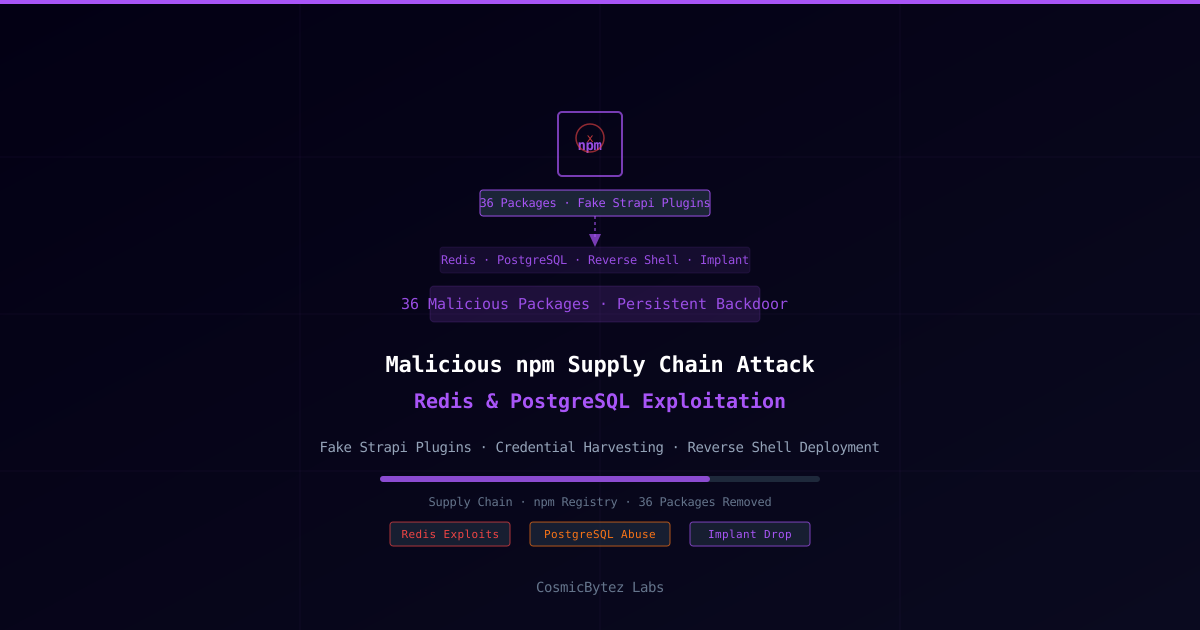
Cybersecurity researchers have uncovered 36 malicious packages in the npm registry that masqueraded as legitimate Strapi CMS plugins while harboring sophisticated payloads designed to exploit Redis and PostgreSQL database connections, harvest credentials, deploy reverse shells, and drop persistent implants on developer and production systems.
The campaign represents a coordinated supply chain attack targeting the Strapi CMS ecosystem, a widely-used open-source Node.js headless CMS with an active developer community.
The Malicious Package Campaign
According to researchers, every package in the campaign followed a consistent pattern: present as a legitimate Strapi plugin while concealing malicious functionality activated upon installation or execution. The packages used naming conventions that closely mimicked real or plausible Strapi community plugins to maximize the chance of accidental installation.
Key characteristics of the campaign:
- 36 packages discovered and reported to npm
- All disguised as Strapi CMS plugins using plausible plugin naming patterns
- Packages contained layered payloads with multiple capabilities
- Designed for both developer workstations and production servers
Attack Capabilities
Redis Exploitation
The malicious packages included code to target Redis instances accessible from the compromised environment. Upon execution, the packages would:
- Scan for Redis connections using common default ports (6379) and configuration patterns found in environment variables
- Extract data from accessible Redis stores, including session tokens, cached credentials, and application secrets
- Abuse Redis as a command channel in some variants, using the pub/sub mechanism for covert communication
PostgreSQL Abuse
Similarly, the packages targeted PostgreSQL databases by:
- Reading database connection strings from environment variables (
DATABASE_URL,POSTGRES_URL,PG_*) — standard in Node.js application deployments - Connecting to identified databases and exfiltrating schema information, user tables, and credential data
- Deploying database-resident payloads in some cases, storing malicious data or functions within the database for persistence
Reverse Shell Deployment
Several packages in the campaign deployed reverse shell functionality to establish persistent attacker access:
Package installs
  → Reads environment (PORT, DB strings, secrets)
  → Exfiltrates collected data to C2
  → Establishes reverse shell to attacker infrastructure
→ Registers persistence (cron, startup script, or PM2 process)Persistent Implant
The final payload stage involved dropping a persistent implant that survived package removal. Techniques used included:
- Cron job registration to re-establish the reverse shell at regular intervals
- Process manager abuse (e.g., registering as a PM2 application)
- Startup script modification to persist across system reboots
Researchers noted that "every package contained a persistence mechanism", making simple npm uninstall insufficient for full remediation.
Who Is at Risk
The attack is targeted at developers and organizations that:
- Use Strapi CMS for headless content management in Node.js projects
- Install community plugins from npm without rigorous vetting
- Run CI/CD pipelines with access to database credentials or production secrets
- Use npm with automated dependency updates that may pull new packages without manual review
Development environments are equally at risk as production — developer workstations typically have access to credentials, SSH keys, cloud tokens, and VPN configurations that represent high-value targets.
Detection and Response
Identifying Affected Packages
Organizations should audit their npm dependency trees for the reported malicious packages. The full list of package names was reported to npm and packages have been removed from the registry. Security advisories from npm and the researchers should be cross-referenced against package.json and package-lock.json files.
# Audit your project dependencies for known malicious packages
npm audit

# List all installed Strapi-related packages
npm list | grep -i strapi

# Check for recently installed packages with unusual postinstall scripts
cat node_modules/.package-lock.json | grep -A5 "scripts"Signs of Compromise
Look for indicators of post-exploitation activity:
# Check crontab for unexpected entries
crontab -l
cat /etc/cron.d/*

# Look for unexpected outbound connections
ss -tp | grep ESTABLISHED
netstat -an | grep ESTABLISHED

# Review process list for suspicious node processes
ps aux | grep node

# Check PM2 process list if used
pm2 listRemediation Steps
- Remove all identified malicious packages and run
npm installfrom a clean state - Audit cron jobs, PM2 processes, and startup scripts for unauthorized entries added by the implant
- Rotate all credentials potentially exposed: database passwords, API keys, cloud tokens, environment variables
- Review database access logs for unauthorized queries originating from the application server
- Scan Redis instances for unexpected keys or pub/sub subscriptions that could indicate ongoing C2 activity
- Isolate and reimagine affected systems if a persistent implant is confirmed
Supply Chain Attack Context
This campaign follows a pattern of increasingly sophisticated npm supply chain attacks. The use of ecosystem-specific naming (Strapi plugins) demonstrates that threat actors are researching target developer communities to maximize install rates.
Key parallels to recent npm supply chain attacks include:
- Axios maintainer compromise (April 2026) — North Korean actors hijacked a high-download package
- Trivy GitHub Actions supply chain attack (March 2026) — 75 tags hijacked to steal CI/CD secrets
- UNC6426 NX npm attack (March 2026) — malicious packages targeting AWS administrators
The recurring theme: npm's open publishing model and the ecosystem's dependency culture make it a persistent, high-value target for supply chain attackers.
Recommendations
- Vet npm packages before installation — check download counts, publish history, and repository activity
- Lock dependency versions in
package-lock.jsonand avoid loose version ranges in production - Audit postinstall scripts — malicious packages frequently use
postinstallhooks for payload execution - Implement network egress filtering for build and production environments to limit reverse shell callback success
- Use npm audit and tools like Socket.dev that perform behavioral analysis of new packages
- Principle of least privilege — CI/CD and production environments should not have broad access to all secrets
Source: The Hacker News