node-ipc npm Package Backdoored in Supply Chain Attack
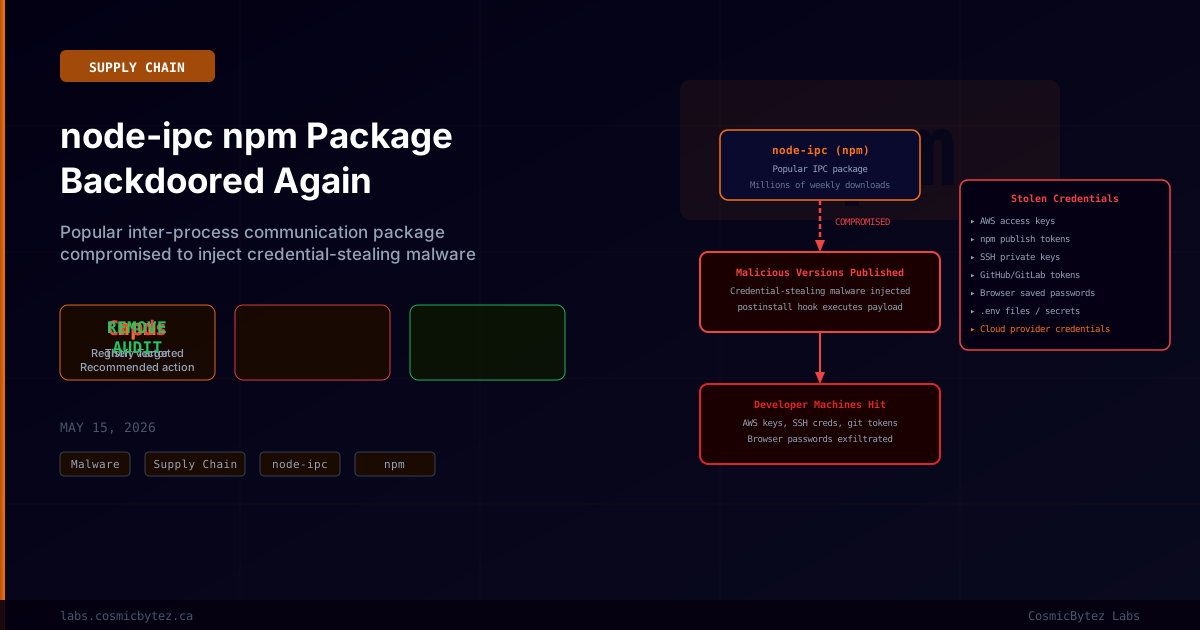
Security researchers have uncovered a supply chain attack targeting node-ipc, a widely used Node.js package for inter-process communication (IPC). Attackers compromised the package's npm registry account and published malicious new versions containing credential-stealing malware designed to harvest sensitive developer credentials from infected machines.
The node-ipc package has a large install base across the JavaScript ecosystem, with millions of weekly downloads, making this compromise a high-severity supply chain incident with potential impact across thousands of downstream projects.
What Is node-ipc?
node-ipc is a Node.js module that provides inter-process communication capabilities — enabling different processes or applications on the same machine, or across networks, to communicate with each other. It is used in a wide range of applications including Electron desktop apps, development tools, CLI utilities, and server-side Node.js applications.
The package's position in many development toolchains makes it a particularly effective supply chain attack vector: compromising node-ipc means the malicious payload executes on developer machines in the context of active development environments — environments typically rich with credentials, API keys, and access tokens.
This is not the first time node-ipc has been at the center of a security incident. In 2022, the package's maintainer intentionally introduced destructive code (the "peacenotwar" incident), which resulted in widespread discussion about the security risks of developer supply chain trust.
The Compromise: How It Happened
Attackers gained access to the npm publishing account associated with node-ipc and published new malicious versions of the package to the npm registry. The malicious versions contain a postinstall hook — a script that runs automatically when the package is installed — which executes the credential-stealing payload on the developer's machine without any further interaction.
// Malicious package.json snippet (illustrative)
{
  "scripts": {
    "postinstall": "node ./lib/services/init.js"
  }
}The postinstall script drops and executes a credential harvester targeting multiple categories of sensitive data.
What the Malware Steals
The credential-stealing payload targets a broad range of developer credentials stored on the infected machine:
| Credential Type | Source |
|---|---|
| AWS access keys / secret keys | ~/.aws/credentials, environment variables |
| npm publish tokens | ~/.npmrc |
| SSH private keys | ~/.ssh/ directory |
| GitHub / GitLab / Bitbucket tokens | ~/.gitconfig, environment variables, credential stores |
| Browser saved passwords | Chrome, Firefox, Edge credential stores |
.env files | Scanned recursively from common project directories |
| Cloud provider credentials | GCP ~/.config/gcloud/, Azure CLI tokens |
| CI/CD secrets | Jenkins credentials, CircleCI tokens, GitHub Actions runner tokens |
All harvested credentials are transmitted to an attacker-controlled command-and-control server via encrypted HTTPS connections, making the exfiltration difficult to detect without egress filtering.
Scope and Impact
The attack's impact is amplified by several factors:
Transitive dependencies: Many projects may not directly depend on node-ipc but include it transitively through other packages. Developers who have not explicitly installed node-ipc may still be affected if any of their direct dependencies pull in a compromised version.
CI/CD pipeline exposure: If a project's CI/CD pipeline installs dependencies using npm install and pulls a compromised node-ipc version, the malware executes on the CI runner — potentially stealing CI/CD platform secrets, cloud deployment credentials, and registry tokens used by the pipeline.
Developer machine wealth of credentials: Modern developers routinely store dozens of cloud, platform, and service credentials locally. A successful execution of this type of harvester can yield credentials providing access to production infrastructure, cloud accounts, and package registries.
Cascade risk: Stolen npm publish tokens can be used to compromise additional packages, potentially enabling a cascading supply chain attack similar to the 2021 ua-parser-js and node-ipc incidents.
Immediate Response Actions
1. Identify Affected Installations
# Check if node-ipc is installed in your project
npm ls node-ipc

# Check globally installed packages
npm ls -g node-ipc

# Check lock file for the exact installed version
grep "node-ipc" package-lock.json2. Remove Compromised Versions
Remove node-ipc and any packages that depend on it, and audit whether a compromised version was ever installed:
# Remove node-ipc
npm uninstall node-ipc

# Check npm audit for additional vulnerabilities
npm audit3. Rotate All Developer Credentials Immediately
If a compromised version of node-ipc was installed on your machine or CI/CD environment, treat all credentials as compromised and rotate them:
# Rotate npm tokens
npm token revoke <token>
npm token create --read-only  # Create new scoped tokens

# Rotate AWS credentials via CLI
aws iam delete-access-key --access-key-id <old-key>
aws iam create-access-key

# Revoke and reissue SSH keys
# Remove the compromised public key from GitHub/GitLab
# Generate a new key pair
ssh-keygen -t ed25519 -C "your-email@example.com"4. Check for Exfiltration Activity
Review outbound network connections from the affected machine around the time the compromised package was installed:
# Check system DNS queries (if DNS logging is enabled)
# Review firewall/proxy logs for outbound HTTPS to unfamiliar endpoints

# On Linux, check recently executed processes
journalctl --since "2026-05-14" --until "2026-05-15" | grep node

# Check for files written by postinstall scripts
ls -la ~/.npm/_logs/5. Audit Cloud Account Activity
For each cloud provider credential potentially exposed, review recent activity for unauthorized access:
- AWS: Check CloudTrail logs, review IAM access advisor, look for unfamiliar API calls
- GCP: Review Cloud Audit Logs, check for unauthorized service account usage
- GitHub: Review the Security log at Settings > Security > Security Log for unfamiliar access events
Defensive Measures Going Forward
Lock Dependency Versions
# Use npm ci instead of npm install in CI/CD to enforce exact lock file versions
npm ci

# Alternatively, use --frozen-lockfile with Yarn
yarn install --frozen-lockfileEnable npm Package Provenance
npm's provenance attestation links published packages cryptographically to their build pipeline. While not universally adopted, it significantly raises the bar for supply chain attacks:
# Install packages with provenance verification where available
npm install --prefer-attestationsRestrict postinstall Script Execution
# Disable postinstall scripts globally (may break some legitimate packages)
npm config set ignore-scripts true

# Or use --ignore-scripts per install
npm install --ignore-scriptsMonitor for Anomalous Network Activity
Configure your firewall or endpoint protection to alert on unexpected outbound HTTPS connections originating from Node.js processes during package installation.
Broader Supply Chain Context
This incident is the latest in a sustained campaign of npm supply chain attacks. The node-ipc package name carries particular reputational weight given its 2022 incident, making it a target that attracts both opportunistic attackers (who know it has a large install base) and security researchers who monitor it closely.
The pattern follows the Mini Shai-Hulud and related supply chain campaigns that have compromised popular packages throughout 2026, including TanStack, Mistral AI packages, Bitwarden CLI, and SAP-related npm packages. Whether this node-ipc incident is directly linked to those campaigns or represents an independent actor is under investigation.
Key Takeaways
- node-ipc was compromised via an npm account takeover, with malicious versions containing credential-stealing malware published to the registry
- Rotate all credentials immediately if the compromised package was ever installed in your environment — AWS keys, npm tokens, SSH keys, GitHub tokens, and browser credentials
- Check transitive dependencies — you may be affected even without directly depending on node-ipc
- CI/CD pipelines are high-risk — if a CI runner installed the compromised version, treat all CI secrets as exposed
- Use
npm ciand lock files in production and CI to prevent automatic resolution of newer, potentially malicious package versions