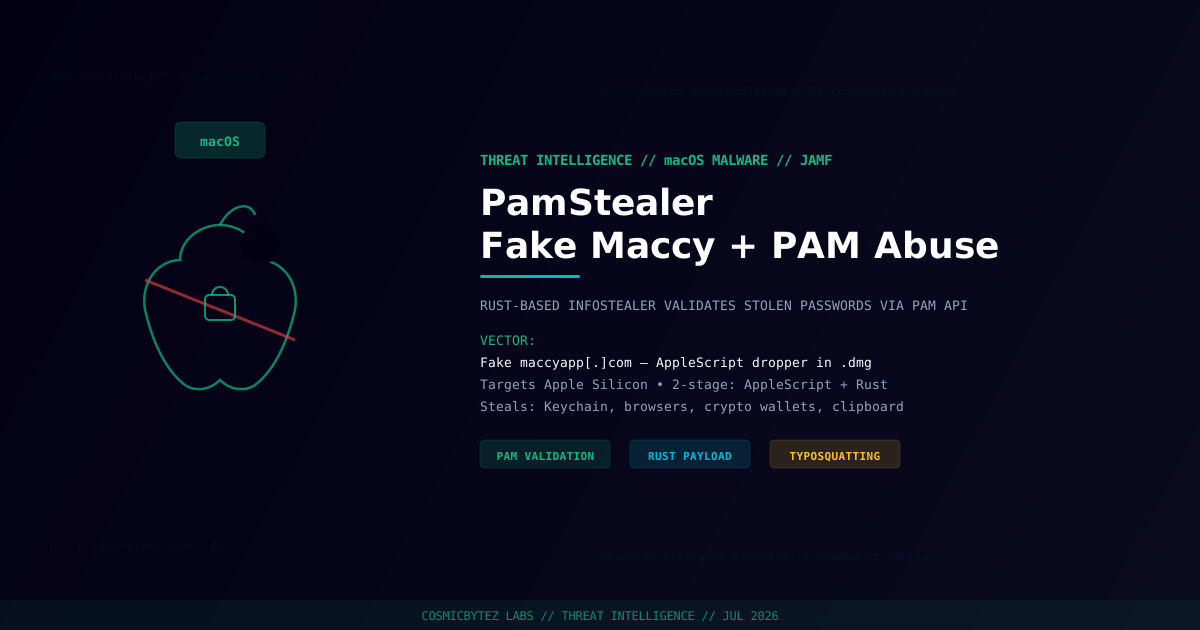
Researchers at Jamf Threat Labs have identified a new macOS information stealer called PamStealer that employs a clever combination of social engineering, native API abuse, and cryptographic evasion to steal login credentials, keychain data, and cryptocurrency wallets from Mac users. The malware is named for its defining behavior: it validates stolen passwords through macOS's Pluggable Authentication Modules (PAM) API before exfiltrating them — ensuring attackers receive only confirmed, working credentials.
What Is Maccy — and Why Is It Being Impersonated?
Maccy (maccy.app) is a popular, free open-source clipboard manager for macOS that maintains a searchable history of clipboard contents. Its developer-friendly reputation and wide adoption among technical Mac users make it an ideal impersonation target for social engineering attacks targeting developers, sysadmins, and security practitioners.
PamStealer is distributed via maccyapp[.]com — a typosquatting domain designed to catch users who mistype or search for the legitimate app. The official developer, Alex Rodionov, has since added warnings to the Maccy website and GitHub repository: "Maccy.app is the only official website."
Two-Stage Attack Architecture
PamStealer uses a two-stage design that separates the download-and-drop logic from the credential theft payload, making each component less suspicious in isolation.
Stage 1: AppleScript Dropper
The initial payload is a compiled AppleScript (.scpt) file distributed inside a macOS disk image (.dmg). Rather than invoking obvious shell utilities like curl, zsh, or osascript — which behavioral detection tools commonly flag — the dropper uses a JavaScript for Automation (JXA) wrapper that calls native Objective-C APIs (NSURLSession) directly via the ObjC bridge.
The dropper also derives an encryption key from a host fingerprint built from:
- CPU architecture
- System locale
- Keyboard layout
- Time zone
This host-bound key unlocks an encrypted, integrity-checked configuration block containing the Stage 2 payload URL and install path. The configuration only decrypts on a valid target machine — rendering sandbox detonation ineffective, since the sandbox fingerprint won't match the key derivation.
Stage 2: Rust-Based Infostealer
The second stage is a Rust-based Mach-O binary targeting Apple Silicon Macs. It is responsible for credential theft, persistence, and exfiltration. The use of Rust reduces static analysis indicators versus Python or Swift, and the binary dynamically loads Security.framework at runtime rather than statically linking it — another technique to reduce its footprint in static analysis tooling.
The PAM Password Validation Trick
PamStealer's most distinctive feature is how it captures and validates the victim's login password. Rather than simply phishing for a password and hoping the user typed correctly, the malware:
- Displays a native macOS password prompt styled to read: "Maccy wants to make changes. Enter your password to allow this." — with the account name pre-filled to appear legitimate
- Takes the entered password and passes it to the macOS PAM API (
pam_start→pam_authenticate→pam_end) - Checks the PAM return code: if authentication fails, the prompt re-appears asking the user to try again
- Loops until the correct password is entered — only then is the validated credential transmitted to the C2
This means attackers receive confirmed working credentials, not typos or incorrect guesses. It is a materially more reliable approach than traditional fake login prompts used by commodity stealers.
User sees: "Maccy wants to make changes. Enter your password to allow this."
         [Account name pre-filled]
         [Password field]

Under the hood:
  pam_start("login", username, &conv, &pamh) → PAM session opened
  pam_authenticate(pamh, 0)                 → PAM validates against system keychain
  if (result != PAM_SUCCESS) → re-prompt
  if (result == PAM_SUCCESS) → transmit to C2
The Decoy Exit Message
After successfully capturing and validating the password, PamStealer displays a final decoy message: "Maccy is damaged and can't be opened. You should move it to the Trash" — a close copy of macOS's genuine Gatekeeper alert for damaged applications.
By the time this message appears, the payload has already run, captured the password, collected device data, and registered for persistence. The fake error message serves a single purpose: convincing the victim the download was broken, prompting them to delete the "damaged" app and stop investigating.
Data Collected
The Rust-based second stage harvests:
| Data Type | Details |
|---|---|
| System password | Validated via PAM, confirmed working |
| macOS Keychain | All keychain entries accessible to the user |
| Browser credentials | Saved passwords and cookies from major browsers |
| Cryptocurrency wallets | Wallet files and seed phrases |
| Clipboard history | Current and historical clipboard content |
| Screenshots | Periodic screen captures |
Persistence
Once installed, PamStealer registers for persistence through mechanisms typical of macOS infostealers, ensuring the Rust payload survives reboots and continues operating without re-infection.
Detection and Remediation
How to stay safe:
- Only download Maccy from
maccy.app— notmaccyapp.comor any other domain - Verify disk image signatures before installing any downloaded app
- Be suspicious of unexpected password prompts — macOS apps rarely need your login password; clipboard managers never do
- If you see the fake "damaged" Gatekeeper message after entering your password, treat your system as compromised immediately
If you may be infected:
- Rotate your macOS login password immediately — and any passwords shared with it
- Audit your Keychain for unauthorized access (check
Keychain Access.applogin timestamps) - Revoke any cryptocurrency wallet seed phrases you may have copied to clipboard
- Check for persistence agents:
~/Library/LaunchAgents/and/Library/LaunchAgents/ - Run a full Jamf or other EDR scan for Rust binaries in unexpected locations
# Check for suspicious LaunchAgents
ls -la ~/Library/LaunchAgents/
ls -la /Library/LaunchAgents/

# Look for unexpected Rust binaries in Application Support
find ~/Library/Application\ Support -name "*.bin" -o -perm +111 2>/dev/null | grep -v ".app"

# Check for maccyapp.com in DNS or browser history
cat ~/Library/Application\ Support/Google/Chrome/Default/History 2>/dev/null | strings | grep maccyappReferences
- Jamf Threat Labs — PamStealer: macOS Malware Posing as Clipboard Manager App
- The Hacker News — PamStealer Uses Fake Maccy Sites and PAM Checks to Steal Mac Login Passwords
- CyberInsider — New macOS malware PamStealer uses PAM to validate stolen data
- HackRead — New PamStealer Malware Targets macOS Users via Fake Maccy Clipboard App
- CyberPress — PamStealer macOS Infostealer Uses Rust Payload to Validate and Steal Passwords