A Toolkit That Doesn't Need the Extension Store
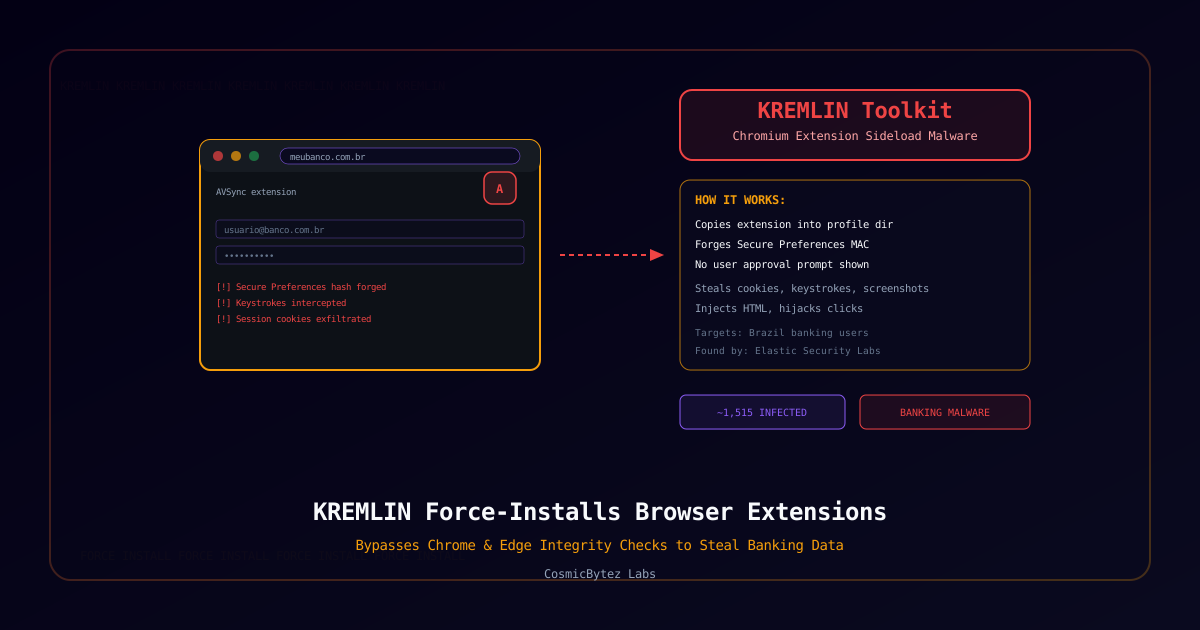
Elastic Security Labs has disclosed KREMLIN, a banking malware toolkit active since mid-2025 that installs malicious Chrome and Edge extensions on victim machines without ever triggering the browser's normal install-consent prompt. Rather than publishing to the Chrome Web Store or Edge Add-ons and relying on a victim to click "Add extension," KREMLIN manipulates the browser's own integrity-verification mechanism to sideload its payload as if it were already trusted.
How It Bypasses Browser Checks
Chromium-based browsers protect against unauthorized extension tampering by storing a cryptographic integrity value — a MAC (message authentication code) — over the browser's Secure Preferences file, which lists installed extensions. Any mismatch normally causes the browser to disable or flag the extension.
KREMLIN defeats this by:
- Manually copying its malicious extension directly into the browser's profile directory, bypassing the normal install flow entirely
- Registering the extension inside the
Secure Preferencesfile - Retrieving the browser's local encryption/seed keys and regenerating a valid integrity MAC for the tampered file
Because the recalculated MAC checks out, the browser treats the sideloaded extension — branded in observed samples as "AVSync" — as legitimate, with no install prompt, no warning banner, and no visible sign to the user that anything changed.
What It Steals
Once active, the malicious extension gives the operators a broad surveillance and manipulation foothold inside the browser:
| Capability | Description |
|---|---|
| Session Data | Cookies, session storage, and local storage |
| Keystrokes | Form-input logging, including passwords |
| Visual Capture | Screenshots and raw page source |
| Browsing Activity | History and currently open tabs |
| Network Interception | HTTP headers and request bodies |
| Content Injection | Injects malicious HTML into visited pages |
| Click Hijacking | Redirects user clicks to attacker-controlled destinations |
Distribution and Infrastructure
Infections begin when a victim opens a JavaScript file disguised as a banking document — an invoice or receipt — typically delivered via social engineering. After evading sandbox analysis, the script downloads a Node.js runtime, establishes persistence through scheduled tasks, and pulls additional payloads from an Ethereum smart contract used as resilient, hard-to-take-down C2 infrastructure.
Scale and Response
Elastic identified approximately 1,515 infected systems, the large majority located in Brazil, consistent with the campaign's focus on impersonating Brazilian banks. Researchers disrupted part of the operation by registering a domain the malware relied on for its anti-sandbox detection check — causing the loader to fail closed on systems that would otherwise have been infected.
Why This Matters
KREMLIN's core technique — forging a browser's own integrity check to sideload an extension with no user interaction — sidesteps one of the last remaining user-facing control points for browser extension security. Enterprise defenders who rely on "users won't click install on an unknown extension" as a mitigating control should treat that assumption as insufficient against this class of malware. The use of blockchain-based C2 (an Ethereum smart contract) also reflects a broader trend of threat actors adopting decentralized infrastructure specifically to resist takedown.
Protective Measures
- Treat unexpected extensions as a compromise indicator — audit installed browser extensions on finance-adjacent endpoints, not just the extension store's own approval status.
- Block execution of JavaScript file attachments at the email gateway, particularly
.jsfiles disguised as documents. - Monitor for anomalous scheduled task creation following document-themed downloads.
- Watch for outbound connections to blockchain RPC endpoints from unexpected processes, a growing C2 resilience pattern.
- Deploy browser management policies (e.g. extension allowlisting via enterprise browser management) that don't rely solely on the browser's own tamper checks.