Overview
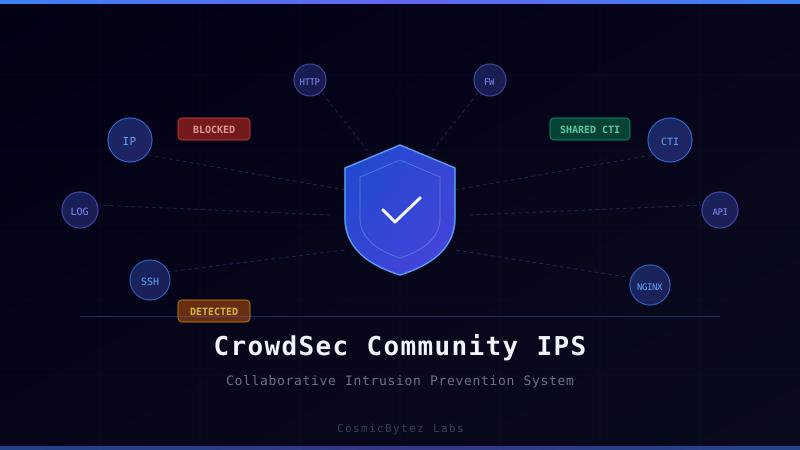
Traditional intrusion prevention systems (IPS) operate in isolation — each deployment independently decides what to block based only on the attacks it has seen. CrowdSec flips this model by crowdsourcing threat intelligence. Every participating installation shares (anonymised) attacker IPs with the community, and in return receives a live blocklist maintained by hundreds of thousands of engines worldwide.
Under the hood CrowdSec splits into two clean layers:
- Security Engine — reads your logs, runs them through parsers and behaviour-detection scenarios, and raises alerts when it spots attacks.
- Bouncers (Remediation Components) — consume the engine's decisions and enforce them at whichever layer makes sense: the kernel firewall, your web server, Cloudflare, etc.
By the end of this guide you will have:
- CrowdSec installed and monitoring SSH, syslog, and Nginx access logs.
- A firewall bouncer auto-blocking malicious IPs via nftables.
- An Nginx bouncer returning
403 Forbiddento banned clients. - Your instance enrolled in the CrowdSec Console for a central view across all machines.
- The community blocklist actively pre-banning known-bad IPs before they even attempt an attack.
Architecture
                          ┌─────────────────────────────┐
                          │        CrowdSec Engine        │
                          │                               │
   /var/log/auth.log ────▶│  Log Acquisition (acquis.d)   │
   /var/log/nginx/   ────▶│         │                     │
   journald        ────▶│   Parsers (s00 → s01 → s02)   │
                          │         │                     │
                          │    Scenarios (leaky bucket)   │
                          │         │                     │
                          │     Local API  (:8080)        │
                          └──────┬──────────┬─────────────┘
                                 │          │
                       ┌─────────▼──┐  ┌────▼───────────┐
                       │  Firewall  │  │  Nginx Bouncer  │
                       │  Bouncer   │  │  (Lua / :7422)  │
                       │ (nftables) │  └────────────────┘
                       └─────────┬──┘
                                 │
                          ┌──────▼──────┐
                          │  nftables   │  ◀── blocked IPs
                          │   kernel    │
                          └─────────────┘

         CrowdSec Console (app.crowdsec.net)
           ▲ shared CTI + community blocklist
The engine never touches your firewall directly — bouncers are separate processes that poll the local API, which means you can add or remove enforcement points without restarting the engine.
Prerequisites
| Requirement | Notes |
|---|---|
| Linux host (Ubuntu 22.04 / 24.04 recommended) | VPS, bare-metal, or VM |
| Root or sudo access | For package install and systemd |
| Nginx installed (optional) | Only needed for the web bouncer step |
| Free CrowdSec Console account | app.crowdsec.net — takes 60 seconds |
| Open outbound HTTPS | Engine calls api.crowdsec.net for blocklist sync |
Step 1 — Install the CrowdSec Security Engine
CrowdSec provides a one-liner that adds the package repository and installs the engine:
curl -s https://install.crowdsec.net | sudo sh
sudo apt install -y crowdsec
sudo systemctl enable --now crowdsecVerify the engine is running and check its initial status:
sudo cscli version
sudo cscli metricsThe installer auto-detects common log paths and creates acquisition configs for them. Check what was discovered:
sudo cscli hub list
sudo cat /etc/crowdsec/acquis.yamlStep 2 — Install Collections
Collections bundle the parsers and detection scenarios needed for a given service. Install the essentials:
# Core Linux + SSH brute-force detection
sudo cscli collections install crowdsecurity/linux
sudo cscli collections install crowdsecurity/sshd

# Nginx access and error log analysis
sudo cscli collections install crowdsecurity/nginx

# HTTP attack scenarios (path traversal, SQLi probes, etc.)
sudo cscli collections install crowdsecurity/http-cve
sudo cscli collections install crowdsecurity/base-http-scenarios

# Portscan and common CVE detection
sudo cscli collections install crowdsecurity/iptablesAfter installing collections, reload the engine so the new parsers are active:
sudo systemctl reload crowdsecList everything currently installed:
sudo cscli collections list
sudo cscli scenarios list
sudo cscli parsers listStep 3 — Configure Log Acquisition
CrowdSec reads *.yaml files from /etc/crowdsec/acquis.d/ to know which logs to tail. The installer creates a starting file; augment it for your services.
Review and extend acquis.yaml
# /etc/crowdsec/acquis.d/acquis.yaml  (already created by installer)
filenames:
  - /var/log/auth.log
  - /var/log/syslog
labels:
  type: syslog
---
filenames:
  - /var/log/nginx/access.log
  - /var/log/nginx/error.log
labels:
type: nginxAdd journald acquisition (systemd-based distros)
Create /etc/crowdsec/acquis.d/journald.yaml:
source: journalctl
journalctl_filter:
  - "_SYSTEMD_UNIT=sshd.service"
labels:
type: syslogReload after any acquisition change:
sudo systemctl reload crowdsecTest the parsing pipeline
Use cscli explain to verify logs are parsed correctly. Feed a real line from your auth log:
sudo cscli explain \
  --log 'Mar 27 10:12:34 myhost sshd[12345]: Failed password for invalid user admin from 198.51.100.42 port 54321 ssh2' \
--type syslogA successful parse shows green 🟢 indicators through each pipeline stage. A red 🔴 means the parser did not match — check the collection is installed and reload.
Step 4 — Deploy the Firewall Bouncer
The firewall bouncer watches the local API for ban decisions and writes blocking rules directly into nftables or iptables.
Detect your firewall backend
iptables -V
# If output contains "nf_tables" → use nftables package
# Otherwise → use iptables packageInstall
# nftables (most modern distros)
sudo apt install -y crowdsec-firewall-bouncer-nftables

# iptables (older kernels)
sudo apt install -y crowdsec-firewall-bouncer-iptablesThe package creates a config at /etc/crowdsec/bouncers/crowdsec-firewall-bouncer.yaml and registers itself with the local API automatically. Check it is linked:
sudo cscli bouncers listYou should see crowdsec-firewall-bouncer with status valid. Enable and start:
sudo systemctl enable --now crowdsec-firewall-bouncer
sudo systemctl status crowdsec-firewall-bouncerVerify rules are being written
# nftables
sudo nft list ruleset | grep crowdsec

# iptables
sudo iptables -L -n | grep crowdsecStep 5 — Deploy the Nginx Bouncer (Optional)
If you run Nginx, the web bouncer intercepts requests at the Lua layer — banned IPs receive a 403 before any application code executes.
Install dependencies and bouncer
sudo apt install -y lua5.1 libnginx-mod-http-lua luarocks gettext-base lua-cjson
sudo apt install -y crowdsec-nginx-bouncerThe bouncer auto-generates its API key and injects the Lua config into /etc/nginx/conf.d/crowdsec_nginx.conf:
# /etc/nginx/conf.d/crowdsec_nginx.conf (auto-generated)
init_by_lua_block {
    local cs = require "plugins.crowdsec.crowdsec"
    local ok, err = cs.init("/etc/crowdsec/bouncers/crowdsec-nginx-bouncer.conf", "crowdsec-nginx-bouncer/v1.0")
    if ok == nil then
        ngx.log(ngx.ERR, "[CrowdSec] Failed to init lib: " .. err)
    else
        ngx.log(ngx.ALERT, "[CrowdSec] Loaded")
    end
}

access_by_lua_block {
    local cs = require "plugins.crowdsec.crowdsec"
    cs.Allow(ngx.var.remote_addr)
}Reload Nginx:
sudo nginx -t && sudo systemctl reload nginxVerify the bouncer appears in the list:
sudo cscli bouncers listEnable AppSec (Web Application Firewall)
CrowdSec can also run virtual patching rules — catching SQLi, XSS, path traversal, and known CVE exploit patterns at the request level:
sudo cscli collections install crowdsecurity/appsec-virtual-patching
sudo cscli collections install crowdsecurity/appsec-generic-rulesCreate /etc/crowdsec/acquis.d/appsec.yaml:
listen_addr: 127.0.0.1:7422
appsec_config: crowdsecurity/virtual-patching
name: myapp-appsec
source: appsec
labels:
type: appsecAdd APPSEC_URL=http://127.0.0.1:7422 to /etc/crowdsec/bouncers/crowdsec-nginx-bouncer.conf, then restart both services:
sudo systemctl restart crowdsec
sudo systemctl reload nginxTest AppSec is active:
curl -I "http://localhost/.env"
# Expected: HTTP/1.1 403 ForbiddenStep 6 — Connect to the CrowdSec Console
The Console (free tier) gives you a centralised dashboard across all your engines, shows live alerts, and lets you manage allowlists without SSH-ing into each server.
Create your account
Go to app.crowdsec.net, sign up, and verify your email. The onboarding screen provides your personal enrollment key.
Enroll the engine
sudo cscli console enroll <YOUR_ENROLLMENT_KEY>
# Optional: name the instance
sudo cscli console enroll <YOUR_ENROLLMENT_KEY> --name "homelab-vps-01"Back in the Console, accept the pending enrollment. Then restart the engine to push initial metadata:
sudo systemctl restart crowdsecConfirm enrollment
sudo cscli console statusOutput should show Enrolled: true.
Step 7 — Configure Slack / Email Notifications
CrowdSec can push alerts when a scenario triggers. Notification plugins live in /etc/crowdsec/notifications/.
Slack webhook example
Create /etc/crowdsec/notifications/slack.yaml:
type: slack
name: slack_default
log_level: info
format: |
  {{range . -}}
  [{{.Scenario}}] {{.Source.IP}} ({{.Source.Country}}) — {{.Message}}
  {{end -}}
webhook: https://hooks.slack.com/services/YOUR/SLACK/WEBHOOKReference it in /etc/crowdsec/profiles.yaml:
name: default_ip_remediation
filters:
  - Alert.Remediation == true && Alert.Source.Scope == "Ip"
decisions:
  - type: ban
    duration: 4h
notifications:
  - slack_default
on_success: breakReload the engine and trigger a test alert:
sudo systemctl reload crowdsec
sudo cscli notifications test slack_defaultTesting
Simulate a brute-force attack
On a different machine, run repeated failed SSH attempts against your server:
for i in $(seq 1 10); do
  ssh -o ConnectTimeout=2 baduser@YOUR_SERVER_IP 2>/dev/null || true
doneBack on the server, watch alerts appear in real time:
sudo cscli alerts listThe source IP should appear as banned within seconds:
sudo cscli decisions listVerify the IP is blocked at the firewall:
sudo nft list ruleset | grep -A5 crowdsecCheck the community blocklist
CrowdSec auto-subscribes you to the community blocklist. View pre-blocked IPs:
sudo cscli decisions list --origin CAPIThese are IPs that other CrowdSec users reported and the community validated as malicious — blocked on your server before they even connect.
Inspect a specific decision
sudo cscli decisions list -i 198.51.100.42Manually add / remove a ban
# Ban an IP for 24 hours
sudo cscli decisions add --ip 198.51.100.42 --duration 24h --reason "manual-test"

# Remove the ban
sudo cscli decisions delete --ip 198.51.100.42Unban your own IP if locked out
sudo cscli decisions delete --ip YOUR_IPMonitoring and Observability
Live metrics
# Engine processing stats
sudo cscli metrics

# Bouncer status
sudo cscli bouncers list

# Active decisions
sudo cscli decisions list

# Recent alerts
sudo cscli alerts list --limit 20Grafana dashboard (optional)
CrowdSec exposes Prometheus metrics at http://127.0.0.1:6060/metrics. If you already run Grafana:
# Add to /etc/crowdsec/config.yaml:
prometheus:
  enabled: true
  level: full
  listen_addr: 127.0.0.1
listen_port: 6060Import the official CrowdSec Grafana dashboard (ID 14712) from the Grafana dashboard hub.
Deployment Notes
Whitelist trusted IPs
Never ban your own workstation or monitoring systems. Add trusted CIDRs to /etc/crowdsec/parsers/s02-enrich/mywhitelist.yaml:
name: myorg/whitelist-internal
description: "Whitelist RFC1918 and monitoring"
whitelist:
  reason: "internal network"
  ip:
    - "127.0.0.1"
  cidr:
    - "10.0.0.0/8"
    - "172.16.0.0/12"
- "192.168.0.0/16"Reload after adding:
sudo systemctl reload crowdsecAdjust ban duration per scenario
Edit /etc/crowdsec/profiles.yaml to tune durations:
decisions:
  - type: ban
duration: 24h # increase from default 4h for repeat offendersExtensions and Next Steps
| Extension | What It Adds |
|---|---|
| HAProxy bouncer | Block at load-balancer level before traffic reaches Nginx |
| Cloudflare bouncer | Push bans to Cloudflare firewall rules automatically |
| Traefik bouncer | Kubernetes/Docker ingress protection |
| OPNsense plugin | Protect your edge firewall with community blocklists |
| Multi-server Console | Enroll all your VPS and homelab nodes into one dashboard |
| Custom scenarios | Write YAML leaky-bucket rules for your own app logs |
| SIEM integration | Forward CrowdSec alerts to Grafana Loki, Elastic, or Splunk |
| Premium CTI | Subscribe to advanced threat feeds (ransomware, botnets) via Console |
Writing a custom detection scenario
If your application produces login failure logs, you can write a scenario to detect brute force in a few lines of YAML:
# /etc/crowdsec/scenarios/myapp-bf.yaml
type: leaky
name: myorg/myapp-bruteforce
description: "Detect brute force against MyApp login"
filter: evt.Meta.log_type == 'myapp_failed_login'
groupby: evt.Meta.source_ip
capacity: 5
leakspeed: "10s"
blackhole: 1m
labels:
  service: myapp
  type: bruteforce
remediation: truePlace your parser in /etc/crowdsec/parsers/s01-parse/myapp-logs.yaml, then reload. Use cscli explain to validate the pipeline end-to-end before deploying to production.
CrowdSec turns every server into both a protected node and a contributor to collective defence. The community blocklist alone stops a significant percentage of automated attacks before any detection logic even runs — and as more engines join the network, that intelligence only gets sharper.