Introduction
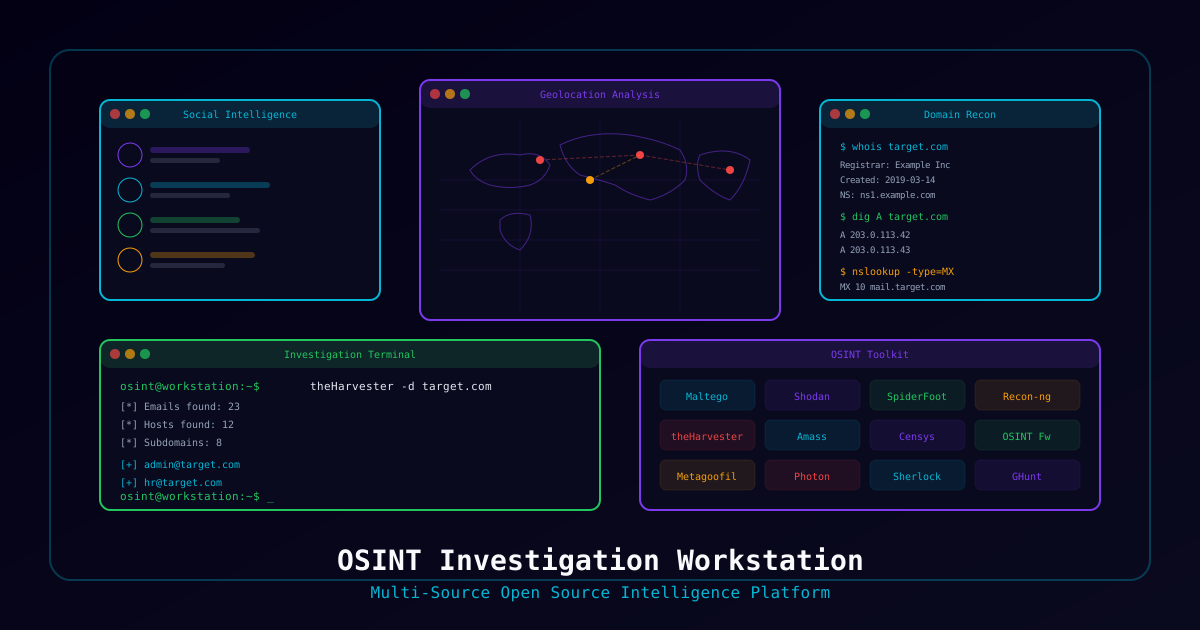
Professional OSINT investigations require operational security, tool standardization, and clear separation from your personal identity. This project builds a dedicated workstation that keeps your investigations organized, your identity protected, and your tools ready.
What You'll Build
- Isolated investigation VM (Trace Labs OS or custom Ubuntu)
- Sock puppet identity management system
- Browser profile isolation for multiple investigations
- VPN routing through investigation-specific exit nodes
- Automated screenshot and evidence collection
- Structured investigation workflow
Who This Is For
- Threat intelligence analysts
- Investigators performing background research
- Security researchers tracking threat actors
- Missing persons search volunteers (Trace Labs)
Prerequisites
Hardware Requirements
| Component | Minimum | Recommended |
|---|---|---|
| RAM | 8 GB | 16 GB |
| CPU | 2 cores | 4 cores |
| Storage | 50 GB free | 100 GB SSD |
| Display | 1080p | Dual monitors recommended |
Architecture Overview
┌─────────────────────────────────────────────────────────────┐
│                    Host Machine                              │
│                    (Your daily driver)                       │
│                                                             │
│  ┌────────────────────────────────────────────────────────┐ │
│  │              OSINT Investigation VM                    │ │
│  │                                                        │ │
│  │  ┌──────────┐  ┌──────────┐  ┌──────────┐            │ │
│  │  │ Firefox  │  │ Firefox  │  │ Firefox  │            │ │
│  │  │Profile A │  │Profile B │  │Profile C │            │ │
│  │  │(Case #1) │  │(Case #2) │  │(Sock     │            │ │
│  │  │          │  │          │  │ Puppet)  │            │ │
│  │  └──────────┘  └──────────┘  └──────────┘            │ │
│  │                                                        │ │
│  │  ┌──────────┐  ┌──────────┐  ┌──────────┐            │ │
│  │  │  Maltego │  │SpiderFoot│  │ Recon-ng │            │ │
│  │  └──────────┘  └──────────┘  └──────────┘            │ │
│  │                                                        │ │
│  │  ┌─────────────────────────────────────┐              │ │
│  │  │    VPN (Investigation-specific)     │              │ │
│  │  │    Exit node: Different from home   │              │ │
│  │  └─────────────────────────────────────┘              │ │
│  └────────────────────────────────────────────────────────┘ │
└─────────────────────────────────────────────────────────────┘Part 1: Base VM Setup
Option A: Trace Labs OSINT VM (Recommended)
Download the pre-built Trace Labs OSINT VM which comes with 100+ OSINT tools pre-installed:
- Download from tracelabs.org/initiatives/osint-vm
- Import OVA into VMware or VirtualBox
- Default credentials:
osint/osint
Option B: Custom Ubuntu Build
# Start with Ubuntu 22.04 LTS minimal installation
# After install, update system
sudo apt update && sudo apt upgrade -y

# Install essential OSINT tools
sudo apt install -y \
    firefox \
    chromium-browser \
    tor \
    torbrowser-launcher \
    whois \
    dnsutils \
    nmap \
    python3-pip \
    git \
    curl \
    wget \
    jq \
    exiftool \
    mat2 \
    httrack \
    metagoofil

# Install Python OSINT tools
pip3 install \
    theHarvester \
    shodan \
    censys \
    holehe \
    socialscan \
    maigret \
ghuntInstall Additional Tools
# Maltego Community Edition
wget https://maltego-downloads.s3.us-east-2.amazonaws.com/linux/Maltego.v4.6.0.deb
sudo dpkg -i Maltego.v4.6.0.deb

# SpiderFoot
git clone https://github.com/smicallef/spiderfoot.git
cd spiderfoot
pip3 install -r requirements.txt

# Recon-ng
sudo apt install -y recon-ng

# Amass
sudo snap install amass

# Sherlock (username search)
git clone https://github.com/sherlock-project/sherlock.git
cd sherlock
pip3 install -r requirements.txtPart 2: Browser Isolation
Create Dedicated Firefox Profiles
# Create investigation-specific profiles
firefox -CreateProfile "case-001"
firefox -CreateProfile "case-002"
firefox -CreateProfile "sock-puppet-01"

# Launch with specific profile
firefox -P "case-001" -no-remote &Essential Firefox Extensions (Per Profile)
| Extension | Purpose |
|---|---|
| uBlock Origin | Block ads and trackers |
| NoScript | Control JavaScript execution |
| User-Agent Switcher | Change browser fingerprint |
| Wayback Machine | Access archived web pages |
| DownThemAll | Batch download evidence |
| SingleFile | Save complete web pages |
| Exif Viewer | View image metadata |
Browser Hardening
In each Firefox profile (about:config):
| Setting | Value | Purpose |
|---|---|---|
media.peerconnection.enabled | false | Disable WebRTC IP leak |
geo.enabled | false | Disable geolocation |
privacy.resistFingerprinting | true | Reduce fingerprinting |
network.dns.disablePrefetch | true | Prevent DNS prefetching |
dom.event.clipboardevents.enabled | false | Block clipboard monitoring |
Part 3: VPN and Network Isolation
VPN Configuration
# Install OpenVPN
sudo apt install -y openvpn

# Import VPN configuration
sudo openvpn --config /path/to/investigation-vpn.ovpn

# Verify VPN is active (IP should be different from home)
curl -s https://api.ipify.org
curl -s https://ipinfo.io/json | jqDNS Leak Prevention
# Configure DNS to use VPN's DNS servers
sudo bash -c 'echo "nameserver 1.1.1.1" > /etc/resolv.conf'
sudo bash -c 'echo "nameserver 9.9.9.9" >> /etc/resolv.conf'

# Test for DNS leaks
# Visit: https://dnsleaktest.comKill Switch (Prevent Traffic Leakage)
# UFW-based kill switch — only allow traffic through VPN
sudo ufw default deny outgoing
sudo ufw default deny incoming
sudo ufw allow out on tun0  # VPN interface
sudo ufw allow out to 10.0.0.0/8  # Allow local VM network
sudo ufw allow out to <VPN_SERVER_IP> port 1194 proto udp  # Allow VPN connection
sudo ufw enablePart 4: Investigation Workflow
Case Directory Structure
# Create case template
mkdir -p ~/investigations/CASE-{001..010}/{evidence,screenshots,reports,notes,tools}

# Case directory structure:
# ~/investigations/
# └── CASE-001/
#     ├── evidence/          # Downloaded files, exports
#     ├── screenshots/       # Time-stamped screenshots
#     ├── reports/           # Final investigation reports
#     ├── notes/             # Investigation notes
#     ├── tools/             # Case-specific scripts
# └── case-log.md # Timeline of investigation actionsAutomated Screenshot Tool
#!/bin/bash
# screenshot.sh — Take timestamped screenshots for evidence
# Usage: ./screenshot.sh <case-number> <description>

CASE="${1:-CASE-001}"
DESC="${2:-screenshot}"
TIMESTAMP=$(date +"%Y%m%d_%H%M%S")
FILENAME="${TIMESTAMP}_${DESC}.png"
DEST="$HOME/investigations/${CASE}/screenshots/${FILENAME}"

# Take screenshot (requires scrot or gnome-screenshot)
scrot "$DEST"
echo "Saved: $DEST"

# Log the screenshot
echo "${TIMESTAMP} | Screenshot: ${DESC} | ${FILENAME}" >> \
"$HOME/investigations/${CASE}/case-log.md"Evidence Collection Script
"""Automated evidence collection for OSINT investigations."""

import json
import subprocess
from datetime import datetime
from pathlib import Path


class InvestigationCase:
    def __init__(self, case_id: str):
        self.case_id = case_id
        self.base_path = Path.home() / "investigations" / case_id
        self.base_path.mkdir(parents=True, exist_ok=True)
        for subdir in ["evidence", "screenshots", "reports", "notes"]:
            (self.base_path / subdir).mkdir(exist_ok=True)

    def log_action(self, action: str):
        """Log investigation action with timestamp."""
        timestamp = datetime.now().strftime("%Y-%m-%d %H:%M:%S")
        log_file = self.base_path / "case-log.md"
        with open(log_file, "a") as f:
            f.write(f"| {timestamp} | {action} |\n")

    def save_evidence(self, filename: str, data: str):
        """Save evidence file."""
        filepath = self.base_path / "evidence" / filename
        with open(filepath, "w") as f:
            f.write(data)
        self.log_action(f"Saved evidence: {filename}")

    def run_whois(self, domain: str):
        """Run whois lookup and save results."""
        result = subprocess.run(
            ["whois", domain], capture_output=True, text=True
        )
        self.save_evidence(f"whois_{domain}.txt", result.stdout)
        return result.stdout

    def run_dns_enum(self, domain: str):
        """Run DNS enumeration and save results."""
        records = {}
        for rtype in ["A", "AAAA", "MX", "NS", "TXT", "SOA"]:
            result = subprocess.run(
                ["dig", domain, rtype, "+short"],
                capture_output=True, text=True,
            )
            records[rtype] = result.stdout.strip().split("\n")
        self.save_evidence(
            f"dns_{domain}.json",
            json.dumps(records, indent=2),
        )
        return records


# Usage
if __name__ == "__main__":
    case = InvestigationCase("CASE-001")
    case.log_action("Investigation started")
    case.run_whois("example.com")
case.run_dns_enum("example.com")Part 5: Sock Puppet Management
Sock Puppet Checklist
For each investigation persona:
- Unique email address (ProtonMail or Tutanota)
- Dedicated Firefox profile
- VPN exit node in persona's "location"
- Consistent persona backstory
- Profile photos (generated with AI — thispersondoesnotexist.com)
- No connection to your real identity
Persona Documentation Template
## Sock Puppet: [Alias Name]

**Created:** [Date]
**Purpose:** [Investigation case or general use]

### Identity
- Name: [Full name]
- Location: [City, Country]
- Occupation: [Cover story]
- Interests: [Relevant to investigation]

### Accounts
- Email: [email]
- Phone: [VoIP number if needed]
- Social Media: [list platforms]

### Technical
- Firefox Profile: [profile name]
- VPN Exit: [country/city]
- Browser fingerprint: [user agent string]

### Usage Log
| Date | Platform | Activity |
|------|----------|----------|Verification Checklist
- Investigation VM isolated from host network
- VPN active with kill switch enabled
- DNS leak test passed
- WebRTC disabled in browser
- Firefox profiles created for each case
- Evidence directory structure created
- Screenshot tool working
- All OSINT tools installed and tested
- Sock puppet profiles documented
- Case log template ready