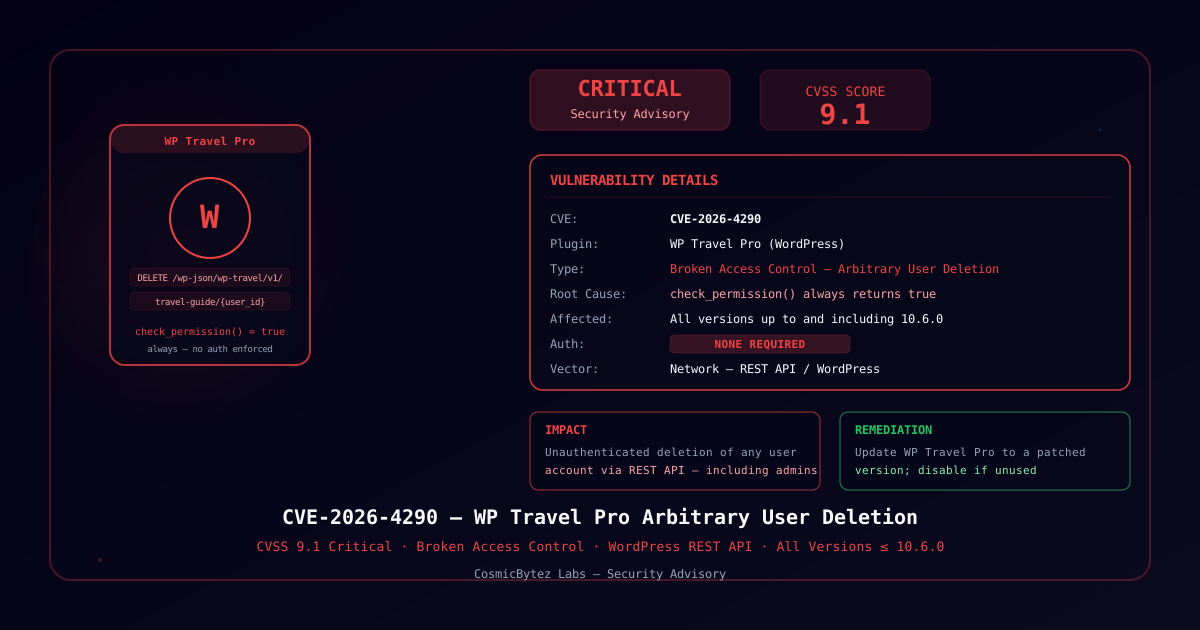
Executive Summary
CVE-2026-4290 is a critical broken access control vulnerability (CVSS 9.1) in WP Travel Pro, a widely-used WordPress plugin for managing travel booking, tour listings, and trip management on WordPress sites. All versions up to and including 10.6.0 expose a REST API endpoint (/wp-json/wp-travel/v1/travel-guide/{user_id}) that allows the deletion of any WordPress user account without authentication. The root cause is a permission callback function — check_permission() — that unconditionally returns true, bypassing all authorization checks for the Database::delete() operation tied to this endpoint.
An unauthenticated attacker can delete WordPress administrator accounts, effectively locking out legitimate site owners and enabling privilege escalation or site takeover in chained attack scenarios.
Vulnerability Details
| Field | Details |
|---|---|
| CVE | CVE-2026-4290 |
| CVSS Score | 9.1 (Critical) |
| Type | Broken Access Control — Missing Authorization |
| Plugin | WP Travel Pro (WordPress) |
| Affected Versions | All versions ≤ 10.6.0 |
| Authentication | Not required |
| Attack Vector | Network — WordPress REST API |
| Impact | Arbitrary user deletion, including administrator accounts |
Technical Analysis
Root Cause
WP Travel Pro registers a REST API route for managing travel guide user data. The route handler delegates authorization to a check_permission() callback function. In the affected versions, this callback contains no actual authorization logic — it returns true unconditionally, regardless of the requester's session, role, or credentials.
HTTP DELETE /wp-json/wp-travel/v1/travel-guide/{user_id}
  ↓
Route handler invokes check_permission()
  ↓
check_permission() returns true (no auth check)
  ↓
Database::delete($user_id) executes — user deleted
The result is that any HTTP client — authenticated or not — can call this endpoint with a target user's ID and permanently delete that account from the WordPress database.
Impact Scenarios
| Scenario | Result |
|---|---|
| Delete admin accounts | Lock out all administrators from the site |
| Delete editor/author accounts | Disrupt editorial workflows |
| Delete customer accounts | GDPR implications; data loss |
| Mass deletion via scripted scan | Full WordPress user database wipe |
Because WordPress user IDs are sequential integers starting from 1, an attacker does not need any prior knowledge of the site to enumerate and delete all users in order.
Affected Environments
Any WordPress installation that:
- Has the WP Travel Pro plugin installed and activated
- Is running a plugin version ≤ 10.6.0
- Has the WordPress REST API accessible (the default for most sites)
The WordPress REST API is enabled by default on all modern WordPress installations and does not require authentication for read operations. The deletion endpoint in this plugin does not require authentication for write operations either, making any active installation immediately exploitable.
Remediation
Immediate Fix
Update WP Travel Pro to the latest available version from the WordPress plugin repository or the vendor. Verify the update resolves the check_permission() authorization logic before continuing to operate the site.
Temporary Mitigation
If an immediate update is not possible:
- Deactivate WP Travel Pro until a patched version is available
- Block REST API access for unauthenticated users using a security plugin (e.g., Wordfence, iThemes Security) or by modifying
functions.php:
// Restrict REST API to authenticated users only (temporary mitigation)
add_filter('rest_authentication_errors', function($result) {
    if (!is_user_logged_in()) {
        return new WP_Error('rest_not_logged_in', 'REST API requires authentication.', ['status' => 401]);
    }
    return $result;
});Note: Restricting the entire REST API may break other plugins that depend on unauthenticated REST access (e.g., Gutenberg, WooCommerce).
- Restrict network access to the WordPress admin and REST API endpoints using a web application firewall (WAF) or CDN-level rules
Post-Incident Steps
If exploitation is suspected:
- Audit user accounts — Review
wp_userstable for unexpected deletions - Check access logs — Look for DELETE requests to
/wp-json/wp-travel/v1/travel-guide/from unexpected IPs - Restore from backup — If admin accounts were deleted, restore from a pre-attack backup
- Reset all credentials — If the attack window included any period of unauthorized access, rotate all passwords and API keys
Detection
Scan your WordPress instance for the vulnerable plugin version:
# Via WP-CLI
wp plugin get wp-travel-pro --field=version

# Manual check: plugin header in wp-travel-pro.php
grep 'Version:' wp-content/plugins/wp-travel-pro/wp-travel-pro.phpMonitor for exploitation attempts in server access logs:
# Suspicious pattern: DELETE to travel-guide endpoint from unauthenticated clients
grep 'DELETE /wp-json/wp-travel/v1/travel-guide/' access.log