Overview
Extensions For CF7 (full name: "Extensions For CF7 — Contact form 7 Database, Conditional Fields and Redirection") is a WordPress plugin from developer htplugins that bolts database storage, conditional-field logic, and post-submit redirects onto the popular Contact Form 7 plugin. CVE-2026-94589 is a critical, unauthenticated arbitrary file upload vulnerability in the plugin's form-submission handler: a missing set of validation checks on an uploaded "signature" file lets an attacker upload a file that is ultimately stored and served as executable PHP, which can lead to full remote code execution on the hosting server. The flaw affects all versions up to and including 3.4.5. It carries a CVSS 3.1 score of 9.8 (Critical), was reserved on 2026-09-21, and was published to NVD on 2026-10-10 with Wordfence as the assigning CNA.
Technical Details
| Field | Value |
|---|---|
| CVE ID | CVE-2026-94589 |
| CVSS Score | 9.8 (Critical) — CVSS:3.1/AV:N/AC:L/PR:N/UI:N/S:U/C:H/I:H/A:H |
| CWE | CWE-434 (Unrestricted Upload of File with Dangerous Type) |
| Attack Vector | Network — fully remote, no authentication or user interaction required |
| Privileges Required | None |
| Vulnerable Function | extcf7_submit(), via the signature field's validation_filter() |
| Affected Versions | Extensions For CF7 ≤ 3.4.5 |
| Reported Fixed In | 3.4.6 (per plugin SVN changeset reporting — verify against the live changelog before relying on this as the sole remediation) |
| Discovered By | Not publicly confirmed at time of writing |
| GHSA / Advisory ID | Not assigned in public sources reviewed; tracked as CVE-2026-94589, EUVD-2026-96041, and PT-2026-109477 |
How It Works
Extensions For CF7 adds an optional signature upload field to Contact Form 7 forms. When a visitor submits a form, the plugin's extcf7_submit() handler hands the uploaded file to a validation_filter() routine before saving it — but that routine is missing three checks a file-upload handler needs: it does not verify the file extension, does not verify the MIME type, and does not enforce a maximum size. Any file a visitor submits is accepted as-is.
That alone would be serious; it is made worse by two compounding issues:
- A filename-sanitization bypass. WordPress's
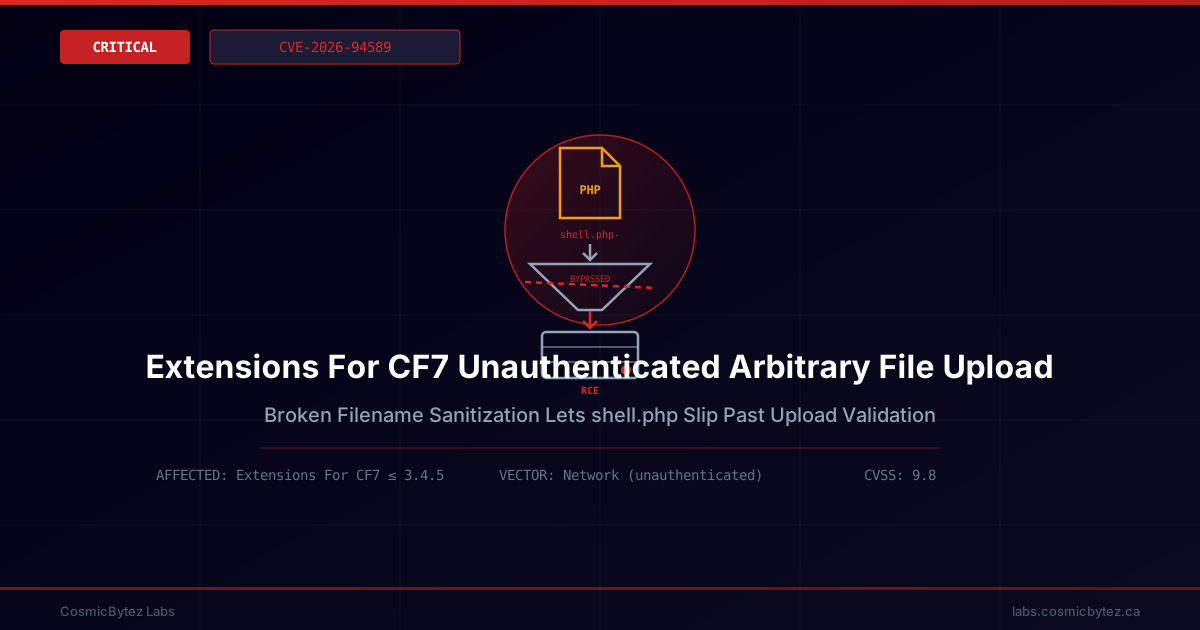
sanitize_file_name()strips trailing characters such as a hyphen from a filename. An attacker who names their uploadshell.php-can have the plugin's sanitization step quietly produceshell.phponce stored — turning what looked like a harmless, non-executable filename into a live PHP script on disk. - No execution guard on the upload directory. The directory the plugin stores submissions in has no
.htaccess/web-server rule preventing PHP execution, so once the renamedshell.phplands there, a plain HTTP request to its stored path runs it with the web server's privileges.
Because the entire chain — upload, rename, and execution — requires nothing more than submitting a public-facing contact form, no authentication and no user interaction from a victim are needed. This is reflected in the CVSS vector's AV:N/AC:L/PR:N/UI:N and its full C:H/I:H/A:H impact.
Impact Assessment
| Impact Area | Description |
|---|---|
| Confidentiality | High — a successfully uploaded web shell can read any file the web server process can access, including wp-config.php and database credentials |
| Integrity | High — an attacker can modify site files, inject content, or plant a persistent backdoor |
| Availability | High — a malicious script can be used to disrupt, deface, or take down the site entirely |
| Authentication Required | None — the vulnerable endpoint is the public contact-form submission path |
| User Interaction | None — the attacker submits the form directly; no victim action is needed |
Who Is At Risk
- Any WordPress site running Extensions For CF7 version 3.4.5 or earlier with Contact Form 7 active
- Sites that expose a public contact form using this plugin's signature-upload field, which covers the vast majority of installs where the feature is enabled
- Shared-hosting environments where a compromised site could be used to pivot against neighboring sites on the same server
Attack Chain
- Locate the target — Attacker finds a WordPress site running a contact form built with Extensions For CF7's signature-upload feature (easily fingerprinted via automated scanning).
- Craft the payload — Attacker prepares a PHP web shell and names it to survive
sanitize_file_name()with its.phpextension intact (e.g. a name ending in a stripped trailing character such asshell.php-). - Submit the form — Attacker submits the public contact form with the crafted file in the signature field. No login or CAPTCHA bypass is required beyond whatever the form itself already exposes.
- Server stores the executable file —
extcf7_submit()'svalidation_filter()performs no extension, MIME, or size check and accepts the upload; sanitization renames it to a.phpfile in a web-accessible, execution-unguarded upload directory. - Remote code execution — Attacker requests the stored file's URL directly, and the web server executes it as PHP, running attacker-supplied code in the site's hosting context.
- Post-exploitation — From there, the attacker can exfiltrate
wp-config.phpcredentials, create rogue admin accounts, deface content, or deploy further malware.
Mitigation
Immediate Actions
- Update Extensions For CF7 to the latest available version from the WordPress.org plugin directory — reporting associated with this CVE points to 3.4.6 as the release containing the fix; confirm the current changelog before treating any specific version number as the final word.
- If an update is not immediately available or cannot be verified, disable the signature/file-upload field on all public-facing Contact Form 7 forms, or deactivate the Extensions For CF7 plugin entirely until patched.
- Audit the plugin's upload directory (commonly under
wp-content/uploads/) for any unexpected.php,.phtml, or other executable files, and remove anything that doesn't match a legitimate, non-executable submission.
Detection Opportunities
- Review web server access logs for
POSTrequests to the Contact Form 7 / Extensions For CF7 submission endpoint followed by directGETrequests to newly created files in the uploads path — that GET-after-POST pattern against an uploads directory is a strong indicator of exploitation. - Search uploaded-file storage for filenames containing double extensions, trailing special characters, or any
.php/.php5/.phtmlfile, none of which should legitimately appear from a signature-image upload. - Monitor for unexpected new WordPress admin accounts, modified core/theme files, or outbound connections from the web server process shortly after any suspicious upload.
Defence-in-Depth
- Configure the web server (or
.htaccess) to deny PHP execution inside all plugin/theme upload directories, regardless of filename — this breaks the exploit chain even if a future validation bypass is found. - Run a web application firewall (WAF) rule set that blocks uploads of files with executable extensions or MIME-type mismatches on public form endpoints.
- Keep all WordPress plugins — especially those that accept file uploads from unauthenticated visitors — on automatic updates where feasible, and periodically audit installed plugins for upload-handling functionality that hasn't been reviewed recently.
Background
Contact Form 7 itself is one of the most widely deployed WordPress form plugins, and its extension ecosystem — including add-ons like Extensions For CF7 that bolt on database storage, conditional logic, and file-upload fields — inherits the same broad attack surface: public, unauthenticated endpoints that accept arbitrary visitor input by design. File-upload features are a recurring source of critical WordPress plugin vulnerabilities precisely because they combine untrusted input with write access to a web-accessible directory; CVE-2026-94589 is a textbook case of CWE-434, compounded by a filename-sanitization quirk that turned a non-executable-looking upload into a live PHP script. Site owners running any WordPress plugin with a public file-upload field should treat extension/MIME/size validation and upload-directory execution guards as baseline requirements, not optional hardening.