Executive Summary
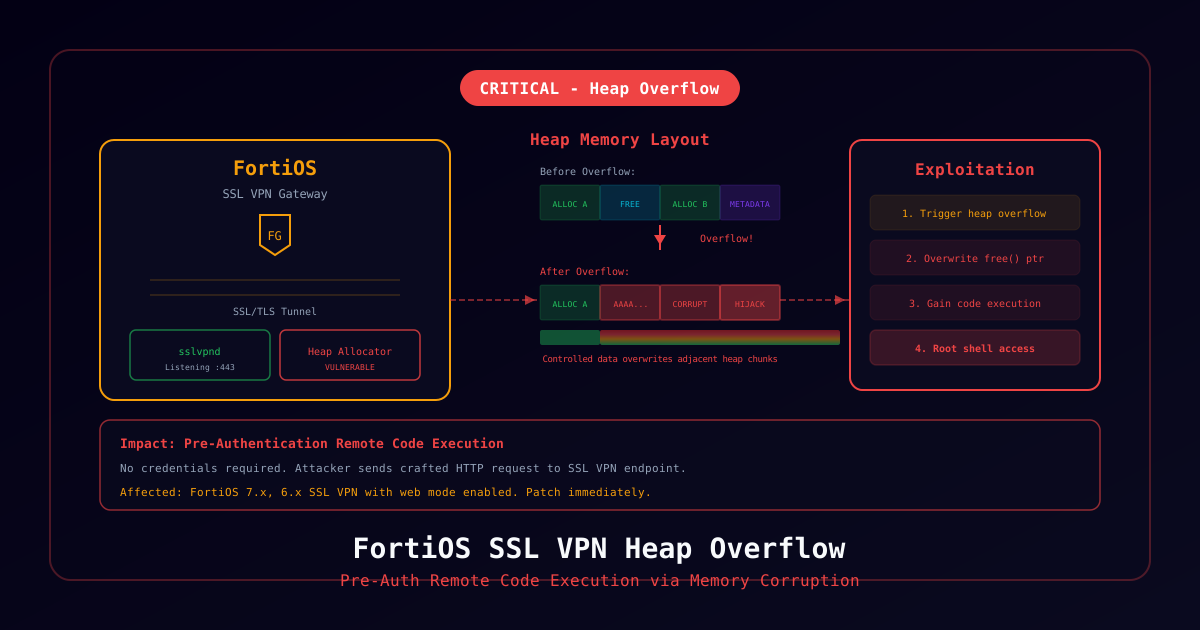
Fortinet has published advisory FG-IR-26-009 disclosing a critical heap-based buffer overflow vulnerability in the SSL VPN component of FortiOS. Tracked as CVE-2026-0899 with a CVSS score of 9.3, the flaw allows unauthenticated attackers to execute arbitrary code on affected FortiGate appliances via specially crafted HTTPS requests.
Fortinet's PSIRT indicates they are aware of proof-of-concept exploit code circulating in threat intelligence circles and urges all customers to patch immediately.
Vulnerability Overview
Root Cause
A heap-based buffer overflow exists in the FortiOS SSL VPN web portal's handling of authentication requests. When processing specially crafted POST parameters during the SSL VPN login sequence, the affected code fails to properly validate input length, allowing an attacker to overwrite adjacent heap memory.
Attack Chain
1. Attacker identifies internet-facing FortiGate with SSL VPN enabled
2. Sends crafted HTTPS POST to /remote/logincheck
3. Oversized parameter triggers heap buffer overflow
4. Attacker gains control of execution flow
5. Shellcode executes with root privileges on FortiOS
6. Persistence established via modified firmware or configTechnical Details
Affected Versions
| FortiOS Version | Affected | Fixed Version |
|---|---|---|
| 7.6.0 - 7.6.1 | Yes | 7.6.2 |
| 7.4.0 - 7.4.5 | Yes | 7.4.6 |
| 7.2.0 - 7.2.9 | Yes | 7.2.10 |
| 7.0.x | Not affected | N/A |
| 6.4.x | Not affected | N/A |
CVSS v3.1 Vector
CVSS:3.1/AV:N/AC:L/PR:N/UI:N/S:U/C:H/I:H/A:H/E:P/RL:O
| Metric | Value |
|---|---|
| Attack Vector | Network |
| Attack Complexity | Low |
| Privileges Required | None |
| User Interaction | None |
| Confidentiality | High |
| Integrity | High |
| Availability | High |
Indicators of Compromise
FortiGate CLI Checks
# Check for unauthorized admin accounts
get system admin

# Review recent login activity
execute log filter category event
execute log filter field subtype admin
execute log display

# Check for firmware modifications
diagnose sys flash list

# Verify configuration integrity
execute backup config tftp <backup-server> <filename>
# Compare with known-good backup
Log Indicators
Look for these patterns in FortiGate logs:
- Failed authentication attempts with unusually large POST bodies to
/remote/logincheck - Unexpected admin account creation
- Configuration changes outside maintenance windows
- Unusual outbound connections from the FortiGate management plane
crashlogentries related to SSL VPN daemon
# Check crash logs
diagnose debug crashlog read
Network Indicators
- High-volume HTTPS requests to
/remote/logincheckfrom single source - Outbound connections from FortiGate to unusual C2 infrastructure
- DNS queries from FortiGate to unrecognized domains
Immediate Remediation
Option 1: Patch (Recommended)
Upgrade FortiOS to the fixed version:
# From FortiGate CLI
execute restore image tftp <firmware-file> <tftp-server>

# Or via FortiManager for managed devices
# Push firmware upgrade through FortiManager device management
Option 2: Disable SSL VPN (Immediate Mitigation)
If patching cannot be performed immediately:
config vpn ssl settings
    set status disable
end
Warning: This will disconnect all active SSL VPN users.
Option 3: Restrict SSL VPN Access
Limit SSL VPN access to known IP ranges:
config firewall address
    edit "SSL-VPN-Allowed"
        set type iprange
        set start-ip 203.0.113.0
        set end-ip 203.0.113.255
    next
end

config vpn ssl settings
    set source-address "SSL-VPN-Allowed"
end
Post-Patch Verification
After patching, verify the device has not been compromised:
# 1. Verify firmware version
get system status

# 2. Check all admin accounts
get system admin

# 3. Review active sessions
get vpn ssl monitor

# 4. Check for unauthorized firewall policies
show firewall policy

# 5. Verify no unauthorized certificates
get vpn certificate local

# 6. Run FortiGuard integrity check
diagnose autoupdate status
Detection Rules
Suricata/Snort Rule
alert tls any any -> any 443 (
  msg:"CVE-2026-0899 FortiOS SSL VPN Heap Overflow Attempt";
  flow:to_server,established;
  content:"POST"; http_method;
  content:"/remote/logincheck"; http_uri;
  isdataat:4096,relative;
  sid:2026089901;
  rev:1;
)
Vendor Response
Fortinet released the advisory on February 6, 2026 and:
- Published hotfixes for all affected branches
- Updated FortiGuard IPS signatures (signature ID 53891)
- Provided compromise assessment guidance
- Coordinated with CERT/CC and CISA