Overview
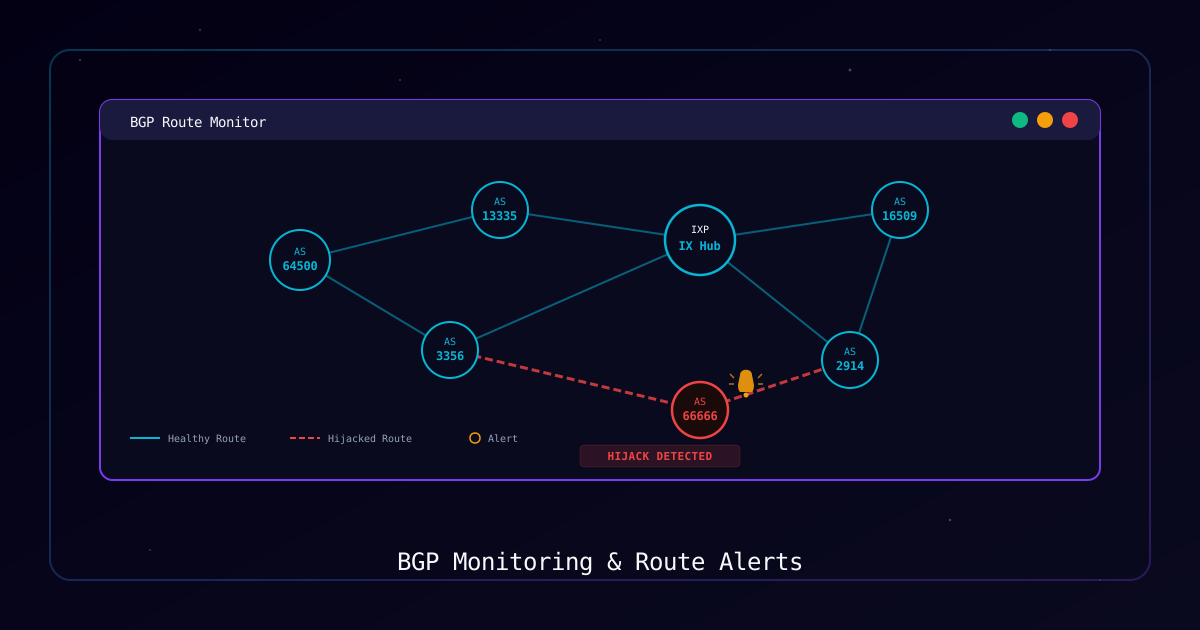
The Border Gateway Protocol (BGP) is the backbone of internet routing, yet it was designed in an era when trust between networks was assumed. A single BGP misconfiguration or malicious announcement can redirect traffic for millions of users, causing outages that cascade across the global internet.
On February 16, 2026, a Cloudflare BGP misconfiguration triggered a 4-hour cascading outage that took down portions of AWS, X (formerly Twitter), and thousands of websites worldwide. The incident demonstrated how a single routing error at a major provider can propagate across peering relationships, affecting services far beyond the originating network. Early detection could have reduced the blast radius and recovery time significantly.
This guide walks you through setting up comprehensive BGP monitoring using open-source tools so you can detect route hijacks, leaks, and misconfigurations before they cause extended downtime.
Who Should Use This Guide
- Network engineers managing BGP peers
- Security teams monitoring for route hijacking
- ISPs and CDN operators responsible for routing integrity
- Anyone relying on critical internet infrastructure
Why Monitor BGP
| Benefit | Description |
|---|---|
| Route Hijack Detection | Identify when an unauthorized AS originates your prefixes |
| Leak Prevention | Catch when peers or customers propagate routes beyond intended scope |
| Outage Early Warning | Detect routing anomalies before they impact end users |
| Compliance | Meet regulatory requirements for network monitoring and incident response |
| Forensics | Provide BGP update history for post-incident analysis and attribution |
Requirements
System Requirements
| Component | Requirement |
|---|---|
| Operating System | Linux (Ubuntu 22.04+, Debian 12+) |
| RAM | 2GB minimum, 4GB+ recommended |
| Storage | 10GB+ for log retention |
| Node.js | v18.0+ (for BGPalerter) |
| Python | 3.8+ (for RIPE RIS Live and BGPStream) |
| Network | Outbound HTTPS and WebSocket access |
Tools Referenced
| Tool | Purpose | Installation |
|---|---|---|
| BGPalerter | Real-time BGP monitoring and alerting | npm install bgpalerter -g |
| RIPE RIS Live | Live BGP update stream via WebSocket | Python websocket-client library |
| Cloudflare Radar | BGP route origin visibility (web and API) | Web dashboard / REST API |
| BGPStream | Historical and real-time BGP data analysis | pip install pybgpstream |
| Looking Glass | Query BGP tables at remote routers | Web-based (various providers) |
Understanding BGP Threats
Before configuring monitoring, it is critical to understand the threat categories your tools must detect.
Route Hijack
A route hijack occurs when an unauthorized Autonomous System (AS) announces your IP prefix as if it originated from their network. Traffic destined for your prefix is then routed to the attacker, enabling interception, blackholing, or man-in-the-middle attacks.
Route Leak
A route leak happens when a customer or peer propagates learned routes beyond their intended scope. For example, a customer AS that learns a full routing table from a transit provider and then re-announces those routes to another transit provider, effectively becoming a transit path for traffic it should not carry.
Prefix Deaggregation
Unexpected sub-prefix announcements occur when more-specific routes appear for your address space. Because BGP prefers longer (more-specific) prefixes, an attacker announcing a /25 can hijack traffic away from your legitimate /24.
Threat Summary
| Threat | Impact | Detection Method | Example Incident |
|---|---|---|---|
| Route Hijack | Traffic interception, blackholing | Origin AS monitoring, RPKI validation | Pakistan Telecom hijacking YouTube (2008) |
| Route Leak | Congestion, latency, partial outage | AS path analysis, unexpected transit | Cloudflare outage via BGP misconfiguration (Feb 2026) |
| Prefix Deaggregation | Partial traffic diversion | More-specific prefix alerts | Amazon Route 53 prefix hijack (2018) |
| Origin Spoofing | Traffic manipulation, DDoS amplification | ROA validation, IRR consistency checks | Rostelecom hijacking Google/AWS/Cloudflare (2020) |
Process
Step 1: Install BGPalerter
BGPalerter is the most widely used open-source BGP monitoring tool. It monitors prefixes and ASNs in real time and sends alerts through multiple channels.
Installation:
# Install via npm globally
sudo npm install bgpalerter -g

# Verify installation
bgpalerter --version

# Create a working directory
sudo mkdir -p /opt/bgpalerter
cd /opt/bgpalerter

# Generate default configuration
bgpalerter generateVerification:
bgpalerter --versionExpected Output: Version number displayed (e.g., 1.29.x).
Step 2: Configure Monitored Prefixes
Define the prefixes and ASNs you want to monitor. BGPalerter uses a prefixes.yml file to track your address space.
Create /opt/bgpalerter/prefixes.yml:
# Production prefixes
- prefix: "192.0.2.0/24"
  description: "Primary production prefix"
  asn: [64500]
  ignoreMoreSpecifics: false

- prefix: "198.51.100.0/24"
  description: "Secondary services prefix"
  asn: [64500]
  ignoreMoreSpecifics: false

# IPv6 prefix
- prefix: "2001:db8::/32"
  description: "IPv6 allocation"
  asn: [64500]
  ignoreMoreSpecifics: false

# Upstream provider prefix (monitor for leaks)
- prefix: "203.0.113.0/24"
  description: "Upstream transit prefix"
  asn: [64501, 64502]
ignoreMoreSpecifics: trueKey Configuration Options:
| Option | Description |
|---|---|
prefix | The IP prefix to monitor (CIDR notation) |
asn | List of legitimate origin ASNs for this prefix |
ignoreMoreSpecifics | Set false to alert on sub-prefix announcements |
description | Human-readable label for alert messages |
Verification:
# Validate YAML syntax
python3 -c "import yaml; yaml.safe_load(open('prefixes.yml'))"Expected Result: No output indicates valid YAML.
Step 3: Set Up Alert Channels
Configure BGPalerter to send alerts through multiple channels for redundancy.
Edit /opt/bgpalerter/config.yml:
connectors:
  - file: connectorRIS
    name: ris

monitors:
  - file: monitorHijack
    channel: hijack
    name: basic-hijack-detection

  - file: monitorNewPrefix
    channel: newprefix
    name: prefix-detection

  - file: monitorVisibility
    channel: visibility
    name: visibility-loss-detection

  - file: monitorAS
    channel: misconfiguration
    name: as-monitor

reports:
  # Slack notifications
  - file: reportSlack
    channels:
      - webhook: "https://hooks.slack.com/services/T00/B00/xxxx"
        type: slack

  # Email notifications
  - file: reportEmail
    channels:
      - smtp:
          host: "smtp.example.com"
          port: 587
          secure: false
          auth:
            user: "alerts@example.com"
            pass: "${SMTP_PASSWORD}"
          from: "bgp-alerts@example.com"
          to:
            - "noc@example.com"
            - "security@example.com"

  # Syslog for SIEM integration
  - file: reportSyslog
    channels:
      - host: "siem.example.com"
        port: 514
        transport: "udp"

  # Local file logging (always recommended)
  - file: reportFile
    channels:
      - logdir: "/opt/bgpalerter/logs/"
filenamePrefix: "bgp-alert"Verification:
# Test configuration syntax
bgpalerter --testExpected Result: Configuration loaded without errors.
Step 4: Monitor with RIPE RIS Live
RIPE RIS Live provides a real-time stream of BGP updates from the RIPE Routing Information Service. Use it to build custom monitoring scripts.
Install dependencies:
pip install websocket-clientCreate /opt/bgpalerter/ris-monitor.py:
import json
import websocket
import time
from datetime import datetime

MONITORED_PREFIXES = ["192.0.2.0/24", "198.51.100.0/24"]
EXPECTED_ORIGIN_ASN = "64500"

def on_message(ws, message):
    data = json.loads(message)

    if data.get("type") == "ris_message":
        msg = data.get("data", {})
        prefix = msg.get("prefix", "N/A")
        origin_asn = msg.get("origin", "N/A")
        peer = msg.get("peer", "N/A")
        path = msg.get("path", [])
        timestamp = datetime.fromtimestamp(msg.get("timestamp", 0))

        # Check for anomalies in monitored prefixes
        for monitored in MONITORED_PREFIXES:
            if prefix == monitored and str(origin_asn) != EXPECTED_ORIGIN_ASN:
                print(f"[ALERT] {timestamp} - Unexpected origin for {prefix}")
                print(f"  Origin AS: {origin_asn} (expected: {EXPECTED_ORIGIN_ASN})")
                print(f"  AS Path: {' -> '.join(map(str, path))}")
                print(f"  Peer: {peer}")
                # Add your alerting logic here (email, Slack, etc.)

def on_error(ws, error):
    print(f"[ERROR] WebSocket error: {error}")

def on_close(ws, close_status_code, close_msg):
    print("[INFO] Connection closed. Reconnecting in 10 seconds...")
    time.sleep(10)
    start_monitor()

def on_open(ws):
    # Subscribe to updates for monitored prefixes
    for prefix in MONITORED_PREFIXES:
        subscribe_msg = {
            "type": "ris_subscribe",
            "data": {
                "prefix": prefix,
                "type": "UPDATE",
                "socketOptions": {
                    "includeRaw": False
                }
            }
        }
        ws.send(json.dumps(subscribe_msg))
    print(f"[INFO] Subscribed to {len(MONITORED_PREFIXES)} prefixes")

def start_monitor():
    ws = websocket.WebSocketApp(
        "wss://ris-live.ripe.net/v1/ws/?client=bgp-monitor",
        on_open=on_open,
        on_message=on_message,
        on_error=on_error,
        on_close=on_close
    )
    ws.run_forever()

if __name__ == "__main__":
    print("[INFO] Starting RIPE RIS Live BGP monitor...")
start_monitor()Verification:
# Test the monitor (press Ctrl+C after a few updates)
python3 /opt/bgpalerter/ris-monitor.pyExpected Result: BGP update messages printed to console for subscribed prefixes.
Step 5: Use Cloudflare Radar
Cloudflare Radar provides a web dashboard and API for monitoring BGP route origin changes and global routing events.
Web Dashboard:
Visit https://radar.cloudflare.com/routing to view:
- BGP origin changes in real time
- Route leak and hijack events
- Global routing anomaly overview
API Monitoring:
# Query BGP routes for a specific prefix
curl -s "https://api.cloudflare.com/client/v4/radar/bgp/routes?prefix=192.0.2.0/24" \
  -H "Authorization: Bearer $CF_API_TOKEN" \
  -H "Content-Type: application/json" | python3 -m json.tool

# Query BGP route origin changes over the last 24 hours
curl -s "https://api.cloudflare.com/client/v4/radar/bgp/routes/stats?dateRange=1d" \
  -H "Authorization: Bearer $CF_API_TOKEN" \
-H "Content-Type: application/json" | python3 -m json.toolAutomated Check Script:
#!/bin/bash
# /opt/bgpalerter/check-cf-radar.sh
# Run via cron every 15 minutes

PREFIX="192.0.2.0/24"
EXPECTED_ORIGIN="64500"

RESULT=$(curl -s "https://api.cloudflare.com/client/v4/radar/bgp/routes?prefix=$PREFIX" \
  -H "Authorization: Bearer $CF_API_TOKEN")

ORIGIN=$(echo "$RESULT" | python3 -c "
import sys, json
data = json.load(sys.stdin)
routes = data.get('result', {}).get('routes', [])
for r in routes:
    print(r.get('origin_asn', 'unknown'))
")

if echo "$ORIGIN" | grep -qv "$EXPECTED_ORIGIN"; then
  echo "[ALERT] Unexpected origin ASN detected for $PREFIX: $ORIGIN"
  # Send alert via your preferred method
fiVerification:
chmod +x /opt/bgpalerter/check-cf-radar.sh
/opt/bgpalerter/check-cf-radar.shExpected Result: No output if origin ASN matches expected value.
Step 6: Automate with Systemd Service
Run BGPalerter as a persistent daemon so monitoring survives reboots.
Create /etc/systemd/system/bgpalerter.service:
[Unit]
Description=BGPalerter BGP Monitoring Service
Documentation=https://github.com/nttgin/BGPalerter
After=network.target
Wants=network-online.target

[Service]
Type=simple
User=bgpalerter
Group=bgpalerter
WorkingDirectory=/opt/bgpalerter
ExecStart=/usr/bin/bgpalerter
Restart=always
RestartSec=10
StandardOutput=journal
StandardError=journal
SyslogIdentifier=bgpalerter

# Security hardening
NoNewPrivileges=true
ProtectSystem=strict
ReadWritePaths=/opt/bgpalerter/logs

[Install]
WantedBy=multi-user.targetCreate service user and enable:
# Create dedicated service user
sudo useradd -r -s /usr/sbin/nologin -d /opt/bgpalerter bgpalerter
sudo chown -R bgpalerter:bgpalerter /opt/bgpalerter

# Reload systemd and enable service
sudo systemctl daemon-reload
sudo systemctl enable bgpalerter
sudo systemctl start bgpalerterAlso create a systemd service for the RIPE RIS monitor:
Create /etc/systemd/system/ris-monitor.service:
[Unit]
Description=RIPE RIS Live BGP Monitor
After=network.target
Wants=network-online.target

[Service]
Type=simple
User=bgpalerter
Group=bgpalerter
WorkingDirectory=/opt/bgpalerter
ExecStart=/usr/bin/python3 /opt/bgpalerter/ris-monitor.py
Restart=always
RestartSec=15

[Install]
WantedBy=multi-user.targetsudo systemctl daemon-reload
sudo systemctl enable ris-monitor
sudo systemctl start ris-monitorVerification:
sudo systemctl status bgpalerter
sudo systemctl status ris-monitor
journalctl -u bgpalerter --no-pager -n 20Expected Result: Both services active and running, journal showing monitoring activity.
Step 7: Test and Validate
Confirm that all monitoring components are working and alerts are delivered.
Test BGPalerter alert delivery:
# BGPalerter includes a test mode that simulates events
cd /opt/bgpalerter
bgpalerter --test-alertTest with historical BGPStream data:
pip install pybgpstreamimport pybgpstream
# Query historical BGP data for your prefix
stream = pybgpstream.BGPStream(
from_time="2026-02-16 00:00:00",
until_time="2026-02-16 06:00:00",
collectors=["rrc00", "route-views2"],
record_type="updates",
filter="prefix more 192.0.2.0/24"
)
for rec in stream.records():
for elem in rec:
print(f"{elem.time} | {elem.type} | {elem.fields.get('prefix', 'N/A')} | "
f"Origin: {elem.fields.get('as-path', '').split()[-1] if elem.fields.get('as-path') else 'N/A'}")Validate notification channels:
# Verify Slack webhook is reachable
curl -s -o /dev/null -w "%{http_code}" \
  -X POST "https://hooks.slack.com/services/T00/B00/xxxx" \
  -H "Content-Type: application/json" \
  -d '{"text":"BGP Monitor test alert"}'

# Verify email delivery
echo "BGP Monitor test" | mail -s "BGP Alert Test" noc@example.com

# Check log files are being written
ls -la /opt/bgpalerter/logs/Expected Result: Test alerts received on all configured channels.
Troubleshooting
| Symptom | Possible Cause | Solution |
|---|---|---|
| BGPalerter not starting | Missing Node.js or wrong version | Verify with node --version (needs 18+) |
| No alerts received | Incorrect webhook URL or SMTP config | Test channels individually with curl/mail |
| RIS Live connection drops | Network firewall blocking WebSocket | Allow outbound wss://ris-live.ripe.net on port 443 |
| False positive hijack alerts | Legitimate AS path change or failover | Add secondary ASNs to prefixes.yml |
| BGPStream import error | Missing C library dependencies | Install librdkafka-dev and libbgpstream-dev |
| High memory usage | Monitoring too many prefixes | Reduce prefix list or increase RAM |
| Systemd service crashing | Permission denied on log directory | Fix ownership: chown -R bgpalerter:bgpalerter /opt/bgpalerter |
| Stale alerts | BGPalerter cache not clearing | Restart service: systemctl restart bgpalerter |
Verification Checklist
Tools
- BGPalerter installed and running
- RIPE RIS Live monitor script deployed
- Cloudflare Radar API access configured
- BGPStream available for historical analysis
- Looking Glass bookmarked for manual checks
Configuration
- All production prefixes listed in
prefixes.yml - Correct origin ASNs specified for each prefix
- Slack webhook tested and receiving alerts
- Email notifications verified
- Syslog forwarding to SIEM confirmed
- Log directory writable by service user
Operations
- Systemd services enabled and running
- Alert escalation procedures documented
- On-call team knows how to interpret BGP alerts
- Runbook created for common BGP incident response
- Monthly review of monitored prefix list scheduled
- RPKI ROA records published for your prefixes
Best Practices
| Practice | Description |
|---|---|
| Publish RPKI ROAs | Register Route Origin Authorizations for all your prefixes to enable cryptographic origin validation |
| Monitor from Multiple Vantage Points | Use both BGPalerter (RIS) and Cloudflare Radar for redundant detection |
| Set Up IRR Records | Register your routing policy in Internet Routing Registries (RADB, RIPE, ARIN) |
| Maintain a Prefix Contact | Ensure your abuse and NOC contacts in whois/RDAP are current for incident coordination |
| Practice Incident Response | Run tabletop exercises for BGP hijack scenarios quarterly |
| Alert on Visibility Loss | Monitor for your prefix disappearing from the global table, not just unauthorized origins |
| Document AS Relationships | Keep your peering and transit relationships documented so alerts can be triaged quickly |
| Use Route Filtering | Configure max-prefix limits and AS-path filters on all BGP sessions |
References
- BGPalerter Documentation
- RIPE RIS Live API
- Cloudflare Radar - Routing
- BGPStream by CAIDA
- RPKI Documentation (RIPE NCC)
- MANRS - Mutually Agreed Norms for Routing Security
- Looking Glass Directory
Last Updated: February 2026