Overview
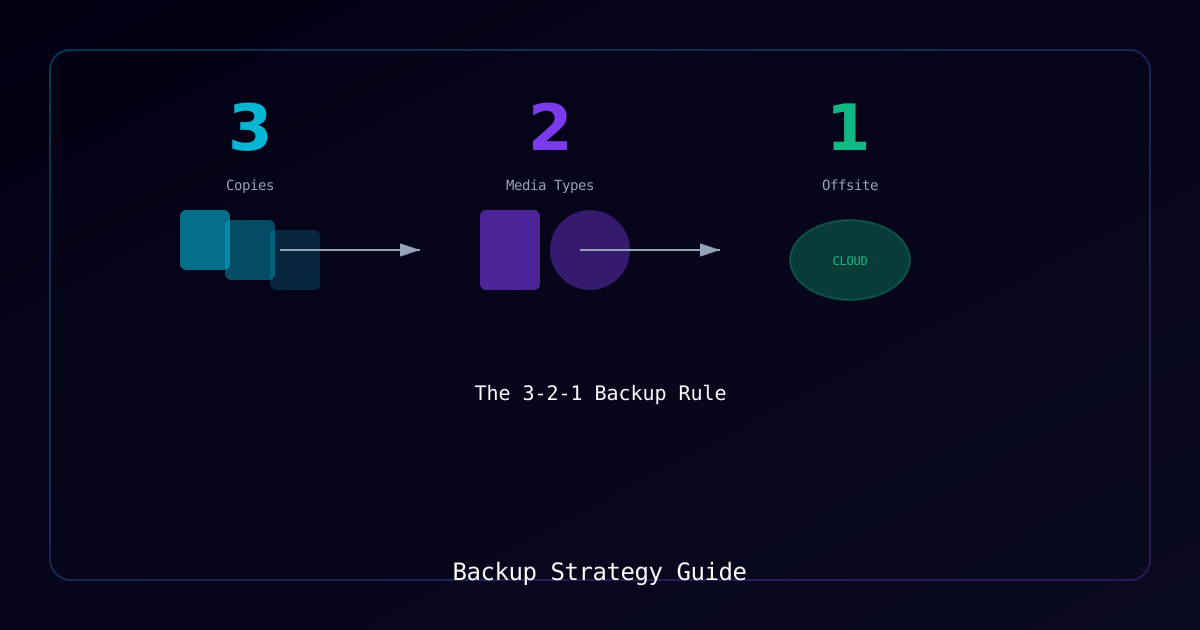
Data loss can devastate any organization. Whether from ransomware, hardware failure, or human error, a solid backup strategy is your last line of defense. This guide covers implementing the industry-standard 3-2-1 backup rule with modern tools and practices.
Who Should Use This Guide
- System administrators responsible for data protection
- IT managers developing disaster recovery plans
- Security teams implementing ransomware resilience
The 3-2-1-1-0 Rule
| Rule | Meaning |
|---|---|
| 3 | Three copies of your data |
| 2 | Two different storage types/media |
| 1 | One copy offsite |
| 1 | One copy air-gapped or immutable |
| 0 | Zero errors (verified backups) |
Requirements
System Requirements
| Component | Requirement |
|---|---|
| Backup Tool | Restic, Borg, or similar |
| Storage | Local + remote/cloud capacity |
| Operating System | Linux, Windows, or macOS |
Storage Options
| Storage Type | Use Case | Considerations |
|---|---|---|
| Local NAS/SAN | Primary backup target | Fast, high capacity |
| Cloud (S3, B2) | Offsite copy | Ongoing cost, bandwidth |
| Remote Server | Secondary site | Maintenance required |
| Tape/Cold Storage | Long-term archival | Slow access, durable |
Backup Types Comparison
Full Backup
Complete copy of all selected data.
| Pros | Cons |
|---|---|
| Fastest restore time | Longest backup time |
| Simple to manage | Most storage required |
| Self-contained | Resource intensive |
Incremental Backup
Only changes since the last backup (any type).
| Pros | Cons |
|---|---|
| Fastest backup time | Slowest restore (chain required) |
| Minimal storage | Dependency on previous backups |
| Efficient bandwidth | Corruption can break chain |
Differential Backup
Changes since the last full backup.
| Pros | Cons |
|---|---|
| Faster restore than incremental | Grows larger over time |
| Only need full + latest differential | More storage than incremental |
| Simpler restore chain | Still requires full backup |
Process
Step 1: Define Backup Scope
Identify critical data requiring protection.
Common Categories:
| Data Type | Priority | RPO* |
|---|---|---|
| Databases | Critical | 1 hour |
| User files | High | 24 hours |
| Configuration | High | 24 hours |
| Application data | Medium | 24 hours |
| Logs | Low | 7 days |
*RPO = Recovery Point Objective (maximum acceptable data loss)
Step 2: Install Backup Tool (Restic)
Restic provides encryption, deduplication, and multiple backend support.
Installation:
# Debian/Ubuntu
sudo apt install restic -y

# RHEL/Rocky
sudo dnf install restic -y

# macOS
brew install resticVerification:
restic versionStep 3: Initialize Backup Repository
Create encrypted backup repository.
Local Repository:
restic init --repo /backup/restic-repoRemote Repository (S3-compatible):
export AWS_ACCESS_KEY_ID="<your-access-key>"
export AWS_SECRET_ACCESS_KEY="<your-secret-key>"
restic init --repo s3:<endpoint>/<bucket-name>Expected Output:
created restic repository <id> at /backup/restic-repo
Please note that knowledge of your password is required to access the repository.
Important: Store the repository password securely - data is unrecoverable without it.
Step 4: Create Backup Script
Automate backups with a reusable script.
Create /usr/local/bin/backup.sh:
#!/bin/bash
# Automated Restic Backup Script

# Configuration
export RESTIC_REPOSITORY="/backup/restic-repo"
export RESTIC_PASSWORD_FILE="/etc/restic/password"
BACKUP_PATHS="/home /etc /var/www"
EXCLUDE_FILE="/etc/restic/excludes.txt"
LOG_FILE="/var/log/restic-backup.log"

# Logging function
log() {
    echo "[$(date '+%Y-%m-%d %H:%M:%S')] $1" | tee -a "$LOG_FILE"
}

log "Starting backup..."

# Run backup
restic backup $BACKUP_PATHS \
    --exclude-file="$EXCLUDE_FILE" \
    --verbose \
    >> "$LOG_FILE" 2>&1

if [ $? -eq 0 ]; then
    log "Backup completed successfully"
else
    log "ERROR: Backup failed"
    exit 1
fi

# Apply retention policy
log "Applying retention policy..."
restic forget \
    --keep-daily 7 \
    --keep-weekly 4 \
    --keep-monthly 6 \
    --keep-yearly 2 \
    --prune \
    >> "$LOG_FILE" 2>&1

log "Backup process complete"Create Exclude File /etc/restic/excludes.txt:
*.tmp
*.cache
.cache
node_modules
__pycache__
*.log
/var/log/*
/tmp/*Set Permissions:
chmod 700 /usr/local/bin/backup.sh
chmod 600 /etc/restic/password
chmod 600 /etc/restic/excludes.txtStep 5: Configure Automated Schedule
Use systemd timers for reliable scheduling.
Create /etc/systemd/system/restic-backup.service:
[Unit]
Description=Restic Backup
After=network-online.target
Wants=network-online.target

[Service]
Type=oneshot
ExecStart=/usr/local/bin/backup.sh
User=rootCreate /etc/systemd/system/restic-backup.timer:
[Unit]
Description=Daily Restic Backup

[Timer]
OnCalendar=*-*-* 02:00:00
Persistent=true
RandomizedDelaySec=1800

[Install]
WantedBy=timers.targetEnable Timer:
sudo systemctl daemon-reload
sudo systemctl enable --now restic-backup.timerVerification:
systemctl list-timers | grep resticStep 6: Configure Offsite Replication
Sync backups to remote location.
Using Rclone:
# Install rclone
curl https://rclone.org/install.sh | sudo bash

# Configure remote (interactive)
rclone config

# Sync to remote
rclone sync /backup/restic-repo remote:backup-bucket \
    --transfers=4 \
--progressAdd to Backup Script:
# After local backup completes
log "Syncing to offsite storage..."
rclone sync "$RESTIC_REPOSITORY" remote:backup-bucket \
    --transfers=4 \
>> "$LOG_FILE" 2>&1Step 7: Implement Immutable Backups
Protect against ransomware with immutable storage.
Option 1: Object Lock (Cloud Storage)
Configure object lock/WORM on cloud storage bucket via provider console.
Option 2: Append-Only Repository
# Initialize append-only repository
restic init --repo /backup/immutable-repo

# Configure repository as append-only in restic
# (Requires external enforcement via filesystem or storage)Step 8: Test Restore Procedures
Regularly verify backup integrity and practice restores.
List Available Snapshots:
restic -r /backup/restic-repo snapshotsRestore to Test Location:
# Restore latest snapshot
restic -r /backup/restic-repo restore latest --target /tmp/restore-test

# Restore specific snapshot
restic -r /backup/restic-repo restore <snapshot-id> --target /tmp/restore-test

# Restore specific files
restic -r /backup/restic-repo restore latest --target /tmp/restore-test --include "/etc/nginx"Verify Repository Integrity:
# Quick check
restic -r /backup/restic-repo check

# Full data verification (slower)
restic -r /backup/restic-repo check --read-dataExpected Output:
using temporary cache in /tmp/restic-check-cache-XXXXX
load indexes
check all packs
check snapshots, trees and blobs
no errors were found
Retention Policy
Balance storage costs with recovery needs.
Recommended Schedule:
| Retention | Count | Purpose |
|---|---|---|
| Daily | 7 | Recent recovery |
| Weekly | 4 | Month coverage |
| Monthly | 6 | Half-year history |
| Yearly | 2 | Long-term archival |
Apply Retention:
restic -r /backup/restic-repo forget \
    --keep-daily 7 \
    --keep-weekly 4 \
    --keep-monthly 6 \
    --keep-yearly 2 \
--pruneMonitoring and Alerting
Add Email Notification:
# Add to backup script
if [ $? -ne 0 ]; then
    echo "Backup failed on $(hostname) at $(date)" | \
        mail -s "ALERT: Backup Failure" <admin-email>
fiCheck Backup Age Script:
#!/bin/bash
# Check if last backup is older than 25 hours

LAST_BACKUP=$(restic -r /backup/restic-repo snapshots --json | \
    jq -r '.[-1].time')
LAST_BACKUP_EPOCH=$(date -d "$LAST_BACKUP" +%s)
NOW_EPOCH=$(date +%s)
AGE_HOURS=$(( (NOW_EPOCH - LAST_BACKUP_EPOCH) / 3600 ))

if [ $AGE_HOURS -gt 25 ]; then
    echo "WARNING: Last backup is $AGE_HOURS hours old"
    exit 1
fiTroubleshooting
| Symptom | Possible Cause | Solution |
|---|---|---|
repository does not exist | Wrong path or not initialized | Verify path; run restic init |
wrong password | Incorrect password | Check password file contents |
| Backup runs slowly | Large unchanged files being rescanned | Use --exclude-caches flag |
no space left on device | Repository full | Run forget --prune or add storage |
| Restore fails | Corrupted repository | Run restic check --read-data |
Verification Checklist
- 3-2-1 rule implemented (3 copies, 2 media, 1 offsite)
- All backups encrypted
- Automation configured and running
- Offsite replication working
- Immutable/air-gapped copy exists
- Restore tested (quarterly minimum)
- Monitoring and alerting configured
- Documentation complete and accessible
- Retention policy defined and applied
- Recovery procedures documented and tested
Common Mistakes to Avoid
| Mistake | Risk | Prevention |
|---|---|---|
| Not testing restores | Backups may be unusable | Schedule quarterly restore tests |
| Backups on same system | Ransomware/failure affects backups | Use separate storage systems |
| No encryption | Data exposure if backup stolen | Always encrypt at rest |
| Manual processes | Human error, missed backups | Automate everything |
| No monitoring | Failed backups go unnoticed | Implement alerting |
References
Last Updated: January 2026