Overview
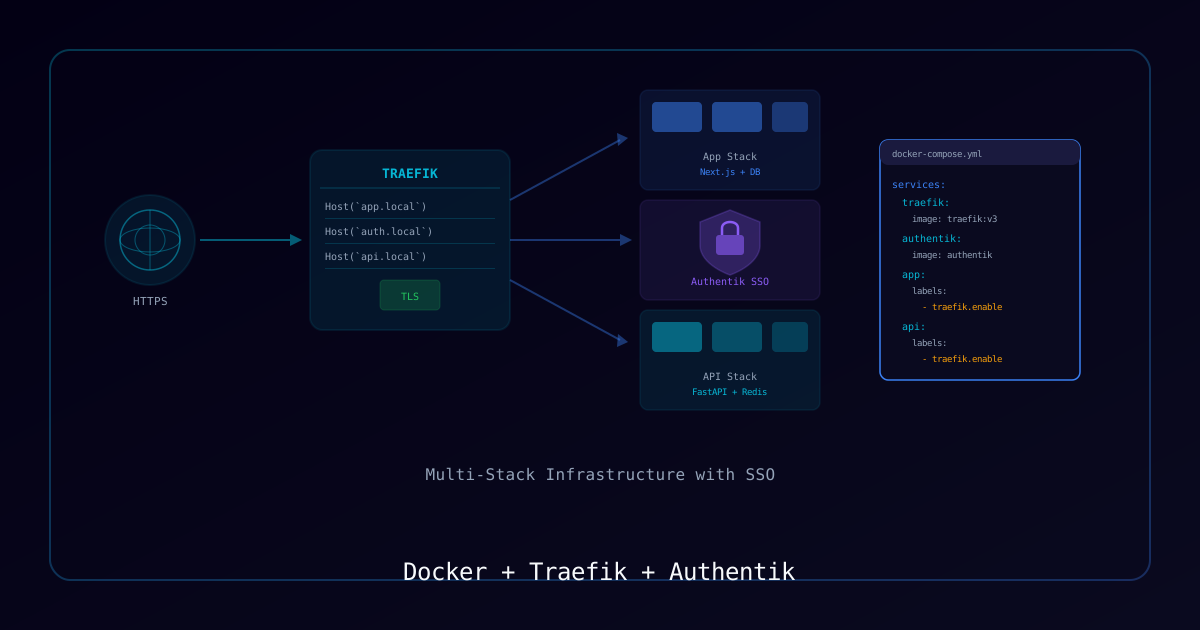
Running multiple Docker services requires a reverse proxy for routing, TLS termination, and authentication. This guide builds a complete infrastructure stack using Traefik for ingress and Authentik for centralized SSO across all services.
Architecture
                    Internet
                       │
                 ┌─────▼─────┐
                 │  Traefik   │  Port 443/80
                 │  (Proxy)   │  Auto TLS via Let's Encrypt
                 └──┬──┬──┬──┘
                    │  │  │
         ┌──────────┘  │  └──────────┐
         ▼             ▼             ▼
    ┌─────────┐  ┌──────────┐  ┌─────────┐
    │ App A   │  │ Authentik│  │ App B   │
    │ Stack   │  │  (SSO)   │  │ Stack   │
└─────────┘ └──────────┘ └─────────┘Requirements
| Component | Requirement |
|---|---|
| Docker Engine | 24+ |
| Docker Compose | v2+ |
| Domain | With DNS control |
| Server | 2+ vCPU, 4GB RAM minimum |
Process
Step 1: Directory Structure
mkdir -p ~/docker-infra/{traefik,authentik,apps}
cd ~/docker-infradocker-infra/
├── traefik/
│ ├── docker-compose.yml
│ ├── traefik.yml # Static config
│ └── dynamic/ # Dynamic config
│ └── middlewares.yml
├── authentik/
│ └── docker-compose.yml
└── apps/
└── docker-compose.yml # Your application stacksStep 2: Create the Traefik Network
All stacks share a common external network for Traefik routing:
docker network create traefik-publicStep 3: Traefik Configuration
Static configuration (traefik/traefik.yml):
api:
  dashboard: true
  insecure: false

entryPoints:
  web:
    address: ":80"
    http:
      redirections:
        entryPoint:
          to: websecure
          scheme: https
  websecure:
    address: ":443"
    http:
      tls:
        certResolver: letsencrypt

certificatesResolvers:
  letsencrypt:
    acme:
      email: admin@yourdomain.com
      storage: /letsencrypt/acme.json
      httpChallenge:
        entryPoint: web

providers:
  docker:
    exposedByDefault: false
    network: traefik-public
  file:
    directory: /etc/traefik/dynamic
    watch: true

log:
  level: WARN

accessLog:
  filePath: /var/log/traefik/access.log
bufferingSize: 100Docker Compose (traefik/docker-compose.yml):
services:
  traefik:
    image: traefik:v3.0
    container_name: traefik
    restart: unless-stopped
    ports:
      - "80:80"
      - "443:443"
    volumes:
      - /var/run/docker.sock:/var/run/docker.sock:ro
      - ./traefik.yml:/etc/traefik/traefik.yml:ro
      - ./dynamic:/etc/traefik/dynamic:ro
      - traefik-certs:/letsencrypt
      - traefik-logs:/var/log/traefik
    networks:
      - traefik-public
    labels:
      - "traefik.enable=true"
      # Dashboard
      - "traefik.http.routers.dashboard.rule=Host(`traefik.yourdomain.com`)"
      - "traefik.http.routers.dashboard.service=api@internal"
      - "traefik.http.routers.dashboard.middlewares=authentik@file"

volumes:
  traefik-certs:
  traefik-logs:

networks:
  traefik-public:
external: trueStep 4: Authentik SSO
# authentik/docker-compose.yml
services:
  postgresql:
    image: postgres:16-alpine
    container_name: authentik-db
    restart: unless-stopped
    environment:
      POSTGRES_DB: authentik
      POSTGRES_USER: authentik
      POSTGRES_PASSWORD: ${PG_PASS}
    volumes:
      - authentik-db:/var/lib/postgresql/data
    networks:
      - authentik-internal

  redis:
    image: redis:7-alpine
    container_name: authentik-redis
    restart: unless-stopped
    networks:
      - authentik-internal

  server:
    image: ghcr.io/goauthentik/server:latest
    container_name: authentik-server
    restart: unless-stopped
    command: server
    environment:
      AUTHENTIK_SECRET_KEY: ${AUTHENTIK_SECRET}
      AUTHENTIK_REDIS__HOST: redis
      AUTHENTIK_POSTGRESQL__HOST: postgresql
      AUTHENTIK_POSTGRESQL__USER: authentik
      AUTHENTIK_POSTGRESQL__NAME: authentik
      AUTHENTIK_POSTGRESQL__PASSWORD: ${PG_PASS}
    networks:
      - authentik-internal
      - traefik-public
    labels:
      - "traefik.enable=true"
      - "traefik.http.routers.authentik.rule=Host(`auth.yourdomain.com`)"
      - "traefik.http.services.authentik.loadbalancer.server.port=9000"

  worker:
    image: ghcr.io/goauthentik/server:latest
    container_name: authentik-worker
    restart: unless-stopped
    command: worker
    environment:
      AUTHENTIK_SECRET_KEY: ${AUTHENTIK_SECRET}
      AUTHENTIK_REDIS__HOST: redis
      AUTHENTIK_POSTGRESQL__HOST: postgresql
      AUTHENTIK_POSTGRESQL__USER: authentik
      AUTHENTIK_POSTGRESQL__NAME: authentik
      AUTHENTIK_POSTGRESQL__PASSWORD: ${PG_PASS}
    networks:
      - authentik-internal

volumes:
  authentik-db:

networks:
  authentik-internal:
  traefik-public:
external: trueStep 5: Authentik Forward Auth Middleware
Create traefik/dynamic/middlewares.yml:
http:
  middlewares:
    authentik:
      forwardAuth:
        address: "http://authentik-server:9000/outpost.goauthentik.io/auth/traefik"
        trustForwardHeader: true
        authResponseHeaders:
          - X-authentik-username
          - X-authentik-groups
          - X-authentik-email

    security-headers:
      headers:
        stsSeconds: 63072000
        stsIncludeSubdomains: true
        contentTypeNosniff: true
        frameDeny: true
        browserXssFilter: true
referrerPolicy: "strict-origin-when-cross-origin"Step 6: Adding Application Stacks
Any Docker service can now join the Traefik network and get automatic TLS + SSO:
# apps/docker-compose.yml
services:
  my-app:
    image: my-app:latest
    container_name: my-app
    restart: unless-stopped
    networks:
      - traefik-public
      - app-internal
    labels:
      - "traefik.enable=true"
      - "traefik.http.routers.myapp.rule=Host(`app.yourdomain.com`)"
      - "traefik.http.routers.myapp.middlewares=authentik@file,security-headers@file"
      - "traefik.http.services.myapp.loadbalancer.server.port=3000"

networks:
  traefik-public:
    external: true
app-internal:Step 7: Deploy
# Start infrastructure first
cd ~/docker-infra/traefik && docker compose up -d
cd ~/docker-infra/authentik && docker compose up -d

# Wait for Authentik to initialize (first boot takes ~2 minutes)
# Then start applications
cd ~/docker-infra/apps && docker compose up -dNetwork Isolation
| Network | Purpose | Services |
|---|---|---|
traefik-public | External routing | Traefik, all public services |
authentik-internal | Auth DB + Redis | PostgreSQL, Redis, Authentik |
app-internal | App-specific | App + its dependencies |
Services should only join traefik-public if they need external access. Internal databases and caches stay on isolated networks.
Key Takeaways
- Traefik auto-discovers services via Docker labels — no config file updates needed
- Authentik forward auth middleware protects any service with SSO
- TLS certificates are automated via Let's Encrypt
- Network isolation prevents lateral movement between unrelated services
- Use
.envfiles for secrets — never hardcode passwords in compose files