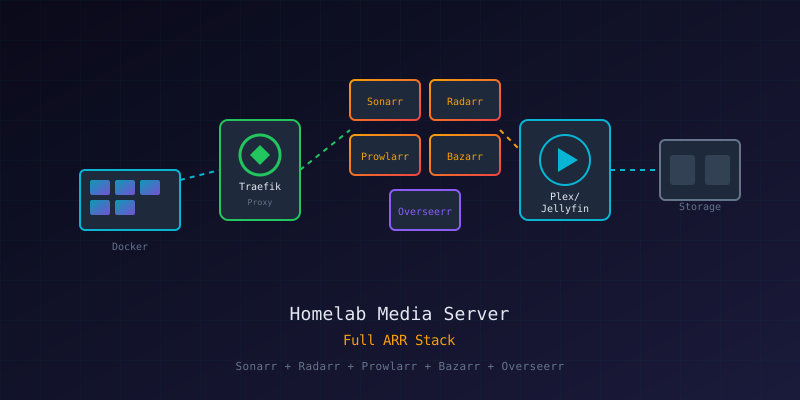
Overview
This project guides you through deploying a complete, production-grade media automation system using Docker Compose. By the end, you'll have automated TV show downloads, movie management, subtitle fetching, and a beautiful dashboard - all protected by SSO and reverse proxy.
What We're Building
┌───────────────────────────────────────────────────────────────────────┐
│                        HOMELAB MEDIA SERVER                           │
├───────────────────────────────────────────────────────────────────────┤
│                                                                       │
│   Internet ──► CloudFlare ──► Traefik ──► Services                    │
│                                   │                                   │
│                              Authentik (SSO)                          │
│                                                                       │
├───────────────────────────────────────────────────────────────────────┤
│  MEDIA AUTOMATION        │  CONSUMPTION       │  MONITORING          │
│  ────────────────        │  ───────────       │  ──────────          │
│  • Sonarr (TV)           │  • Plex            │  • Prometheus        │
│  • Radarr (Movies)       │  • AudioBookshelf  │  • Grafana           │
│  • Lidarr (Music)        │  • Calibre-Web     │  • Uptime Kuma       │
│  • Prowlarr (Indexers)   │  • Komga (Comics)  │  • Tautulli          │
│  • Bazarr (Subtitles)    │                    │                      │
│  • Overseerr (Requests)  │                    │                      │
└───────────────────────────────────────────────────────────────────────┘Prerequisites
Before starting, you should be familiar with:
- Docker Security Fundamentals - Container basics
- Building a Secure Homelab - Network architecture
- Basic Linux command line
Hardware Requirements
| Component | Minimum | Recommended |
|---|---|---|
| CPU | 4 cores | 8+ cores |
| RAM | 16GB | 32GB+ |
| Storage | 500GB SSD + HDD array | NVMe + multiple HDDs |
| Network | 1Gbps | 2.5Gbps+ |
Architecture
Stack Composition
We deploy four independent stacks that can be managed separately:
# compose.yml - Master orchestration
include:
  - stack-core-infra.yml      # Traefik, Authentik, Homepage
  - stack-arr.yml             # Media automation
  - stack-media-books.yml     # Consumption services
- stack-monitoring.yml # ObservabilityNetwork Architecture
                    Public Internet
                          │
              ┌───────────▼───────────┐
              │   CloudFlare DNS      │
              │   *.yourdomain.com    │
              └───────────┬───────────┘
                          │
              ┌───────────▼───────────┐
              │   Traefik (Proxy)     │
              │   :80, :443           │
              └───────────┬───────────┘
                          │
              ┌───────────▼───────────┐
              │   Docker: proxy       │
              └─┬─────────────────────┘
                │
    ┌───────────┼───────────┬──────────────┐
    ▼           ▼           ▼              ▼
Authentik *arr Stack Media Apps MonitoringDirectory Structure
Create the base directory structure:
sudo mkdir -p /srv/docker-stack/{traefik,authentik,sonarr,radarr}
sudo mkdir -p /srv/docker-stack/{lidarr,bazarr,prowlarr,overseerr}
sudo mkdir -p /srv/docker-stack/{grafana,prometheus,loki,homepage}
sudo mkdir -p /mnt/dockerdata/{media,torrents}
sudo mkdir -p /mnt/dockerdata/media/{tv,movies,music,audiobooks}

# Set ownership
sudo chown -R 1000:1000 /srv/docker-stack
sudo chown -R 1000:1000 /mnt/dockerdataVolume Mapping Pattern
All services follow a consistent pattern:
volumes:
  - /srv/docker-stack/<service>/config:/config  # Service config
  - /mnt/dockerdata/media:/mnt/media            # Media library
- /mnt/dockerdata/torrents:/mnt/torrents # DownloadsStep 1: Core Infrastructure
Create Docker Networks
docker network create proxy
docker network create monitoringTraefik Configuration
File: /srv/docker-stack/traefik/traefik.yml
api:
  dashboard: true
  insecure: false

entryPoints:
  web:
    address: ":80"
    http:
      redirections:
        entryPoint:
          to: websecure
          scheme: https
  websecure:
    address: ":443"

providers:
  docker:
    endpoint: "unix:///var/run/docker.sock"
    exposedByDefault: false
    network: proxy
  file:
    directory: /etc/traefik/dynamic
    watch: true

certificatesResolvers:
  cloudflare:
    acme:
      email: your-email@example.com
      storage: /acme.json
      dnsChallenge:
        provider: cloudflare
        resolvers:
          - "1.1.1.1:53"
- "8.8.8.8:53"Core Infrastructure Stack
File: /srv/docker-stack/stack-core-infra.yml
services:
  traefik:
    image: traefik:latest
    container_name: traefik
    restart: unless-stopped
    security_opt:
      - no-new-privileges:true
    ports:
      - 80:80
      - 443:443
    environment:
      - CF_DNS_API_TOKEN=${CF_DNS_API_TOKEN}
    volumes:
      - /var/run/docker.sock:/var/run/docker.sock:ro
      - /srv/docker-stack/traefik/traefik.yml:/traefik.yml:ro
      - /srv/docker-stack/traefik/acme.json:/acme.json
      - /srv/docker-stack/traefik/dynamic:/etc/traefik/dynamic:ro
    networks:
      - proxy
    labels:
      - traefik.enable=true
      - traefik.http.routers.traefik.rule=Host(`traefik.yourdomain.com`)
      - traefik.http.routers.traefik.entrypoints=websecure
      - traefik.http.routers.traefik.tls.certresolver=cloudflare
      - traefik.http.routers.traefik.service=api@internal
    deploy:
      resources:
        limits:
          memory: 512M

  homepage:
    image: ghcr.io/gethomepage/homepage:latest
    container_name: homepage
    restart: unless-stopped
    environment:
      - PUID=1000
      - PGID=1000
    volumes:
      - /srv/docker-stack/homepage/config:/app/config
      - /var/run/docker.sock:/var/run/docker.sock:ro
    networks:
      - proxy
    labels:
      - traefik.enable=true
      - traefik.http.routers.homepage.rule=Host(`home.yourdomain.com`)
      - traefik.http.routers.homepage.entrypoints=websecure
      - traefik.http.routers.homepage.tls.certresolver=cloudflare
      - traefik.http.services.homepage.loadbalancer.server.port=3000

networks:
  proxy:
external: trueDeploy Core Infrastructure
cd /srv/docker-stack
docker compose -f stack-core-infra.yml up -d

# Verify services
docker compose -f stack-core-infra.yml psStep 2: Media Automation Stack
Environment Configuration
File: /srv/docker-stack/.env
PUID=1000
PGID=1000
TZ=America/Edmonton
CF_DNS_API_TOKEN=your-cloudflare-tokenARR Stack Deployment
File: /srv/docker-stack/stack-arr.yml
services:
  sonarr:
    image: lscr.io/linuxserver/sonarr:latest
    container_name: sonarr
    restart: unless-stopped
    security_opt:
      - no-new-privileges:true
    environment:
      - PUID=${PUID}
      - PGID=${PGID}
      - TZ=${TZ}
    volumes:
      - /srv/docker-stack/sonarr/config:/config
      - /mnt/dockerdata/media:/mnt/media
      - /mnt/dockerdata/torrents:/mnt/torrents
    networks:
      - proxy
    labels:
      - traefik.enable=true
      - traefik.http.routers.sonarr.rule=Host(`sonarr.yourdomain.com`)
      - traefik.http.routers.sonarr.entrypoints=websecure
      - traefik.http.routers.sonarr.tls.certresolver=cloudflare
      - traefik.http.services.sonarr.loadbalancer.server.port=8989
      - homepage.group=Media Automation
      - homepage.name=Sonarr
      - homepage.icon=sonarr
      - homepage.href=https://sonarr.yourdomain.com
    deploy:
      resources:
        limits:
          memory: 512M

  radarr:
    image: lscr.io/linuxserver/radarr:latest
    container_name: radarr
    restart: unless-stopped
    security_opt:
      - no-new-privileges:true
    environment:
      - PUID=${PUID}
      - PGID=${PGID}
      - TZ=${TZ}
    volumes:
      - /srv/docker-stack/radarr/config:/config
      - /mnt/dockerdata/media:/mnt/media
      - /mnt/dockerdata/torrents:/mnt/torrents
    networks:
      - proxy
    labels:
      - traefik.enable=true
      - traefik.http.routers.radarr.rule=Host(`radarr.yourdomain.com`)
      - traefik.http.routers.radarr.entrypoints=websecure
      - traefik.http.routers.radarr.tls.certresolver=cloudflare
      - traefik.http.services.radarr.loadbalancer.server.port=7878
      - homepage.group=Media Automation
      - homepage.name=Radarr
      - homepage.icon=radarr
    deploy:
      resources:
        limits:
          memory: 512M

  prowlarr:
    image: lscr.io/linuxserver/prowlarr:latest
    container_name: prowlarr
    restart: unless-stopped
    security_opt:
      - no-new-privileges:true
    environment:
      - PUID=${PUID}
      - PGID=${PGID}
      - TZ=${TZ}
    volumes:
      - /srv/docker-stack/prowlarr/config:/config
    networks:
      - proxy
    labels:
      - traefik.enable=true
      - traefik.http.routers.prowlarr.rule=Host(`prowlarr.yourdomain.com`)
      - traefik.http.routers.prowlarr.entrypoints=websecure
      - traefik.http.routers.prowlarr.tls.certresolver=cloudflare
      - traefik.http.services.prowlarr.loadbalancer.server.port=9696
      - homepage.group=Media Automation
      - homepage.name=Prowlarr
      - homepage.icon=prowlarr
    deploy:
      resources:
        limits:
          memory: 256M

  bazarr:
    image: lscr.io/linuxserver/bazarr:latest
    container_name: bazarr
    restart: unless-stopped
    security_opt:
      - no-new-privileges:true
    environment:
      - PUID=${PUID}
      - PGID=${PGID}
      - TZ=${TZ}
    volumes:
      - /srv/docker-stack/bazarr/config:/config
      - /mnt/dockerdata/media:/mnt/media
    networks:
      - proxy
    labels:
      - traefik.enable=true
      - traefik.http.routers.bazarr.rule=Host(`bazarr.yourdomain.com`)
      - traefik.http.routers.bazarr.entrypoints=websecure
      - traefik.http.routers.bazarr.tls.certresolver=cloudflare
      - traefik.http.services.bazarr.loadbalancer.server.port=6767
      - homepage.group=Media Automation
      - homepage.name=Bazarr
      - homepage.icon=bazarr
    deploy:
      resources:
        limits:
          memory: 256M

  overseerr:
    image: sctx/overseerr:latest
    container_name: overseerr
    restart: unless-stopped
    security_opt:
      - no-new-privileges:true
    environment:
      - TZ=${TZ}
    volumes:
      - /srv/docker-stack/overseerr/config:/app/config
    networks:
      - proxy
    labels:
      - traefik.enable=true
      - traefik.http.routers.overseerr.rule=Host(`requests.yourdomain.com`)
      - traefik.http.routers.overseerr.entrypoints=websecure
      - traefik.http.routers.overseerr.tls.certresolver=cloudflare
      - traefik.http.services.overseerr.loadbalancer.server.port=5055
      - homepage.group=Media
      - homepage.name=Overseerr
      - homepage.icon=overseerr
    deploy:
      resources:
        limits:
          memory: 512M

networks:
  proxy:
external: trueDeploy ARR Stack
docker compose -f stack-arr.yml up -dStep 3: Initial Configuration
Prowlarr Setup (Do First)
- Access
https://prowlarr.yourdomain.com - Set authentication (Settings → General → Authentication)
- Add indexers (Indexers → Add Indexer)
- Configure Apps to sync with Sonarr/Radarr
Sonarr Configuration
- Access
https://sonarr.yourdomain.com - Add root folder:
/mnt/media/tv - Configure download client
- Add quality profiles
- Import existing library or add series
Radarr Configuration
- Access
https://radarr.yourdomain.com - Add root folder:
/mnt/media/movies - Configure download client
- Set up quality profiles
- Add movies or import library
Bazarr Subtitle Setup
- Access
https://bazarr.yourdomain.com - Connect to Sonarr and Radarr
- Add subtitle providers (OpenSubtitles, etc.)
- Configure languages
Step 4: Monitoring Stack
See Network Monitoring Basics for detailed Prometheus/Grafana setup.
Quick deployment:
# stack-monitoring.yml (simplified)
services:
  prometheus:
    image: prom/prometheus:latest
    container_name: prometheus
    volumes:
      - /srv/docker-stack/prometheus/config:/etc/prometheus
      - /srv/docker-stack/prometheus/data:/prometheus
    networks:
      - proxy
      - monitoring

  grafana:
    image: grafana/grafana:latest
    container_name: grafana
    environment:
      - GF_SECURITY_ADMIN_PASSWORD=${GRAFANA_PASSWORD}
    volumes:
      - /srv/docker-stack/grafana/data:/var/lib/grafana
    networks:
      - proxy
      - monitoring
    labels:
      - traefik.enable=true
      - traefik.http.routers.grafana.rule=Host(`grafana.yourdomain.com`)

  uptime-kuma:
    image: louislam/uptime-kuma:latest
    container_name: uptime-kuma
    volumes:
      - /srv/docker-stack/uptime-kuma:/app/data
    networks:
      - proxy
    labels:
      - traefik.enable=true
      - traefik.http.routers.uptime.rule=Host(`uptime.yourdomain.com`)

networks:
  proxy:
    external: true
  monitoring:
driver: bridgeSecurity Considerations
Authentication Options
- Authentik SSO - Enterprise-grade, supports SAML/OIDC
- Authelia - Lighter alternative
- App-native auth - Each app's built-in authentication
Network Isolation
# Add to services that shouldn't be public
networks:
  - internal  # No traefik access

networks:
  internal:
internal: true # No external accessSecrets Management
Never commit secrets to git:
# .gitignore
.env
*/config/
acme.json
*_token.txtMaintenance
Update All Containers
#!/bin/bash
# /srv/docker-stack/update.sh

cd /srv/docker-stack

for stack in stack-*.yml; do
  echo "Updating $stack..."
  docker compose -f "$stack" pull
  docker compose -f "$stack" up -d
done

# Cleanup old images
docker image prune -fBackup Strategy
# Backup configs (exclude media)
tar -czvf homelab-backup-$(date +%Y%m%d).tar.gz \
  --exclude='*/cache/*' \
  --exclude='*/logs/*' \
/srv/docker-stack/Related Guides
For detailed setup of individual components:
- Docker Security Fundamentals - Container hardening
- Building a Secure Homelab - Network architecture
- Network Monitoring Basics - Prometheus/Grafana setup
Troubleshooting
Container Won't Start
# Check logs
docker logs <container_name>

# Check resource usage
docker statsTraefik Certificate Issues
# Check ACME status
docker logs traefik 2>&1 | grep -i acme

# Verify DNS
dig +short sonarr.yourdomain.comPermission Issues
# Reset ownership
sudo chown -R 1000:1000 /srv/docker-stack/<service>/configNext Steps
- Add Authentik for SSO across all services
- Set up automated backups to cloud storage
- Configure alerting in Grafana
- Add Tautulli for Plex analytics