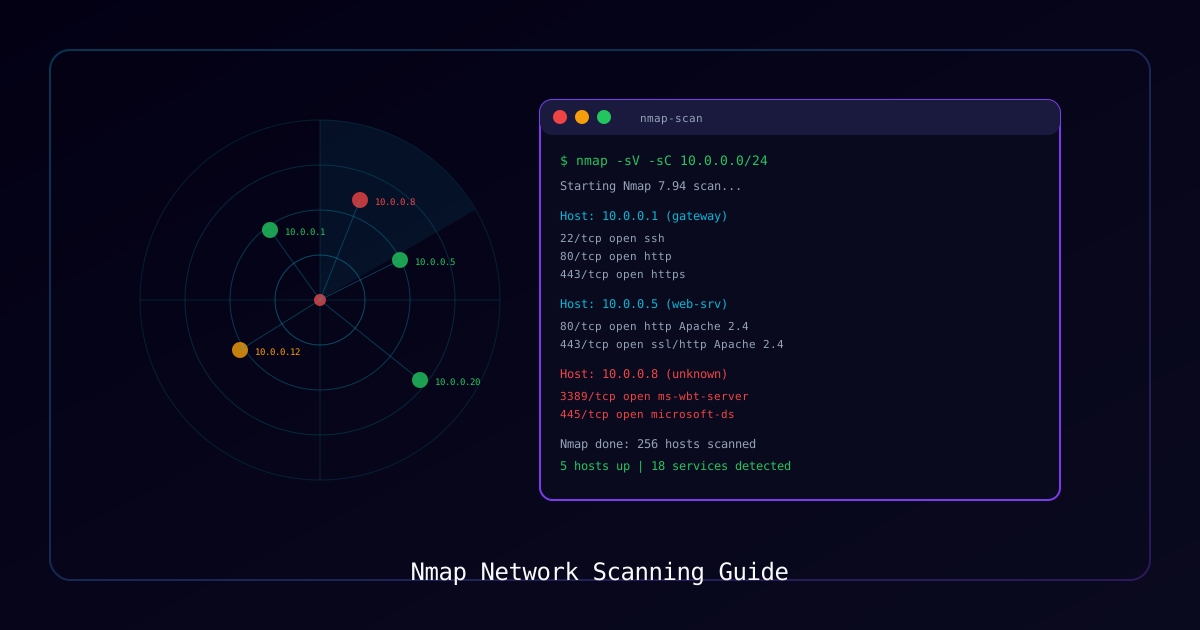
Overview
Nmap (Network Mapper) is the industry-standard tool for network discovery and security auditing. Used by penetration testers, security engineers, and system administrators worldwide, Nmap can discover hosts, identify services, detect operating systems, and find vulnerabilities across networks of any size.
Who Should Use This Guide:
- Penetration testers performing authorized assessments
- Security engineers conducting network audits
- IT administrators inventorying network assets
- SOC analysts investigating suspicious hosts
Legal Notice: Only scan networks you own or have explicit written authorization to test. Unauthorized scanning may violate computer crime laws.
What You Will Learn:
| Technique | Use Case |
|---|---|
| Host Discovery | Find live hosts on a network |
| Port Scanning | Identify open ports and services |
| Service Detection | Determine service versions |
| OS Fingerprinting | Identify operating systems |
| NSE Scripts | Automated vulnerability checks |
| Firewall Evasion | Bypass basic IDS/firewall rules |
| Output Formats | Generate professional reports |
Requirements
| Component | Details |
|---|---|
| Nmap | Latest stable (7.95+) from nmap.org |
| Privileges | Root/Administrator for SYN and OS scans |
| Authorization | Written permission to scan target network |
| Network | Connectivity to target IP ranges |
Installation
# Linux (Debian/Ubuntu)
sudo apt install nmap

# Linux (RHEL/CentOS)
sudo yum install nmap

# macOS
brew install nmap

# Windows — download installer from nmap.orgPart 1: Host Discovery
Before scanning ports, discover which hosts are alive on the network.
Ping Sweep
# ICMP echo + TCP SYN to port 443 + TCP ACK to port 80
nmap -sn 192.168.1.0/24

# ICMP only (may be blocked by firewalls)
nmap -sn -PE 192.168.1.0/24

# ARP discovery (local network only — most reliable)
nmap -sn -PR 192.168.1.0/24

# TCP SYN ping on common ports
nmap -sn -PS22,80,443,3389 10.0.0.0/24

# UDP ping (useful when ICMP and TCP blocked)
nmap -sn -PU53,161 10.0.0.0/24Discovery Options Reference
| Flag | Method | When to Use |
|---|---|---|
-sn | No port scan (host discovery only) | Initial network mapping |
-PE | ICMP echo request | Unrestricted networks |
-PR | ARP request | Local subnet only |
-PS<ports> | TCP SYN ping | When ICMP is blocked |
-PA<ports> | TCP ACK ping | Bypass stateless firewalls |
-PU<ports> | UDP ping | When TCP is heavily filtered |
-Pn | Skip discovery (treat all hosts as up) | When scanning known-live hosts |
Part 2: Port Scanning Techniques
TCP SYN Scan (Default, Recommended)
# SYN scan — fast, stealthy, requires root
sudo nmap -sS 192.168.1.100

# Scan specific ports
sudo nmap -sS -p 22,80,443,3389,8080 192.168.1.100

# Scan port ranges
sudo nmap -sS -p 1-1024 192.168.1.100

# Scan all 65535 ports
sudo nmap -sS -p- 192.168.1.100

# Top 100 most common ports (fast)
sudo nmap -sS --top-ports 100 192.168.1.100TCP Connect Scan
# Full TCP handshake — doesn't require root, but slower and logged
nmap -sT 192.168.1.100UDP Scan
# UDP scan — slow but essential for finding DNS, SNMP, TFTP
sudo nmap -sU --top-ports 50 192.168.1.100

# Combined TCP + UDP scan
sudo nmap -sS -sU --top-ports 100 192.168.1.100Scan Type Comparison
| Scan Type | Flag | Speed | Stealth | Root Required |
|---|---|---|---|---|
| SYN Scan | -sS | Fast | High | Yes |
| Connect Scan | -sT | Medium | Low | No |
| UDP Scan | -sU | Slow | Medium | Yes |
| FIN Scan | -sF | Medium | High | Yes |
| Xmas Scan | -sX | Medium | High | Yes |
| ACK Scan | -sA | Fast | Medium | Yes |
| Window Scan | -sW | Fast | Medium | Yes |
Part 3: Service and Version Detection
Identify Running Services
# Version detection on open ports
nmap -sV 192.168.1.100

# Aggressive version detection
nmap -sV --version-intensity 5 192.168.1.100

# Light version detection (faster)
nmap -sV --version-light 192.168.1.100

# Version detection + default scripts
nmap -sV -sC 192.168.1.100Example Output
PORT     STATE SERVICE       VERSION
22/tcp   open  ssh           OpenSSH 8.9p1 Ubuntu 3ubuntu0.6
80/tcp   open  http          nginx 1.24.0
443/tcp  open  ssl/http      nginx 1.24.0
3306/tcp open  mysql         MySQL 8.0.35
8080/tcp open  http-proxy    Apache Tomcat 9.0.83
Part 4: OS Fingerprinting
Detect Operating Systems
# OS detection (requires root)
sudo nmap -O 192.168.1.100

# OS detection with version info
sudo nmap -O -sV 192.168.1.100

# Aggressive OS detection (more guesses)
sudo nmap -O --osscan-guess 192.168.1.100

# Limit OS detection to promising targets
sudo nmap -O --osscan-limit 192.168.1.0/24Part 5: NSE (Nmap Scripting Engine)
NSE scripts extend Nmap with vulnerability detection, brute force, and enumeration capabilities.
Script Categories
| Category | Purpose |
|---|---|
auth | Authentication bypass and credential checks |
broadcast | Network broadcast discovery |
brute | Brute force password attacks |
default | Safe, useful scripts (-sC) |
discovery | Service and host information gathering |
exploit | Active exploitation (use with caution) |
safe | Non-intrusive information gathering |
vuln | Vulnerability detection |
version | Version detection enhancements |
Common NSE Commands
# Run default scripts (safe and useful)
nmap -sC 192.168.1.100

# Run all vulnerability scripts
nmap --script vuln 192.168.1.100

# Run specific script
nmap --script smb-vuln-ms17-010 192.168.1.100

# Run multiple script categories
nmap --script "safe and discovery" 192.168.1.100

# HTTP enumeration
nmap --script http-enum -p 80,443,8080 192.168.1.100

# SMB enumeration
nmap --script smb-enum-shares,smb-enum-users -p 445 192.168.1.100

# SSL/TLS vulnerability check
nmap --script ssl-heartbleed,ssl-poodle,ssl-enum-ciphers -p 443 192.168.1.100

# DNS enumeration
nmap --script dns-brute --script-args dns-brute.domain=example.com

# Banner grabbing
nmap --script banner -p 1-1000 192.168.1.100Essential Security Scripts
# Check for EternalBlue (MS17-010)
nmap --script smb-vuln-ms17-010 -p 445 192.168.1.0/24

# Check for BlueKeep (CVE-2019-0708)
nmap --script rdp-vuln-ms12-020 -p 3389 192.168.1.0/24

# HTTP security headers check
nmap --script http-security-headers -p 80,443 192.168.1.100

# FTP anonymous login check
nmap --script ftp-anon -p 21 192.168.1.0/24

# SSH authentication methods
nmap --script ssh-auth-methods -p 22 192.168.1.100Part 6: Output Formats
Save Scan Results
# Normal text output
nmap -oN scan-results.txt 192.168.1.0/24

# XML output (for tools like Metasploit)
nmap -oX scan-results.xml 192.168.1.0/24

# Grepable output (for scripting)
nmap -oG scan-results.gnmap 192.168.1.0/24

# All formats at once
nmap -oA scan-results 192.168.1.0/24

# Append to existing file
nmap --append-output -oN existing-scan.txt 192.168.1.100Part 7: Performance Tuning
Timing Templates
| Template | Flag | Speed | Accuracy | Use Case |
|---|---|---|---|---|
| Paranoid | -T0 | Very slow | Highest | IDS evasion |
| Sneaky | -T1 | Slow | High | IDS evasion |
| Polite | -T2 | Slow | High | Production networks |
| Normal | -T3 | Default | Good | General scanning |
| Aggressive | -T4 | Fast | Good | Time-limited assessments |
| Insane | -T5 | Very fast | Lower | Fast network, lab environments |
# Fast scan with aggressive timing
nmap -T4 -F 192.168.1.0/24

# Careful scan of production network
nmap -T2 -sV 192.168.1.0/24

# Parallel host scanning
nmap --min-hostgroup 64 --min-parallelism 10 10.0.0.0/16Part 8: Firewall Evasion Techniques
For authorized penetration tests where you need to bypass basic security controls.
# Fragment packets to bypass packet inspection
sudo nmap -f 192.168.1.100

# Use decoy addresses (appear to come from multiple sources)
sudo nmap -D RND:10 192.168.1.100

# Spoof source port (common bypass for lazy firewall rules)
sudo nmap --source-port 53 192.168.1.100

# Custom MTU
sudo nmap --mtu 24 192.168.1.100

# Randomize host scan order
nmap --randomize-hosts 192.168.1.0/24

# Slow scan to avoid rate-based detection
nmap -T1 --max-rate 10 192.168.1.0/24Common Scan Profiles
Quick Network Inventory
sudo nmap -sn -T4 -oA network-inventory 192.168.1.0/24Standard Security Audit
sudo nmap -sS -sV -sC -O -T4 -oA security-audit 192.168.1.0/24Full Port Comprehensive Scan
sudo nmap -sS -sV -sC -O -p- -T4 -oA full-scan 192.168.1.100Web Server Assessment
nmap -sV --script "http-*" -p 80,443,8080,8443 -oA web-audit 192.168.1.100Vulnerability Scan
nmap -sV --script vuln -T4 -oA vuln-scan 192.168.1.0/24Troubleshooting
| Issue | Cause | Fix |
|---|---|---|
| "You requested a scan type which requires root" | SYN scan needs privileges | Use sudo or switch to -sT |
| All ports show "filtered" | Firewall blocking probes | Try different scan types, use -Pn |
| Scan is very slow | Large network or -T0/-T1 timing | Use -T4 or limit port range |
| OS detection says "too many fingerprints" | Not enough open/closed ports | Scan more ports first with -p- |
| NSE scripts timeout | Target rate limiting | Increase --script-timeout value |