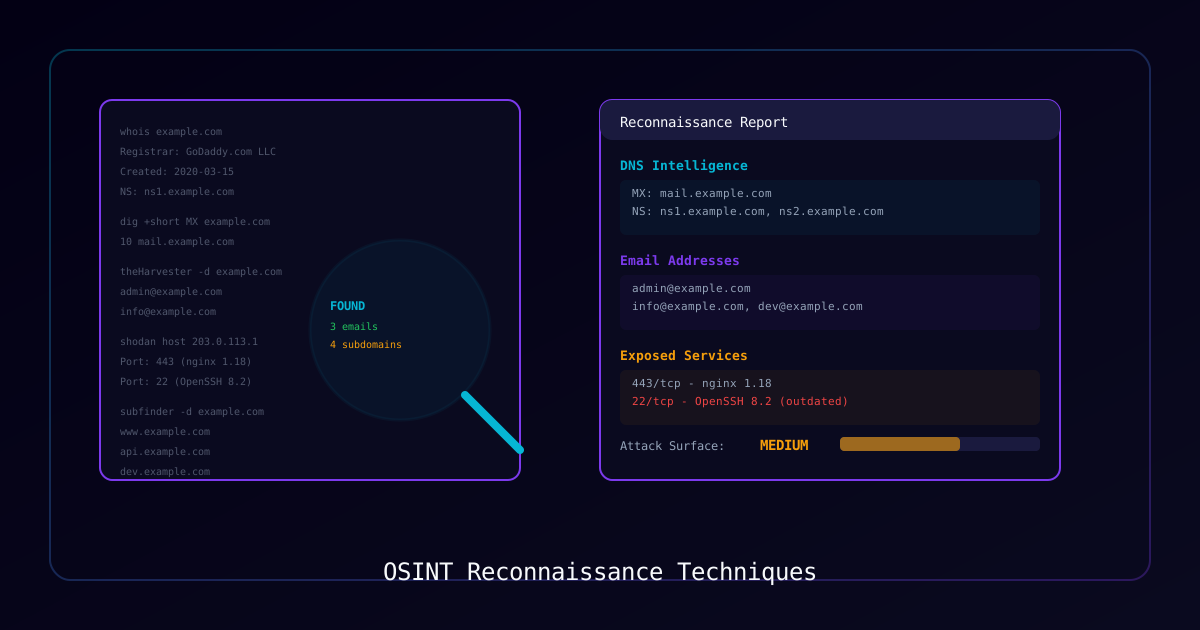
Overview
Open-Source Intelligence (OSINT) is the collection and analysis of publicly available information to support security assessments. Effective reconnaissance is the foundation of every successful penetration test — the more you know about a target before touching their systems, the more focused and efficient your engagement will be.
Who Should Use This Guide:
- Penetration testers performing authorized assessments
- Red team operators conducting adversary simulations
- Threat intelligence analysts investigating threat actors
- Security engineers assessing their own organization's exposure
Legal Notice: Only perform OSINT against organizations you have explicit written authorization to assess. While OSINT uses public information, targeted reconnaissance without consent may violate laws in some jurisdictions.
Methodology Overview:
Phase 1: Domain & Infrastructure    → Map the attack surface
Phase 2: Email & People             → Identify targets for social engineering
Phase 3: Technology Stack           → Find vulnerable technologies
Phase 4: Social Media & Public Data → Gather context and intel
Phase 5: Data Breach & Credential   → Check for exposed credentials
Phase 6: Documentation & Reporting → Organize findingsPhase 1: Domain and Infrastructure Reconnaissance
DNS Enumeration
# Basic DNS lookup
nslookup example.com
dig example.com ANY

# Find mail servers
dig example.com MX

# Find name servers
dig example.com NS

# Zone transfer attempt (often blocked, but always try)
dig axfr @ns1.example.com example.com

# Reverse DNS lookup
dig -x 203.0.113.50

# Find SPF records (reveals email infrastructure)
dig example.com TXT | grep spf

# Find DMARC policy
dig _dmarc.example.com TXTSubdomain Enumeration
# Subfinder — passive subdomain discovery
subfinder -d example.com -o subdomains.txt

# Amass — comprehensive enumeration
amass enum -passive -d example.com -o amass-results.txt

# crt.sh — Certificate Transparency logs (web-based)
curl -s "https://crt.sh/?q=%.example.com&output=json" | jq '.[].name_value' | sort -u

# DNSRecon
dnsrecon -d example.com -t std,brt

# Sublist3r
sublist3r -d example.com -o sublist3r-results.txtInfrastructure Mapping
# Whois lookup
whois example.com

# IP range identification
whois -h whois.radb.net -- '-i origin AS12345'

# ASN lookup
curl -s "https://api.bgpview.io/search?query_term=example.com" | jq

# Shodan — internet-wide scanning data
shodan search "hostname:example.com"
shodan host 203.0.113.50

# Censys search
censys search "services.http.response.html_title: Example Corp"Phase 2: Email and People Enumeration
Email Address Discovery
# theHarvester — multi-source email harvesting
theHarvester -d example.com -b google,bing,linkedin -l 500

# Hunter.io (API-based)
curl "https://api.hunter.io/v2/domain-search?domain=example.com&api_key=<YOUR_API_KEY>"

# Phonebook.cz (free email search)
# Visit: https://phonebook.czEmail Verification
# Verify email exists without sending
# Check MX record first
dig example.com MX

# SMTP verification (manual method)
telnet mail.example.com 25
HELO test.com
MAIL FROM:<test@test.com>
RCPT TO:<target@example.com>
# 250 = exists, 550 = doesn't existEmail Format Patterns
| Pattern | Example |
|---|---|
| first.last | john.smith@example.com |
| firstlast | johnsmith@example.com |
| first_last | john_smith@example.com |
| flast | jsmith@example.com |
| first | john@example.com |
| first.l | john.s@example.com |
People Research
| Source | What You'll Find |
|---|---|
| Employees, roles, technology mentions | |
| Company website | Leadership, team pages, job postings |
| GitHub | Developer accounts, code, commit history |
| Conference talks | Technical staff, presentations |
| Press releases | Partnerships, technology investments |
| Job postings | Technology stack, team structure |
Phase 3: Technology Stack Identification
Web Technology Fingerprinting
# Wappalyzer CLI
wappalyzer https://example.com

# WhatWeb
whatweb -a 3 https://example.com

# Manual header inspection
curl -sI https://example.com | grep -i "server\|x-powered\|x-aspnet\|x-generator"

# Check robots.txt and sitemap
curl -s https://example.com/robots.txt
curl -s https://example.com/sitemap.xmlWeb Application Reconnaissance
# Directory and file enumeration
gobuster dir -u https://example.com -w /usr/share/wordlists/dirb/common.txt

# Check for common files
curl -s -o /dev/null -w "%{http_code}" https://example.com/.git/config
curl -s -o /dev/null -w "%{http_code}" https://example.com/.env
curl -s -o /dev/null -w "%{http_code}" https://example.com/wp-login.php
curl -s -o /dev/null -w "%{http_code}" https://example.com/adminJavaScript and API Analysis
# Extract URLs and endpoints from JavaScript
# Use browser DevTools Network tab during browsing

# Find API endpoints in JS files
curl -s https://example.com/main.js | grep -oE '"/api/[^"]*"'

# Check for source maps
curl -s -o /dev/null -w "%{http_code}" https://example.com/main.js.mapPhase 4: Social Media and Public Data
Search Engine Operators (Google Dorks)
| Operator | Purpose | Example |
|---|---|---|
site: | Search within a domain | site:example.com filetype:pdf |
intitle: | Find pages with specific titles | intitle:"index of" site:example.com |
inurl: | Find URLs containing text | inurl:admin site:example.com |
filetype: | Find specific file types | site:example.com filetype:xlsx |
ext: | File extension search | site:example.com ext:sql |
cache: | View Google's cached version | cache:example.com |
-inurl: | Exclude URLs | site:example.com -inurl:www |
Useful Google Dorks for Security Assessments
# Find exposed documents
site:example.com filetype:pdf OR filetype:doc OR filetype:xlsx

# Find login pages
site:example.com inurl:login OR inurl:admin OR inurl:portal

# Find exposed configuration
site:example.com filetype:xml OR filetype:conf OR filetype:cfg

# Find error pages (information disclosure)
site:example.com "error" OR "exception" OR "stack trace"

# Find exposed directories
intitle:"index of" site:example.com

# Find backup files
site:example.com filetype:bak OR filetype:old OR filetype:backup

# Find password files
site:example.com filetype:txt "password" OR "credentials"
Social Media OSINT
| Platform | What to Look For |
|---|---|
| Employee roles, technology mentions, team sizes | |
| Twitter/X | Security incidents, technology announcements, employee complaints |
| GitHub | Source code, API keys in commits, internal tooling |
| Glassdoor | Technology stack mentions, internal culture |
| Employee discussions, technical challenges | |
| Stack Overflow | Developer questions revealing technology details |
Phase 5: Data Breach and Credential Intelligence
Check for Exposed Credentials
| Service | URL | Purpose |
|---|---|---|
| Have I Been Pwned | haveibeenpwned.com | Check if emails appear in breaches |
| DeHashed | dehashed.com | Search breach databases |
| IntelX | intelx.io | Intelligence aggregator |
| LeakCheck | leakcheck.io | Breach data search |
Password Pattern Analysis
When breach data is available, analyze password patterns to inform:
- Password policy requirements
- Social engineering wordlists
- Internal password spray attempts (with authorization)
Phase 6: OSINT Tools Summary
Essential Free Tools
| Tool | Category | Platform |
|---|---|---|
| Shodan | Infrastructure | Web + CLI |
| Censys | Infrastructure | Web + API |
| crt.sh | Certificate Transparency | Web |
| theHarvester | Email + Subdomain | CLI |
| Subfinder | Subdomain | CLI |
| Amass | Subdomain + DNS | CLI |
| SpiderFoot | Automated OSINT | Web + CLI |
| Maltego CE | Link Analysis | Desktop |
| Recon-ng | Framework | CLI |
| FOCA | Metadata Analysis | Desktop |
OSINT Frameworks
For structured, repeatable assessments:
- Recon-ng — Modular reconnaissance framework
- SpiderFoot — Automated OSINT with 200+ modules
- Maltego — Visual link analysis
- theHarvester — Multi-source email and domain enumeration
Reporting Template
Structure OSINT findings for your assessment report:
## Reconnaissance Summary

### Target: [Organization Name]
### Date: [Assessment Date]
### Scope: [Authorized scope]

### 1. Attack Surface
- Domains discovered: [count]
- Subdomains: [count]
- IP ranges: [list]
- Cloud services: [list]

### 2. Email Intelligence
- Email addresses found: [count]
- Email format: [pattern]
- Key personnel identified: [list]

### 3. Technology Stack
- Web servers: [list]
- Frameworks: [list]
- Cloud providers: [list]
- Potential vulnerabilities: [list]

### 4. Data Exposure
- Breach appearances: [count]
- Exposed documents: [list]
- Sensitive data found: [summary]

### 5. Risk Assessment
- Critical findings: [list]
- Recommendations: [list]Verification Checklist
- Written authorization confirmed and documented
- DNS enumeration complete (A, MX, NS, TXT, SRV records)
- Subdomain discovery run through multiple tools
- Infrastructure mapped (IP ranges, ASNs, hosting providers)
- Email addresses and personnel identified
- Technology stack fingerprinted
- Search engine dorking completed
- Data breach exposure checked
- All findings documented with sources
- Report delivered to authorized stakeholders only