Samsung Galaxy Connect App Corrupts Windows C: Drive Permissions
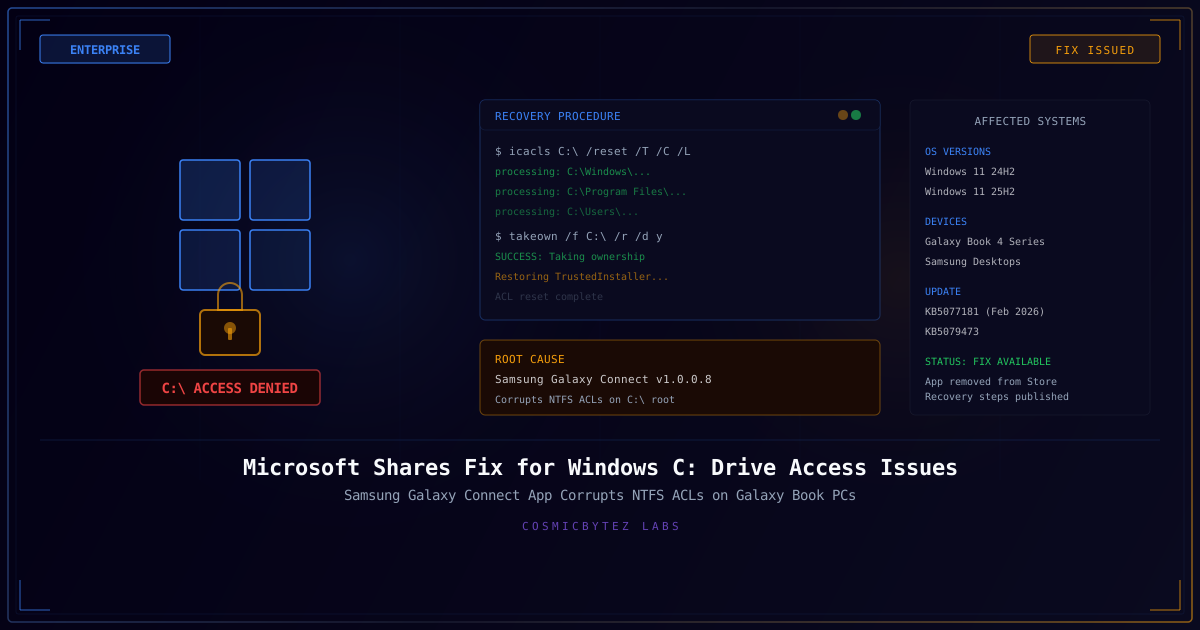
Microsoft has published an official multi-step recovery procedure for Samsung Galaxy Book 4 laptops and Samsung desktops running Windows 11 24H2 and 25H2 where the Samsung Galaxy Connect app corrupts NTFS access control lists (ACLs) on the C: drive root, leaving users locked out of their own systems. The fix was published on March 17, 2026, after weeks of user reports and a joint investigation between Microsoft and Samsung.
The issue surfaced following the February 2026 cumulative update KB5077181 and later KB5079473, though Microsoft has confirmed the root cause is not in the Windows update itself but in a faulty version of Samsung's preinstalled Galaxy Connect application.
What Happened
| Attribute | Value |
|---|---|
| Root Cause | Samsung Galaxy Connect app v1.0.0.8 and earlier |
| Symptom | "C:\ is not accessible — Access denied" error |
| Affected OS | Windows 11 24H2 and 25H2 |
| Affected Devices | Samsung Galaxy Book 4 series, Samsung Desktops |
| Trigger | App interaction with Windows security primitives after KB5077181/KB5079473 |
| Impact | System-wide — apps, browsers, Office, and system tools fail to launch |
| Store Status | Samsung Galaxy Connect temporarily removed from Microsoft Store |
Technical Root Cause
The Samsung Galaxy Connect app — a companion utility for cross-device integration between Samsung Galaxy phones and Windows PCs — contains a bug in versions 1.0.0.8 and earlier that incorrectly modifies NTFS permissions on the C: drive root directory.
Specifically, the application:
- Removes the SYSTEM account from the root ACL, stripping the operating system's own access to the boot volume
- Removes TrustedInstaller permissions, breaking Windows servicing and update capabilities
- Adds unexpected user accounts with insufficient privilege levels to the root ACE entries
- Propagates corrupted ACLs to child directories through NTFS inheritance, cascading the damage across
C:\Windows,C:\Program Files, andC:\Users
The result is a system that appears to boot normally but cannot launch most applications, access user profiles, or perform administrative tasks. Users see "Access denied" errors when attempting to open File Explorer, browsers, Microsoft Office, Outlook, and even the Settings app.
Why the Windows Update Was Blamed Initially
The timing of the February 2026 cumulative updates (KB5077181 and KB5079473) coincided with the Galaxy Connect app's ACL corruption behavior. Early reports on Microsoft Q&A and community forums attributed the problem directly to the Windows update. However, Microsoft's investigation determined that the update triggered a code path in the Samsung app that exposed the underlying permission bug — the update itself does not modify root ACLs.
Microsoft's Official Recovery Procedure
Microsoft published a multi-step recovery process that requires administrator access. If the affected system cannot be logged into normally, users must boot into Windows Recovery Environment (WinRE) or use a Windows installation USB to access a command prompt.
Step 1: Uninstall Samsung Galaxy Connect
Remove the faulty application to prevent it from re-corrupting permissions after repair:
# From Settings > Apps > Installed apps
# Or via PowerShell (elevated)
Get-AppxPackage *SamsungGalaxyConnect* | Remove-AppxPackageStep 2: Take Ownership of the C: Drive
takeown /f C:\ /r /d yThis recursively takes ownership of all files and directories on the C: drive, which is necessary before ACLs can be modified.
Step 3: Reset ACLs to Default Inherited State
icacls C:\ /reset /T /C /L| Flag | Purpose |
|---|---|
/reset | Replaces ACLs with default inherited permissions |
/T | Applies operation recursively to all subdirectories and files |
/C | Continues processing despite errors (some system files may be locked) |
/L | Performs the operation on symbolic links themselves, not their targets |
Step 4: Restore TrustedInstaller Ownership
After the ACL reset, Windows servicing requires that TrustedInstaller owns system files. Microsoft provides a .bat repair script that restores correct ownership across system directories:
:: Restore TrustedInstaller ownership on system directories
icacls "C:\Windows" /setowner "NT SERVICE\TrustedInstaller" /T /C
icacls "C:\Program Files" /setowner "NT SERVICE\TrustedInstaller" /T /C
icacls "C:\Program Files (x86)" /setowner "NT SERVICE\TrustedInstaller" /T /CStep 5: Reboot and Verify
After running the recovery steps, reboot the system and verify:
- File Explorer can browse C:\ without errors
- Applications launch normally
- Windows Update functions correctly
- User profiles are accessible
Impact Assessment
| Impact Area | Description |
|---|---|
| End Users | Samsung Galaxy Book 4 owners locked out of their own systems with no warning |
| Enterprise IT | Organizations with Samsung device fleets need to audit for corrupted ACLs and deploy recovery scripts |
| Samsung Store | Galaxy Connect app temporarily pulled from the Microsoft Store to prevent further damage |
| Trust | The incident highlights the risk of OEM companion apps modifying low-level OS security primitives |
| Data Integrity | No data loss reported — files remain intact, only access permissions are corrupted |
Affected Device Models
Based on community reports and Microsoft's investigation, the following Samsung devices are confirmed affected:
- Samsung Galaxy Book 4 (all configurations)
- Samsung Galaxy Book 4 Pro
- Samsung Galaxy Book 4 Pro 360
- Samsung Galaxy Book 4 Ultra
- Samsung Desktop PCs with Galaxy Connect preinstalled
Devices running Windows 11 23H2 or earlier do not appear to be affected, suggesting the ACL corruption bug is triggered by a specific interaction with the 24H2/25H2 security model.
Prevention and Recommendations
- Uninstall Samsung Galaxy Connect if it is not actively needed — the app has been temporarily removed from the Microsoft Store while Samsung prepares a stable release
- Do not delay Windows security updates — the KB5077181 and KB5079473 updates are not the root cause, and skipping them leaves systems vulnerable to patched security flaws
- Back up ACLs before installing OEM software — administrators can snapshot current permissions using
icacls C:\ /save acl_backup.txt /T /C - Monitor for a patched Galaxy Connect version — Samsung is expected to republish a corrected version to the Microsoft Store
- Enterprise admins should consider deploying the recovery script via SCCM, Intune, or Group Policy if Samsung devices are present in managed fleets
Key Takeaways
- The Samsung Galaxy Connect app v1.0.0.8 is the root cause — not the Windows update — corrupting NTFS ACLs on the C: drive root and cascading through inheritance
- Microsoft published an official recovery procedure using
icacls C:\ /reset /T /C /Lto restore default permissions, with additional steps to restore TrustedInstaller ownership - The affected app has been temporarily removed from the Microsoft Store while Samsung prepares a fix
- No data loss occurs — the issue is purely an access control corruption that can be fully reversed with the published recovery steps
- Enterprise administrators with Samsung device fleets should proactively audit and remediate affected systems using scripted deployment of the recovery procedure
Sources
- Microsoft blames Samsung for C:\ drive problems — The Register
- Microsoft and Samsung scramble to fix a major C: drive lockout bug — Tom's Hardware
- Microsoft Publishes Recovery Steps for Locked C Drive on Samsung Systems — WindowsReport
- Windows 11 C Drive Access Denied after KB5077181 — Microsoft Q&A
- Fix: New Windows bug breaks Samsung PCs, blocking access to C: drive — PCWorld