Introduction
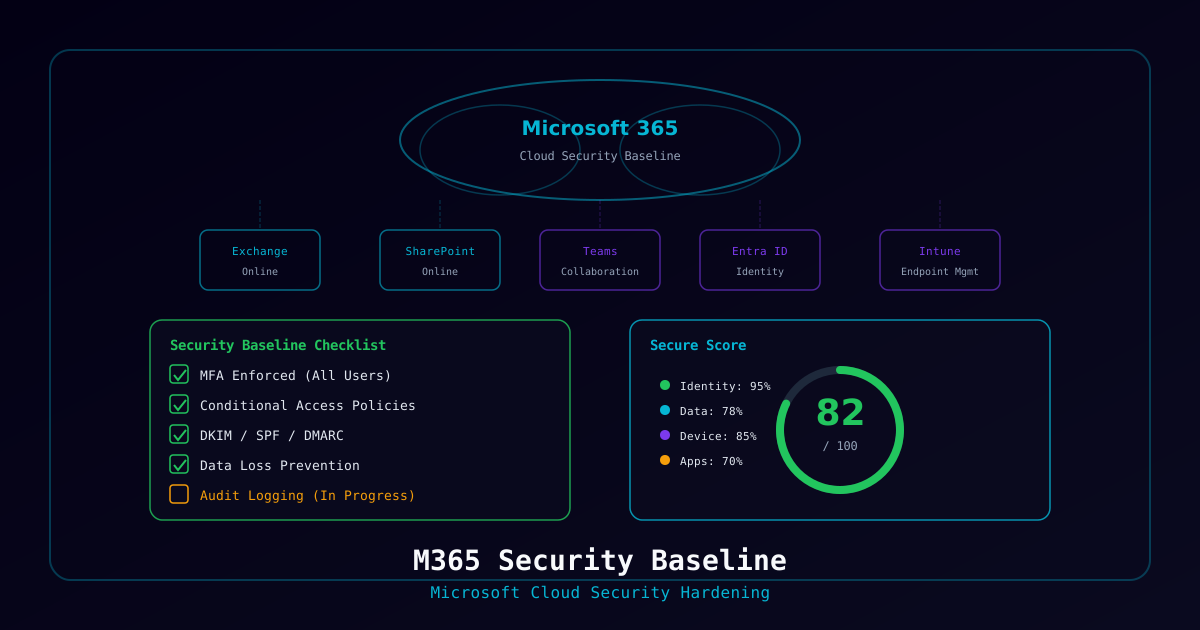
A properly secured Microsoft 365 tenant is the foundation of modern enterprise security. This project walks through implementing a comprehensive security baseline aligned with CIS Benchmarks and Microsoft's own security recommendations.
What You'll Build
- Identity protection with conditional access and PIM
- Email security hardening (anti-phishing, DMARC, safe links)
- Endpoint management with Intune compliance policies
- Data governance with sensitivity labels and DLP
- Audit logging and security monitoring
- Compliance dashboard with automated scoring
Who This Is For
- IT administrators responsible for M365 security
- MSP engineers standardizing client tenant configurations
- Security teams implementing compliance frameworks
- Organizations preparing for SOC 2, HIPAA, or PCI DSS audits
Time to complete: 8-12 hours (phased implementation recommended)
Prerequisites
License Requirements
| Feature | Minimum License |
|---|---|
| Conditional Access | M365 E3 / Entra ID P1 |
| PIM | M365 E5 / Entra ID P2 |
| Defender for Office 365 | M365 E3 (P1) / E5 (P2) |
| Intune | M365 E3+ |
| Sensitivity Labels | M365 E3+ |
| Advanced Audit | M365 E5 |
| Auto-labeling | M365 E5 |
Required Roles
- Global Administrator (initial setup only)
- Security Administrator
- Exchange Administrator
- Compliance Administrator
- Intune Administrator
Project Phases
Phase 1: Identity Security          [Day 1]     ████████████░░░ 40%
Phase 2: Email Security             [Day 1-2]   ██████████████░ 60%
Phase 3: Endpoint Management        [Day 2-3]   ████████████████ 75%
Phase 4: Data Governance            [Day 3-4]   ████████████████ 90%
Phase 5: Monitoring & Compliance [Day 4-5] ████████████████ 100%Phase 1: Identity Security
1.1 Emergency Access Accounts
Create two break-glass accounts before configuring any policies:
| Setting | Account 1 | Account 2 |
|---|---|---|
| UPN | emergency-admin-01@tenant.onmicrosoft.com | emergency-admin-02@tenant.onmicrosoft.com |
| Role | Global Administrator | Global Administrator |
| MFA | Disabled | Disabled |
| Password | 30+ characters, stored in physical safe | Different 30+ chars, different safe |
| Monitoring | Sign-in alerts enabled | Sign-in alerts enabled |
| Excluded from | ALL conditional access policies | ALL conditional access policies |
1.2 Conditional Access Policies
Deploy in this order (each policy should be tested in Report-only mode for 24-48 hours before enforcing):
Policy 1 — Require MFA for All Users:
- Target: All users (exclude break-glass accounts)
- Cloud apps: All cloud apps
- Grant: Require authentication strength — Phishing-resistant MFA
- Session: Sign-in frequency — 12 hours
Policy 2 — Block Legacy Authentication:
- Target: All users
- Cloud apps: All cloud apps
- Conditions: Client apps — Exchange ActiveSync, Other clients
- Grant: Block
Policy 3 — Require Compliant or Hybrid Joined Device:
- Target: All users
- Cloud apps: Office 365
- Grant: Require device to be marked as compliant OR Require Hybrid Azure AD joined device
Policy 4 — Restrict Admin Portal Access:
- Target: All users (exclude Global Admins)
- Cloud apps: Microsoft Admin Portals
- Grant: Require MFA + compliant device
Policy 5 — Block High-Risk Sign-ins:
- Target: All users
- Conditions: Sign-in risk — High
- Grant: Block
Policy 6 — Require Password Change for High-Risk Users:
- Target: All users
- Conditions: User risk — High
- Grant: Require MFA + require password change
1.3 Privileged Identity Management (PIM)
Configure just-in-time admin access:
| Role | Max Duration | Require Approval | Require MFA |
|---|---|---|---|
| Global Administrator | 2 hours | Yes | Yes |
| Exchange Administrator | 4 hours | No | Yes |
| Security Administrator | 8 hours | No | Yes |
| User Administrator | 8 hours | No | Yes |
| SharePoint Administrator | 4 hours | No | Yes |
Phase 2: Email Security
2.1 Domain Authentication
| Record | Value |
|---|---|
| SPF | v=spf1 include:spf.protection.outlook.com -all |
| DKIM | Enable in Defender portal for each domain |
| DMARC | Start p=none, progress to p=reject over 4 weeks |
2.2 Anti-Phishing
Configure the Strict preset security policy in Microsoft 365 Defender, which sets:
- Mailbox intelligence protection: Quarantine
- Spoof intelligence: Enabled
- First contact safety tips: Enabled
- Impersonation protection for executives and key partners
2.3 Transport Rules
| Rule | Action |
|---|---|
| External email banner | Prepend warning to all external emails |
| Block auto-forwarding | Reject external auto-forwards |
| Block dangerous attachments | Reject .exe, .bat, .ps1, .vbs, .js, etc. |
| Encrypt sensitive content | Apply encryption to emails matching DLP patterns |
Phase 3: Endpoint Management (Intune)
3.1 Device Compliance Policies
Windows 10/11 Compliance:
| Setting | Value |
|---|---|
| BitLocker required | Yes |
| Firewall required | Yes |
| Antivirus required | Yes |
| Minimum OS version | Windows 10 22H2 / Windows 11 23H2 |
| Password required | Yes |
| Minimum password length | 8 |
| Require encryption | Yes |
macOS Compliance:
| Setting | Value |
|---|---|
| FileVault required | Yes |
| Firewall required | Yes |
| System integrity protection | Yes |
| Minimum OS version | macOS 14.0 |
3.2 Device Configuration Profiles
Windows Security Baseline:
| Category | Key Settings |
|---|---|
| BitLocker | Full disk encryption, TPM required |
| Windows Firewall | Enabled on all profiles |
| Defender Antivirus | Real-time protection, cloud protection |
| ASR Rules | Block Office macros, credential theft, script abuse |
| Windows Update | Auto-install quality updates within 3 days |
3.3 Windows Autopilot
Configure for zero-touch deployment:
- Register device hardware IDs
- Create Autopilot deployment profile
- Assign to device group
- User-driven or self-deploying mode
Phase 4: Data Governance
4.1 Sensitivity Labels
| Label | Encryption | Marking | Auto-apply |
|---|---|---|---|
| Public | None | "PUBLIC" footer | No |
| Internal | None | "INTERNAL" footer | No |
| Confidential | Yes — org only | "CONFIDENTIAL" header/footer + watermark | DLP match |
| Highly Confidential | Yes — specific users | "HIGHLY CONFIDENTIAL" header/footer + watermark | Manual only |
4.2 Data Loss Prevention Policies
| Policy | Scope | Sensitive Types | Action |
|---|---|---|---|
| Financial Data | Exchange, SPO, Teams | Credit cards, bank accounts | Block external sharing |
| PII Protection | Exchange, SPO, Teams | SSN, passport, driver's license | Block + notify compliance |
| Healthcare (HIPAA) | Exchange, SPO | Medical records, health data | Block + encrypt |
| Source Code | SPO, OneDrive | Custom (code patterns) | Warn + log |
4.3 Retention Policies
| Content Type | Retain | Then |
|---|---|---|
| 7 years | Delete | |
| Teams chats | 3 years | Delete |
| SharePoint documents | 7 years | Delete |
| OneDrive files | 7 years | Delete |
Phase 5: Monitoring and Compliance
5.1 Audit Configuration
- Enable Unified Audit Log
- Enable Mailbox Auditing (all mailboxes, 365-day retention)
- Enable Advanced Audit (E5) for critical accounts
- Configure audit log search access (Security team only)
5.2 Alert Policies
| Alert | Severity | Notification |
|---|---|---|
| Unusual external file sharing | Medium | Security team |
| Mass file deletion | High | Security team + admin |
| New inbox forwarding rule | Medium | Security team |
| Admin role assignment | High | Security team + admin |
| Malware campaign detected | High | Security team + admin |
| DLP policy match | Medium | Compliance team |
| eDiscovery search | High | Compliance team + legal |
5.3 Microsoft Secure Score
Target these quick wins first:
| Action | Points | Effort |
|---|---|---|
| Enable MFA for all admins | +10 | Low |
| Block legacy authentication | +8 | Low |
| Enable self-service password reset | +6 | Low |
| Enable Safe Attachments | +5 | Medium |
| Enable DMARC | +5 | Medium |
| Designate more than one Global Admin | +4 | Low |
| Do not expire passwords | +4 | Low |
Implementation Checklist
Identity
- Break-glass accounts created and documented
- MFA enforced for all users (phishing-resistant for admins)
- Legacy authentication blocked
- Conditional access policies deployed and enforced
- PIM configured for privileged roles
- Self-service password reset enabled
- SPF, DKIM, DMARC configured
- Anti-phishing policies at strict preset
- Safe Links and Safe Attachments enabled
- External email banner active
- Auto-forwarding blocked
- Dangerous attachment types blocked
Endpoints
- Compliance policies deployed for all platforms
- BitLocker/FileVault required
- Defender AV and ASR rules configured
- Windows Update policies set
- Autopilot configured for new devices
Data
- Sensitivity labels published
- DLP policies active
- Retention policies configured
- External sharing restricted
Monitoring
- Unified audit log enabled
- Alert policies configured
- Secure Score reviewed and actions tracked
- Quarterly compliance review scheduled