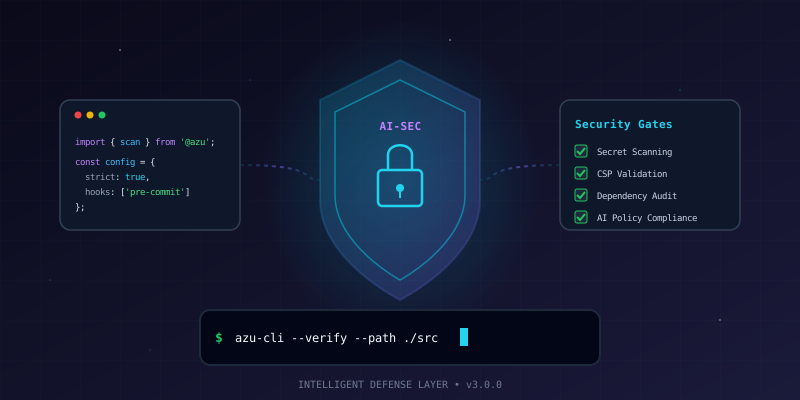
Overview
AI coding assistants dramatically accelerate development — but they also introduce new risk vectors. Models can hallucinate insecure patterns, leak secrets into code suggestions, bypass input validation, or generate code vulnerable to injection attacks.
This project builds a practical security framework around Claude Code that catches these issues before they reach production. The approach layers automated hooks, security-scanning agents, and CLAUDE.md guardrails so the AI assistant itself becomes security-aware.
The Problem
AI-generated code introduces risks that traditional code review often misses:
| Risk | Example |
|---|---|
| Secret leakage | Model suggests hardcoded API keys or tokens |
| Injection vulnerabilities | SQL/XSS/command injection in generated code |
| Insecure defaults | Missing CSP headers, permissive CORS |
| Dependency confusion | Suggesting packages that don't exist (or are typosquatted) |
| Overly broad permissions | chmod 777, 0.0.0.0 bindings, wildcard CORS |
What We're Building
┌─────────────────────────────────────────────────────────────┐
│          Secure AI-Assisted Development Pipeline            │
├─────────────────────────────────────────────────────────────┤
│                                                             │
│  ┌──────────────┐   ┌──────────────┐   ┌──────────────┐   │
│  │  CLAUDE.md   │   │    Hooks     │   │   Agents     │   │
│  │  Security    │──▶│  Pre-commit  │──▶│  Security    │   │
│  │  Guidelines  │   │  Validation  │   │  Scanner     │   │
│  └──────────────┘   └──────────────┘   └──────────────┘   │
│         │                   │                   │           │
│         ▼                   ▼                   ▼           │
│  ┌─────────────────────────────────────────────────────┐   │
│  │              Security Gates                          │   │
│  │  ✓ No secrets  ✓ No injection  ✓ CSP valid          │   │
│  │  ✓ Deps clean  ✓ Input sanitized  ✓ OWASP clear    │   │
│  └─────────────────────────────────────────────────────┘   │
│                          │                                  │
│                          ▼                                  │
│                   ┌──────────────┐                          │
│                   │   Safe Code  │                          │
│                   │   Committed  │                          │
│                   └──────────────┘                          │
│                                                             │
└─────────────────────────────────────────────────────────────┘Prerequisites
- Claude Code CLI installed (
npm install -g @anthropic-ai/claude-code) - Git repository initialized
- Node.js 18+ (for ESLint and tooling)
- Basic familiarity with Claude Code concepts (hooks, agents, CLAUDE.md)
Part 1: Security-Aware CLAUDE.md
The CLAUDE.md file is the single most important security control. It shapes every response Claude generates for your project. A well-written security section prevents vulnerabilities at the source.
Step 1: Create the Security Section
Add a security section to your project's CLAUDE.md:
## Security Requirements

### Hard Rules (never violate)
- NEVER hardcode secrets, API keys, tokens, or passwords
- NEVER use `eval()`, `Function()`, or dynamic code execution
- NEVER disable ESLint security rules or TypeScript strict mode
- NEVER commit .env files or credentials
- NEVER use `dangerouslySetInnerHTML` without explicit sanitization
- NEVER use `any` type to bypass security-relevant type checks

### Input Handling
- ALL user input must be validated and sanitized at system boundaries
- Use parameterized queries for ALL database operations (no string concatenation)
- Escape HTML output — use framework defaults (React JSX, template engines)
- Validate Content-Type headers on API endpoints

### Authentication & Authorization
- Use constant-time comparison for secrets (`crypto.timingSafeEqual`)
- Set secure cookie flags: `httpOnly`, `secure`, `sameSite: 'strict'`
- Validate origin/referer on state-changing requests (CSRF protection)
- Never expose stack traces or internal errors to clients

### Headers & Transport
- Set Content-Security-Policy on all responses
- Include X-Content-Type-Options: nosniff
- Include X-Frame-Options: DENY (or use CSP frame-ancestors)
- Enforce HTTPS (upgrade-insecure-requests)

### Dependencies
- Pin exact versions in package.json (no ^ or ~)
- Run `npm audit` before adding new dependencies
- Prefer well-maintained packages with >1000 weekly downloads
- Never install packages suggested by name without verifying they existStep 2: Add Environment Variable Documentation
Prevent accidental secret exposure by documenting expected variables:
## Environment Variables

| Variable | Description | Where |
|----------|-------------|-------|
| `DATABASE_URL` | PostgreSQL connection string | `.env.local` only |
| `API_SECRET` | HMAC signing key | `.env.local` only |
| `NEXT_PUBLIC_BASE_URL` | Site URL (safe to expose) | `.env` or `.env.local` |

**Rule:** Variables without `NEXT_PUBLIC_` prefix must NEVER appear in client-side code.Why This Works
Claude Code reads CLAUDE.md at the start of every session. By encoding security rules as project instructions, every code suggestion is filtered through these constraints. The AI won't suggest eval() if you've explicitly banned it — and if it somehow does, the hooks (Part 2) catch it.
Part 2: Pre-Commit Security Hooks
Hooks are shell commands that run automatically when Claude Code performs specific actions. They're your automated safety net.
Step 1: Configure Secret Detection
Create a hook that scans for secrets before any commit. Add this to your .claude/settings.json:
{
  "hooks": {
    "PreToolUse": [
      {
        "matcher": "Bash",
        "command": "echo '$TOOL_INPUT' | grep -qE 'git commit' && gitleaks detect --source . --no-banner --no-git 2>/dev/null; exit 0"
      }
    ]
  }
}Or use the Claude Code CLI to add it:
claude hooks add PreToolUse \
  --matcher "Bash" \
--command "echo '\$TOOL_INPUT' | grep -qE 'git commit' && gitleaks detect --source . --no-banner --no-git 2>/dev/null; exit 0"Step 2: Install gitleaks
gitleaks is the industry standard for secret detection:
# macOS
brew install gitleaks

# Linux
wget https://github.com/gitleaks/gitleaks/releases/latest/download/gitleaks_8.18.0_linux_x64.tar.gz
tar -xzf gitleaks_*.tar.gz
sudo mv gitleaks /usr/local/bin/

# Windows (scoop)
scoop install gitleaksStep 3: Create a Custom Rules File
Add project-specific patterns to .gitleaks.toml:
title = "Project Secret Detection Rules"

[[rules]]
id = "hardcoded-password"
description = "Hardcoded password in source"
regex = '''(?i)(password|passwd|pwd)\s*[:=]\s*["'][^"']{8,}["']'''
tags = ["password"]

[[rules]]
id = "private-key"
description = "Private key detected"
regex = '''-----BEGIN (RSA|EC|DSA|OPENSSH) PRIVATE KEY-----'''
tags = ["key"]

[[rules]]
id = "connection-string"
description = "Database connection string"
regex = '''(postgres|mysql|mongodb)://[^\s"']+'''
tags = ["database"]

[allowlist]
paths = [
  '''\.env\.example''',
  '''docs/.*\.md''',
  '''__tests__/.*'''
]Step 4: Add Security Linting Hook
Block common insecure patterns at commit time:
{
  "hooks": {
    "PostToolUse": [
      {
        "matcher": "Write|Edit",
        "command": "echo '$TOOL_INPUT' | python3 -c \"import sys,json; d=json.load(sys.stdin); p=d.get('file_path',''); ext=p.rsplit('.',1)[-1] if '.' in p else ''; sys.exit(0) if ext not in ('ts','tsx','js','jsx') else None\" || npx eslint --no-eslintrc --rule '{\"no-eval\": \"error\", \"no-implied-eval\": \"error\"}' --stdin --stdin-filename dummy.ts < /dev/null; exit 0"
      }
    ]
  }
}A simpler approach — use a shell script:
#!/bin/bash
# .claude/hooks/security-lint.sh
FILE_PATH=$(echo "$TOOL_INPUT" | jq -r '.file_path // empty')

if [[ "$FILE_PATH" == *.ts || "$FILE_PATH" == *.tsx || "$FILE_PATH" == *.js ]]; then
  # Check for dangerous patterns
  if grep -qE 'eval\(|Function\(|dangerouslySetInnerHTML|innerHTML\s*=' "$FILE_PATH" 2>/dev/null; then
    echo "SECURITY WARNING: Dangerous pattern detected in $FILE_PATH"
    echo "Review for: eval(), Function(), dangerouslySetInnerHTML, innerHTML assignment"
    exit 1
  fi
fi
exit 0Part 3: Security Scanner Agent
Claude Code agents are specialized sub-processes that can be dispatched for specific tasks. A security scanner agent reviews code changes against OWASP guidelines.
Step 1: Create the Agent Definition
Create .claude/agents/security-scanner.md:
---
name: security-scanner
description: Scan code changes for OWASP Top 10 vulnerabilities and security anti-patterns
model: sonnet
---

You are a security code reviewer. Analyze the provided code changes for vulnerabilities.

## Check for these categories:

### A01 — Broken Access Control
- Missing authorization checks on endpoints
- Direct object reference without ownership validation
- CORS misconfiguration (wildcard origins)

### A02 — Cryptographic Failures
- Hardcoded secrets or API keys
- Weak hashing (MD5, SHA1 for passwords)
- Missing HTTPS enforcement

### A03 — Injection
- SQL injection (string concatenation in queries)
- XSS (unescaped user input in HTML)
- Command injection (unsanitized input in exec/spawn)
- Path traversal (user input in file paths)

### A04 — Insecure Design
- Missing rate limiting on auth endpoints
- No account lockout after failed attempts
- Sensitive data in URL parameters

### A05 — Security Misconfiguration
- Missing security headers (CSP, X-Frame-Options)
- Debug mode enabled in production
- Default credentials or configurations
- Overly permissive file permissions

### A07 — Authentication Failures
- Weak password requirements
- Missing MFA consideration
- Session tokens in URLs
- No session timeout

### A08 — Data Integrity Failures
- Missing integrity checks on dependencies
- No subresource integrity (SRI) on CDN resources
- Unsigned or unverified updates

## Output format:

For each finding:
- **Severity**: CRITICAL / HIGH / MEDIUM / LOW
- **Category**: OWASP category (e.g., A03 — Injection)
- **File**: exact file path and line number
- **Issue**: what's wrong
- **Fix**: specific code change to resolve

If no issues found, state "No security issues detected" with a brief summary of what was checked.Step 2: Create a Security Scan Skill
Create .claude/skills/security-scan.md:
---
name: security-scan
description: Run a security scan on recent changes
user-invocable: true
---

Run the security-scanner agent against all files modified since the last commit.

Steps:
1. Run `git diff --name-only HEAD` to find changed files
2. Read each changed file
3. Dispatch the security-scanner agent with the file contents
4. Report findings grouped by severity
5. If CRITICAL or HIGH findings exist, list specific remediation stepsNow you can run /security-scan in any Claude Code session to trigger a full review.
Step 3: Integrate with Code Review
Add the scanner to your review workflow by creating .claude/skills/review-secure.md:
---
name: review-secure
description: Security-focused code review before merge
user-invocable: true
---

Perform a security-focused review of all changes on the current branch.

1. Run `git log --oneline main..HEAD` to see all commits
2. Run `git diff main...HEAD` to see all changes
3. Dispatch security-scanner agent with the full diff
4. Check that CLAUDE.md security rules are followed
5. Verify no .env files or secrets are staged
6. Run `npm audit` and report any vulnerabilities
7. Summarize: pass/fail with findingsPart 4: CSP and Header Validation
Content Security Policy is one of the most effective defenses against XSS — and one of the easiest things for AI-generated code to break.
Step 1: CSP Validation Script
Create a reusable validation script at scripts/validate-csp.sh:
#!/bin/bash
# Validate CSP headers on a running application
URL="${1:-http://localhost:3000}"

echo "Checking CSP headers for $URL..."

CSP=$(curl -sI "$URL" | grep -i "content-security-policy" | cut -d: -f2-)

if [ -z "$CSP" ]; then
  echo "FAIL: No Content-Security-Policy header found"
  exit 1
fi

echo "CSP Header found:"
echo "$CSP" | tr ';' '\n' | sed 's/^ /  /'

# Check for dangerous directives
ISSUES=0

if echo "$CSP" | grep -q "unsafe-inline" && ! echo "$CSP" | grep -q "nonce-"; then
  echo "WARNING: 'unsafe-inline' without nonce — XSS risk"
  ISSUES=$((ISSUES + 1))
fi

if echo "$CSP" | grep -q "'unsafe-eval'"; then
  echo "WARNING: 'unsafe-eval' present — code injection risk"
  ISSUES=$((ISSUES + 1))
fi

if echo "$CSP" | grep -q "img-src.*https:"; then
  echo "WARNING: img-src allows all HTTPS — consider restricting to specific domains"
  ISSUES=$((ISSUES + 1))
fi

if ! echo "$CSP" | grep -q "frame-ancestors"; then
  echo "WARNING: No frame-ancestors directive — clickjacking risk"
  ISSUES=$((ISSUES + 1))
fi

if [ $ISSUES -eq 0 ]; then
  echo "PASS: No CSP issues detected"
else
  echo "REVIEW: $ISSUES potential issues found"
fiStep 2: Automated Header Checks
Add a header validation hook for when Claude modifies security-related files:
{
  "hooks": {
    "PostToolUse": [
      {
        "matcher": "Write|Edit",
        "command": ".claude/hooks/check-security-headers.sh"
      }
    ]
  }
}#!/bin/bash
# .claude/hooks/check-security-headers.sh
FILE_PATH=$(echo "$TOOL_INPUT" | jq -r '.file_path // empty')
# Only run for files that might affect security headers
case "$FILE_PATH" in
*middleware* | *proxy* | *next.config* | *headers*)
echo "Security-relevant file modified: $FILE_PATH"
echo "Remember to verify CSP and security headers after this change."
;;
esac
exit 0Part 5: Dependency Security
AI assistants frequently suggest installing packages. Not all suggestions are safe.
Step 1: Package Verification Checklist
Add this to your CLAUDE.md:
## Dependency Rules

Before suggesting `npm install <package>`:
1. Verify the package exists on npmjs.com
2. Check weekly downloads (minimum 1,000)
3. Check last publish date (must be within 12 months)
4. Check for known vulnerabilities via `npm audit`
5. Prefer packages from verified publishers
6. NEVER install packages with similar names to popular ones (typosquatting)Step 2: Post-Install Audit Hook
{
  "hooks": {
    "PostToolUse": [
      {
        "matcher": "Bash",
        "command": "echo '$TOOL_INPUT' | grep -qE 'npm install|yarn add|pnpm add' && npm audit --production 2>/dev/null; exit 0"
      }
    ]
  }
}Step 3: Lock File Integrity
Ensure lock files are always committed:
## Git Rules (add to CLAUDE.md)

- Always commit package-lock.json / yarn.lock / pnpm-lock.yaml with dependency changes
- Never add lock files to .gitignore
- Run `npm ci` (not `npm install`) in CI/CD pipelinesPart 6: Putting It All Together
Complete Settings File
Here's a reference .claude/settings.json combining all hooks:
{
  "hooks": {
    "PreToolUse": [
      {
        "matcher": "Bash",
        "command": "echo '$TOOL_INPUT' | grep -qE 'git commit' && gitleaks detect --source . --no-banner --no-git 2>/dev/null; exit 0"
      }
    ],
    "PostToolUse": [
      {
        "matcher": "Write|Edit",
        "command": ".claude/hooks/security-lint.sh"
      },
      {
        "matcher": "Bash",
        "command": "echo '$TOOL_INPUT' | grep -qE 'npm install|yarn add' && npm audit --production 2>/dev/null; exit 0"
      }
    ]
  }
}Security Workflow Checklist
Use this checklist for every feature branch:
-
CLAUDE.mdsecurity section is present and up to date - Pre-commit hooks are active (secret scanning)
- Run
/security-scanbefore opening a PR -
npm auditshows no high/critical vulnerabilities - CSP headers validated on staging
- No
.envfiles in staged changes - All user input is validated at system boundaries
- API endpoints have appropriate authentication
- Error responses don't leak internal details
Testing Your Setup
Verify the guardrails work by intentionally testing them:
# Test secret detection
echo 'const API_KEY = "sk-ant-1234567890abcdef"' > test-secret.ts
gitleaks detect --source . --no-banner
# Should detect the hardcoded key
rm test-secret.ts

# Test dangerous pattern detection
echo 'eval(userInput)' > test-eval.ts
.claude/hooks/security-lint.sh
# Should warn about eval()
rm test-eval.tsKey Takeaways
- CLAUDE.md is your first line of defense — security rules in project instructions prevent vulnerabilities before they're written
- Hooks automate enforcement — secret detection and pattern scanning run on every change without manual intervention
- Agents provide depth — a dedicated security scanner catches OWASP issues that simple pattern matching misses
- Layer your defenses — no single control catches everything; combine CLAUDE.md rules, hooks, agents, and CI/CD checks
- Trust but verify — AI-generated code should meet the same security bar as human-written code
The goal isn't to slow down development — it's to make security automatic. With these guardrails, AI-assisted development becomes faster and more secure than manual coding alone.
Further Reading
- Claude Code Documentation — Hooks
- Claude Code Documentation — Custom Agents
- OWASP Top 10 (2021)
- gitleaks — Secret Detection
- Content Security Policy Reference