Executive Summary
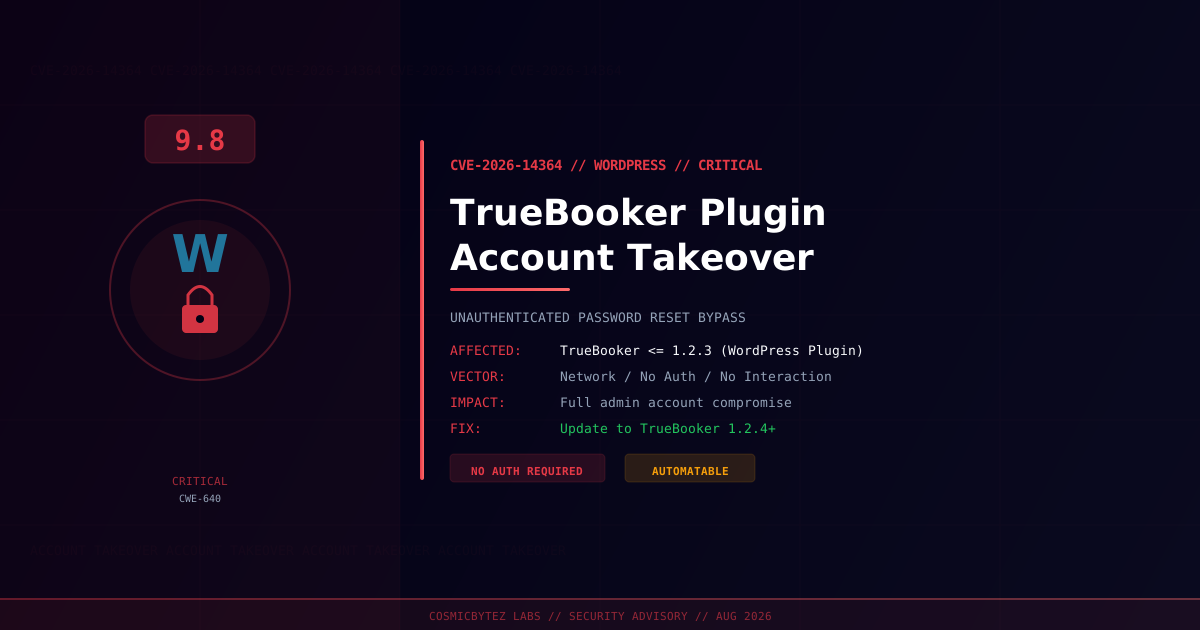
A critical vulnerability (CVE-2026-14364) has been disclosed in the TrueBooker – Appointment Booking and Scheduler System plugin for WordPress. The flaw allows unauthenticated attackers to reset the password of any user account — including site administrators — without proper identity verification, leading to full account takeover.
CVSS Score: 9.8 (Critical)
Discovered and reported by Wordfence, the vulnerability stems from improper password reset validation (CWE-640). The plugin fails to confirm a user's identity before executing a password reset, allowing any unauthenticated actor to seize control of arbitrary accounts. A patch is available in changeset 3595807.
Vulnerability Overview
| Attribute | Value |
|---|---|
| CVE ID | CVE-2026-14364 |
| CVSS Score | 9.8 (Critical) |
| Weakness | CWE-640 (Weak Password Recovery Mechanism) |
| Type | Unauthenticated Account Takeover |
| Attack Vector | Network |
| Attack Complexity | Low |
| Privileges Required | None |
| User Interaction | None |
| CISA Automatable | Yes |
| CISA Technical Impact | Total |
Affected Versions
| Plugin | Affected Versions | Fixed Version |
|---|---|---|
| TrueBooker – Appointment Booking and Scheduler System | <= 1.2.3 | 1.2.4+ (changeset 3595807) |
Technical Details
The TrueBooker plugin implements a password reset mechanism that lacks proper user identity validation. When a password reset is triggered, the plugin does not verify that the requesting party is the legitimate account owner — either through a secure token, OTP, or authenticated session check.
This allows an unauthenticated attacker to:
- Initiate a password reset for any target account (including administrators)
- Bypass the identity verification step due to absent or improperly implemented validation logic
- Set a new arbitrary password for the target account
- Log in as the compromised user with full privileges
Because the attack requires no authentication and no user interaction, it is classified as fully automatable with total technical impact — meaning tools can scan for and exploit vulnerable sites at scale.
CWE-640: Weak Password Recovery Mechanism for Forgotten Password
This weakness class covers implementations where the mechanism used to allow users to reset forgotten passwords is insufficiently protected. In this case, the plugin fails to validate the user's identity before permitting a credential change — a fundamental authentication design flaw.
Attack Flow
1. Attacker identifies a WordPress site running TrueBooker <= 1.2.3
2. Attacker initiates a password reset for target account (e.g., admin)
3. Plugin processes reset without verifying identity (no token / no OTP check)
4. Attacker sets a new password for the target account
5. Attacker logs in as administrator with full site access
6. Data exfiltration, backdoor installation, or site defacementPotential Impact
| Impact | Description |
|---|---|
| Full Site Takeover | Administrator account compromise grants full WordPress control |
| Data Exposure | Access to all bookings, customer PII, payment details |
| Backdoor Installation | Upload of malicious plugins or themes |
| SEO Spam / Defacement | Injection of malicious content into site |
| Lateral Movement | Pivot to server if admin can install plugins with file access |
Remediation
Step 1: Update the Plugin Immediately
Update TrueBooker to the latest version (changeset 3595807 or later) via your WordPress admin panel or WP-CLI:
# Update via WP-CLI
wp plugin update truebooker-appointment-booking

# Verify installed version
wp plugin get truebooker-appointment-booking --field=versionOr navigate to WordPress Admin > Plugins > Installed Plugins > TrueBooker > Update Now.
Step 2: Audit Administrator Accounts
Check for unauthorized or recently created administrator accounts:
# List all admin users
wp user list --role=administrator

# Check recent user password changes (if audit logging is active)
wp db query "SELECT user_login, user_email, user_registered FROM wp_users ORDER BY user_registered DESC LIMIT 20;"Step 3: Rotate Credentials
If exploitation is suspected, rotate all credentials immediately:
- Change all administrator passwords
- Rotate WordPress secret keys and salts:
wp config shuffle-salts - Rotate any API keys or tokens stored in WordPress options
- Change database credentials if accessible from WordPress
Step 4: Review Access Logs
Examine web server logs for unusual POST requests targeting the password reset endpoint:
# Look for unusual reset requests (adjust path for your server)
grep -i "reset\|password\|truebooker" /var/log/nginx/access.log | tail -100If Immediate Patching Is Not Possible
- Deactivate the TrueBooker plugin temporarily
- Block public access to the plugin's reset endpoint via WAF or
.htaccess - Enable two-factor authentication on all administrator accounts (using a separate plugin)
- Monitor logs actively for reset attempts
Detection Indicators
| Indicator | Description |
|---|---|
| Unexpected POST requests to TrueBooker endpoints | Potential exploitation attempt |
| New administrator accounts not created by staff | Post-exploitation persistence |
| Login from unfamiliar IP addresses | Compromised account in use |
| Modified plugin files or new plugin uploads | Backdoor installation |
| Outbound connections from the web server | Data exfiltration |
References
- Wordfence Threat Intel — CVE-2026-14364
- WordPress Plugin Trac — Changeset 3595807
- NVD — CVE-2026-14364