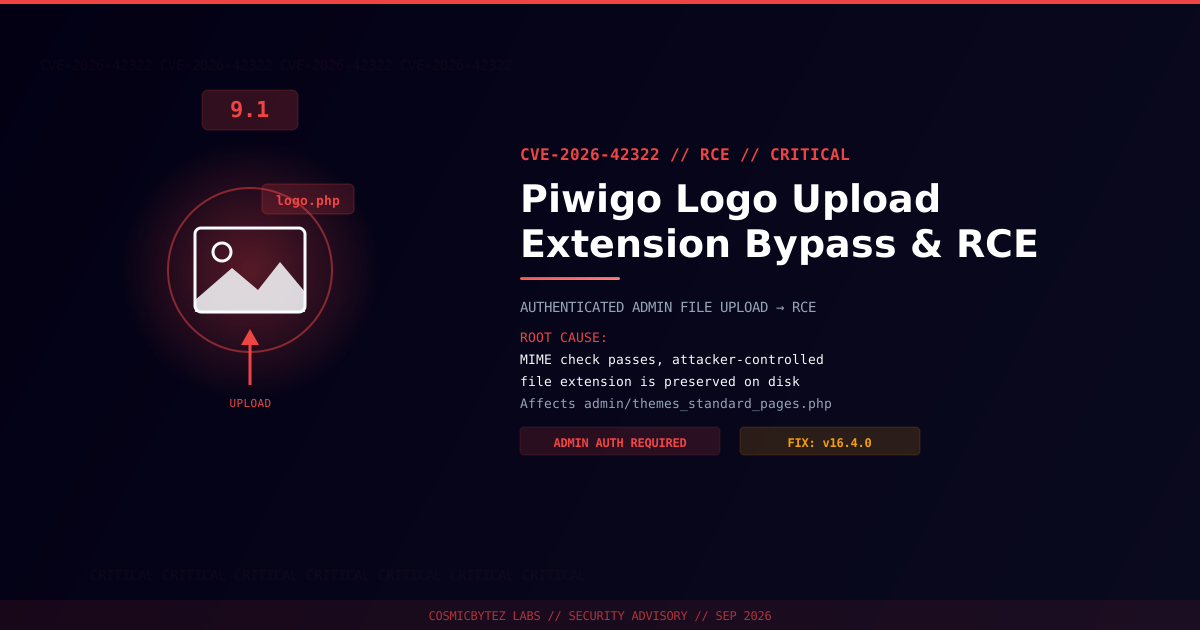
Executive Summary
A critical file-upload vulnerability (CVE-2026-42322) has been disclosed in Piwigo, the open-source photo gallery platform used by thousands of self-hosted galleries and community photo sites. The flaw carries a CVSS score of 9.1 and lives in admin/themes_standard_pages.php, the handler behind Piwigo's custom logo upload feature.
The root cause is a classic extension-confusion arbitrary file upload: the handler correctly checks the content of an uploaded logo against expected image MIME types, but when it writes the file to disk it reuses the attacker-controlled filename extension supplied in the std_pgs_logo parameter instead of normalizing it. An attacker who can pass the MIME check with valid image bytes — while naming the file with a server-executable extension such as .php — ends up with a script sitting in a web-accessible path, ready to be requested and executed by the web server.
This is not an unauthenticated bug. Exploitation requires authenticated Administrator-level access to the Piwigo instance (PR:H in the CVSS vector), which lowers the blast radius somewhat but still represents a direct path from "admin panel access" to full remote code execution on the underlying server — a significant privilege escalation for any attacker who has phished, brute-forced, or otherwise obtained an admin session. The issue is tracked upstream as GHSA-7w97-5g4p-xqvv and is fixed in Piwigo 16.4.0.
Vulnerability Overview
| Attribute | Value |
|---|---|
| CVE ID | CVE-2026-42322 |
| CVSS Score | 9.1 (Critical) — CVSS:3.1/AV:N/AC:L/PR:H/UI:N/S:C/C:H/I:H/A:H |
| Type | Unrestricted Upload of File with Dangerous Type (CWE-434) leading to RCE |
| Attack Vector | Network |
| Privileges Required | High (authenticated Administrator) |
| User Interaction | None |
| Affected Component | admin/themes_standard_pages.php (logo upload) |
Affected Versions
| Product | Affected Versions | Fixed Version |
|---|---|---|
| Piwigo | ≤ 16.4.0 | 16.4.0 |
Two related Piwigo advisories from the same disclosure batch — CVE-2026-42323 and CVE-2026-42324 — were published alongside this one. They are separate flaws with their own fix details and are not covered here.
Attack Vector
1. Attacker obtains or already holds authenticated Administrator credentials
   for a Piwigo instance (phishing, credential stuffing, session theft, etc.)
2. Attacker navigates to Appearance > Themes > "Standard Pages" logo
   upload form, which posts to admin/themes_standard_pages.php
3. Attacker crafts an upload whose CONTENT satisfies the server's MIME
   check (e.g. valid image magic bytes / a polyglot image+PHP payload)
   but whose FILENAME carries a dangerous extension, e.g.:
       shell.svg.php   OR   logo.php
4. themes_standard_pages.php validates the file by mime_content_type()
   — this check passes because the content looks like an image
5. When constructing the stored filename, the handler reuses the
   attacker-supplied extension from std_pgs_logo verbatim instead of
   normalizing it to a safe image extension
6. The file is written into Piwigo's public, web-accessible logo/theme
   directory with its original .php (or .phtml/.asp) extension intact
7. Attacker requests the uploaded file directly over HTTP
8. The web server hands the request to the PHP interpreter (extension-
   based execution), running the attacker's embedded code
9. Result: arbitrary command execution in the context of the web serverImpact of Successful Exploitation
| Impact Area | Description |
|---|---|
| Remote Code Execution | Arbitrary PHP execution in the web server's context |
| Full Site Compromise | Access to Piwigo's database (photos, users, credentials, config) |
| Data Exfiltration | Theft of private galleries, user PII, and session data |
| Webshell Persistence | Planted script survives until manually discovered and removed |
| Lateral Movement | Pivot from the compromised web server to other hosted services |
| Reputational Damage | Defacement or malware distribution via a trusted photo-sharing site |
Immediate Remediation
Step 1: Upgrade to Piwigo 16.4.0
# Back up your installation and database first
tar czf piwigo-backup-$(date +%F).tar.gz /path/to/piwigo
mysqldump -u <user> -p <piwigo_db> > piwigo-db-backup-$(date +%F).sql

# Then upgrade via the Piwigo admin updater, or replace core files
# manually with the 16.4.0 release and run the webupgrade scriptConfirm the running version afterward from Administration > Dashboard, or by checking include/constants.php for PHPWG_VERSION.
Step 2: Restrict and Audit Admin Access
- Reduce the number of accounts with Administrator or Webmaster privileges to the minimum necessary.
- Enforce strong, unique passwords and enable any available 2FA/SSO in front of the admin panel.
- Restrict
/admin/access to trusted IP ranges or a VPN at the reverse proxy / firewall level where feasible.
Step 3: Add WAF / Reverse Proxy Rules
- Block or flag
POSTrequests toadmin/themes_standard_pages.phpwhere thestd_pgs_logofilename contains a server-executable extension (.php,.phtml,.php5,.asp,.aspx,.jsp) — including double-extension patterns like.svg.php. - Configure the web server to deny script execution inside Piwigo's upload, logo, and theme image directories (e.g. an Apache
.htaccesswithphp_flag engine off, or an Nginxlocationblock that serves those paths as static files only).
If You Cannot Patch Immediately
- Disable or restrict the custom logo upload feature for non-essential admin accounts.
- Manually inspect the logo/theme upload directories for unexpected files with executable extensions.
- Monitor admin-panel activity logs for unfamiliar sessions performing theme or logo changes.
Detection Indicators
| Indicator | Description |
|---|---|
Files with .php, .phtml, .asp, or double extensions in logo/theme upload paths | Direct evidence of a planted webshell |
Unexpected POST requests to admin/themes_standard_pages.php | Possible exploitation attempt |
| New Administrator sessions from unfamiliar IPs prior to a theme/logo change | Compromised credential use |
HTTP GET requests to newly created files in the logo directory returning 200 | Attacker triggering the uploaded payload |
| Outbound connections initiated by the web server process shortly after a logo upload | Post-exploitation callback or data exfiltration |