Executive Summary
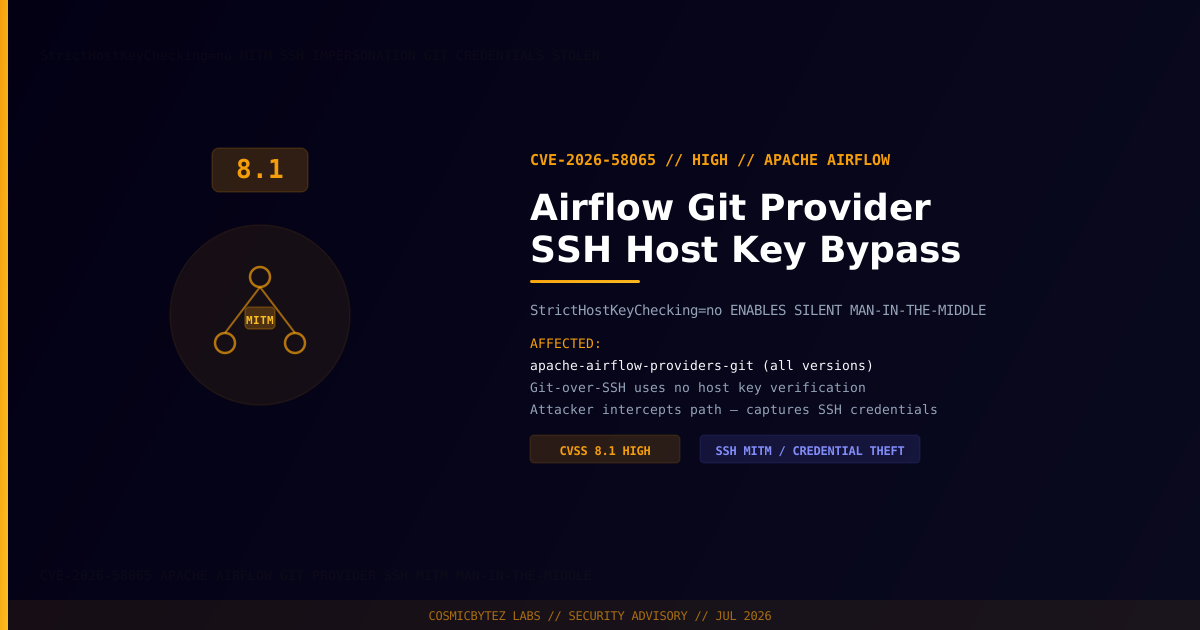
The Apache Airflow Git provider (apache-airflow-providers-git) runs all git-over-SSH operations with StrictHostKeyChecking=no as a hard-coded default, disabling SSH host key verification entirely. Any attacker who can intercept network traffic between an Airflow worker and a Git server — whether through ARP spoofing, DNS hijacking, BGP hijacking, or a compromised network path — can silently impersonate the Git server, capturing SSH credentials, injecting malicious repository content, or serving backdoored DAGs directly to the Airflow scheduler.
CVSS Score: 8.1 (High)
This vulnerability is particularly severe in CI/CD pipelines and data engineering workflows where Airflow fetches DAGs or configuration from private Git repositories, as it exposes both credentials and the integrity of production code.
Vulnerability Overview
| Attribute | Value |
|---|---|
| CVE ID | CVE-2026-58065 |
| CVSS Score | 8.1 (High) |
| Type | Man-in-the-Middle via Disabled SSH Host Key Verification |
| Attack Vector | Network — requires interception capability on path to Git server |
| Privileges Required | None (network position) |
| User Interaction | None |
| Scope | Changed |
Affected Versions
| Component | Affected | Status |
|---|---|---|
| apache-airflow-providers-git | All versions (StrictHostKeyChecking=no default) | Monitor Apache security advisories |
| Apache Airflow core | Not directly affected | Depends on git provider usage |
Technical Analysis
The Misconfiguration
When Airflow executes git-over-SSH via the Git provider, it passes SSH options that include:
# Effective command generated by the Airflow Git provider
GIT_SSH_COMMAND='ssh -o StrictHostKeyChecking=no -o UserKnownHostsFile=/dev/null' \
git clone git@github.com:org/dags.gitStrictHostKeyChecking=no tells SSH to accept any host key presented, including one from an attacker impersonating the legitimate server. Combined with UserKnownHostsFile=/dev/null, no host keys are ever recorded or checked.
Man-in-the-Middle Attack Flow
NORMAL FLOW:
  Airflow Worker → [SSH with host key check] → Legitimate Git Server

ATTACK FLOW:
  Airflow Worker → [SSH, no host key check] → Attacker's Server (MITM)
                                                    ↓
                                              Captures SSH private key
                                              Serves malicious DAG content
Proxies to real Git server (invisible)Attack Prerequisites
The attacker must be able to intercept or redirect traffic between:
  - Airflow worker IP
  - Git server IP or hostname

This can be achieved via:
  - ARP spoofing on the same LAN
  - DNS cache poisoning (if using hostname-based Git remote)
  - BGP route hijacking (for internet-facing Git servers)
  - Compromised network infrastructure (router, switch, cloud VPC peering)
- Supply chain compromise of a CDN or cloud providerImpact
| Impact | Description |
|---|---|
| SSH Key / Credential Theft | Attacker captures the private key or credentials used to authenticate to Git |
| DAG / Code Injection | Malicious Python DAG code served to Airflow — executes with worker privileges |
| Supply Chain Compromise | Backdoored DAGs can exfiltrate data, pivot to other systems, or sabotage pipelines |
| Secret Exfiltration | DAGs often contain or reference secrets (API keys, DB credentials, cloud credentials) |
| Persistent Access | Injected code can establish persistence within the Airflow environment |
High-Risk Deployment Scenarios
- Airflow pulling DAGs from GitHub/GitLab over the public internet
- Multi-tenant cloud environments where VPC isolation is not guaranteed
- On-premises Airflow clusters connected to external Git repositories
- Airflow in Kubernetes with shared network namespaces
Remediation
Step 1: Configure SSH Host Key Verification
Override the default StrictHostKeyChecking=no by providing a known_hosts file:
# airflow.cfg or environment variable
# Add to git connection extra parameters

# In Airflow UI: Admin → Connections → Edit Git connection
# Extra: {"ssh_strict_host_key_checking": "yes", "known_hosts_file": "/opt/airflow/known_hosts"}# 1. Collect the host key for your Git server
ssh-keyscan github.com >> /opt/airflow/known_hosts
ssh-keyscan gitlab.com >> /opt/airflow/known_hosts
ssh-keyscan your-internal-git.company.com >> /opt/airflow/known_hosts
# 2. Set permissions
chmod 644 /opt/airflow/known_hosts
chown airflow:airflow /opt/airflow/known_hosts
# 3. Reference in git SSH command
export GIT_SSH_COMMAND='ssh -o StrictHostKeyChecking=yes -o UserKnownHostsFile=/opt/airflow/known_hosts'Step 2: Use HTTPS with Certificate Verification Instead of SSH
For many use cases, HTTPS Git remotes are simpler and easier to secure:
# Use HTTPS with a personal access token (stored in Airflow Variables/Connections)
# airflow.cfg
[git]
repo = https://github.com/org/dags.git
# Credentials managed via git credential helper or Airflow Secret Backend# In DAG repo connection config
conn = Connection(
conn_id="git_dags",
conn_type="git",
host="https://github.com/org/dags.git",
password="{{ var.value.git_token }}", # Token from Airflow Variables
)Step 3: Network Segmentation
# Restrict outbound SSH from Airflow workers to known Git server IPs only
iptables -I OUTPUT -p tcp --dport 22 -d <GIT_SERVER_IP> -j ACCEPT
iptables -A OUTPUT -p tcp --dport 22 -j DROP

# Or via cloud security groups / network ACLs:
# Allow: Airflow worker SG → Git server IP:22
# Deny: All other outbound :22Step 4: Monitor for MITM Indicators
# Check for unexpected SSH host key changes in logs
grep "WARNING: REMOTE HOST IDENTIFICATION HAS CHANGED" /var/log/airflow/scheduler*.log

# If using strict checking (after remediation), this warning stops attacks
# Monitor for task failures with SSH host key errors as potential attack signals
grep "Host key verification failed" /var/log/airflow/worker*.logKubernetes / Helm Deployment
# Airflow Helm chart — mount known_hosts into all workers
airflow:
  extraVolumes:
    - name: git-known-hosts
      configMap:
        name: git-known-hosts
  extraVolumeMounts:
    - name: git-known-hosts
      mountPath: /opt/airflow/.ssh/known_hosts
      subPath: known_hosts

  extraEnvVars:
    - name: GIT_SSH_COMMAND
value: "ssh -o StrictHostKeyChecking=yes -o UserKnownHostsFile=/opt/airflow/.ssh/known_hosts"# Create the ConfigMap
kubectl create configmap git-known-hosts \
--from-file=known_hosts=./known_hosts \
-n airflowDetection
| Indicator | Description |
|---|---|
| Unexpected host keys in SSH logs | Git server key changed — potential MITM in progress |
| Airflow DAGs behaving unexpectedly | Injected code executing via MITM |
| SSH key compromise alerts | Private key used from unexpected locations |
| Anomalous network traffic from Airflow workers | Post-exploitation data exfiltration |
| Scheduled tasks failing with auth errors | Stolen key being rotated by victim |
Post-Remediation Steps
- Immediately configure a known_hosts file and set
StrictHostKeyChecking=yes - Rotate all SSH keys used by Airflow workers to authenticate to Git servers
- Audit Git server access logs for connections from unexpected IPs
- Review all DAGs deployed since the vulnerable configuration was active
- Consider migrating to HTTPS with token-based authentication for simpler key management
- Implement DAG signing / verification to detect integrity violations
- Monitor Apache Airflow security advisories for an official patch to the git provider default
References
- NVD — CVE-2026-58065
- Apache Airflow Security Advisories
- CWE-297: Improper Validation of Certificate with Host Mismatch
- NIST SP 800-52: SSH Security Guidelines