Critical Zero-Day Alert
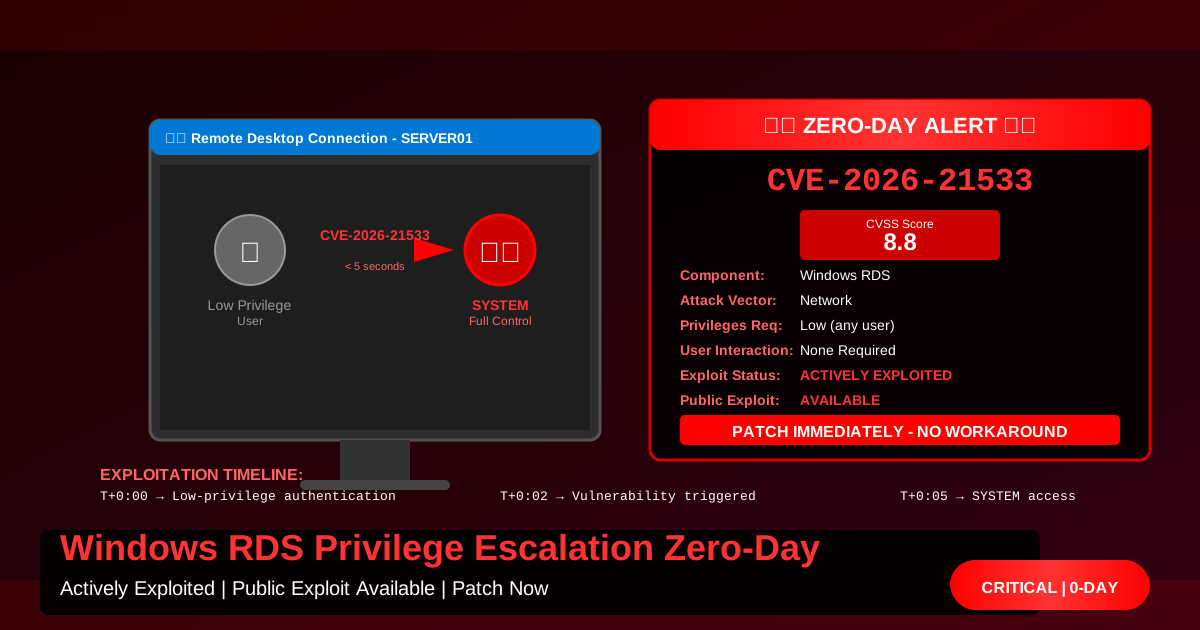
A critical zero-day vulnerability in Windows Remote Desktop Services (RDS) is being actively exploited in the wild. The vulnerability, tracked as CVE-2026-21533, allows authenticated attackers with low-level privileges to escalate to SYSTEM-level access with no user interaction required.
CVSS Score: 8.8 (High/Critical) Exploitation Status: Active exploitation confirmed Public Exploit: Available since February 10, 2026 Patch Status: Available as of February 11, 2026 (Patch Tuesday)
Vulnerability Details
Technical Overview
CVE-2026-21533 is an elevation of privilege (EoP) vulnerability in the Windows Remote Desktop Services component that affects all supported versions of Windows.
| Attribute | Value |
|---|---|
| CVSS v3.1 Score | 8.8 |
| Attack Vector | Network (AV:N) |
| Attack Complexity | Low (AC:L) |
| Privileges Required | Low (PR:L) |
| User Interaction | None (UI:N) |
| Scope | Changed (S:C) |
| Confidentiality | High (C:H) |
| Integrity | High (I:H) |
| Availability | High (A:H) |
Root Cause
The vulnerability stems from an improper privilege check in the RDS protocol handler when processing certain session management requests. Specifically:
// Vulnerable code pattern (simplified)
HRESULT ProcessSessionRequest(SessionRequest* req) {
    // Missing privilege check here!
    if (req->sessionId == currentSessionId) {
        // Process request with SYSTEM privileges
        return ExecuteSessionCommand(req->command);
    }
}An attacker can craft a malicious session request that bypasses the privilege check and executes arbitrary code with SYSTEM privileges.
Affected Systems
Windows Client Operating Systems
- ✅ Windows 11 Version 24H2 (all editions)
- ✅ Windows 11 Version 23H2 (all editions)
- ✅ Windows 11 Version 22H2 (all editions)
- ✅ Windows 10 Version 22H2 (all editions)
- ✅ Windows 10 Version 21H2 (all editions)
Windows Server Operating Systems
- ✅ Windows Server 2025
- ✅ Windows Server 2022 (including Server Core)
- ✅ Windows Server 2019 (including Server Core)
- ✅ Windows Server 2016 (including Server Core)
- ✅ Windows Server 2012 R2 (ESU customers only)
Affected Configurations
Any Windows system with Remote Desktop Services enabled is vulnerable:
- Terminal Servers / RDS farms
- Workstations with RDP enabled
- Azure Virtual Desktop hosts
- AWS WorkSpaces (Windows)
- Jump boxes and bastion hosts
- Developer workstations with RDP enabled
Exploitation Analysis
Attack Requirements
What an attacker needs:
- Network access to the RDP port (default 3389, or custom)
- Valid credentials for any low-privilege user account
- Exploit code (publicly available)
What an attacker does NOT need:
- ❌ Physical access
- ❌ Administrative credentials
- ❌ User interaction
- ❌ Social engineering
- ❌ Prior system compromise
Exploitation Timeline
T+0:00 - Attacker authenticates as low-privilege user
         (e.g., domain user, local user)

T+0:01 - Attacker sends crafted RDS session request

T+0:02 - Vulnerability triggered, code executes as SYSTEM

T+0:05 - Attacker has full control of system
Time to SYSTEM: Less than 5 seconds Reliability: Near 100% success rate Stealth: Minimal forensic artifacts
Real-World Attack Scenarios
Scenario 1: Initial Access to Lateral Movement
1. Attacker phishes domain credentials
2. Authenticates to RDP-enabled jump box
3. Exploits CVE-2026-21533 → SYSTEM access
4. Disables EDR/AV
5. Dumps credentials (LSASS, SAM, NTDS.dit)
6. Lateral movement to domain controllers
7. Domain compromise complete
Scenario 2: Ransomware Deployment
1. Attacker compromises low-privilege service account
2. Connects to RDS farm servers
3. Exploits CVE-2026-21533 on all RDS hosts
4. Deploys ransomware with SYSTEM privileges
5. Encrypts all user sessions and data
6. Ransom demand sent
Scenario 3: Data Exfiltration
1. Insider threat or compromised account
2. Connects to file server via RDP
3. Escalates to SYSTEM via CVE-2026-21533
4. Bypasses DLP and audit logging
5. Exfiltrates sensitive data
6. Covers tracks (event log clearing)
Detection
Network Detection
Monitor for unusual RDP session patterns:
# Enable RDP connection logging
Set-ItemProperty -Path 'HKLM:\System\CurrentControlSet\Control\Terminal Server' `
  -Name "fDenyTSConnections" -Value 0

# Enable detailed security auditing
auditpol /set /subcategory:"Logon" /success:enable /failure:enable
auditpol /set /subcategory:"Special Logon" /success:enable /failure:enableNetwork IDS/IPS signatures:
alert tcp any any -> $HOME_NET 3389 (
  msg:"Possible CVE-2026-21533 Exploitation Attempt";
  flow:established,to_server;
  content:"|00 00 00 00|";
  offset:20;
  depth:4;
  sid:2026021133;
  rev:1;
)
Host-Based Detection
Look for privilege escalation artifacts:
# Monitor for suspicious SYSTEM processes from RDP sessions
Get-WinEvent -FilterHashtable @{
  LogName='Security'
  ID=4672  # Special privileges assigned
} | Where-Object {
  $_.Message -like "*SeDebugPrivilege*" -and
  $_.Message -like "*TermService*"
}

# Check for new SYSTEM-level scheduled tasks created during RDP sessions
Get-ScheduledTask | Where-Object {
  $_.Principal.UserId -eq "SYSTEM" -and
  $_.Date -gt (Get-Date).AddHours(-24)
}

# Monitor for credential dumping attempts
Get-WinEvent -FilterHashtable @{
  LogName='Security'
  ID=4656  # Handle to an object requested
} | Where-Object {
  $_.Message -like "*lsass.exe*"
}Behavioral Indicators
Look for the following suspicious activities:
- RDP session followed immediately by new SYSTEM processes
- Service installation during RDP sessions
- Registry modifications from RDP sessions
- PowerShell execution with SYSTEM context from RDP
- Unusual network connections from RDP processes
Immediate Mitigation Steps
Option 1: Apply Security Updates (Recommended)
Microsoft has released patches:
| Operating System | KB Article | Direct Download |
|---|---|---|
| Windows 11 23H2 | KB5050123 | Download |
| Windows 10 22H2 | KB5050125 | Download |
| Server 2022 | KB5050126 | Download |
| Server 2019 | KB5050127 | Download |
| Server 2016 | KB5050128 | Download |
Deployment via Windows Update:
# Force immediate update check and install
Install-Module PSWindowsUpdate -Force -Scope CurrentUser
Import-Module PSWindowsUpdate
Get-WindowsUpdate -AcceptAll -Install -AutoReboot

# Or using built-in cmdlets (Windows 10/11)
Install-WindowsUpdate -KBArticleID KB5050123 -AcceptAll -AutoRebootDeployment via WSUS/SCCM:
# Create emergency deployment
# 1. Sync WSUS with Microsoft Update
# 2. Approve KB5050123-KB5050128 for all computers
# 3. Set deadline to 24 hours
# 4. Force client check-in
Invoke-WmiMethod -Class SMS_Client -Name TriggerSchedule `
-ArgumentList "{00000000-0000-0000-0000-000000000113}" -ComputerName $computersOption 2: Disable RDP (If Not Required)
If RDP is not business-critical:
# Disable RDP via Registry
Set-ItemProperty -Path 'HKLM:\System\CurrentControlSet\Control\Terminal Server' `
  -Name "fDenyTSConnections" -Value 1

# Disable via PowerShell cmdlet (Windows Server)
Disable-NetFirewallRule -DisplayName "Remote Desktop*"

# Stop and disable Terminal Services
Stop-Service -Name "TermService" -Force
Set-Service -Name "TermService" -StartupType Disabled

# Verify RDP is disabled
Get-Service -Name "TermService"
Test-NetConnection -ComputerName localhost -Port 3389Via Group Policy:
Computer Configuration →
  Administrative Templates →
    Windows Components →
      Remote Desktop Services →
        Remote Desktop Session Host →
          Connections →
            "Allow users to connect remotely by using Remote Desktop Services"

Set to: Disabled
Option 3: Network-Based Restrictions
Restrict RDP access to specific IP addresses:
# Remove existing RDP firewall rules
Remove-NetFirewallRule -DisplayName "Remote Desktop*"

# Create restrictive rule (trusted IPs only)
New-NetFirewallRule -DisplayName "RDP - Restricted Access" `
  -Direction Inbound `
  -Protocol TCP `
  -LocalPort 3389 `
  -RemoteAddress "10.0.10.0/24", "10.0.20.0/24" `
  -Action Allow `
  -Profile Domain,Private

# Block all other RDP traffic
New-NetFirewallRule -DisplayName "RDP - Block All Others" `
  -Direction Inbound `
  -Protocol TCP `
  -LocalPort 3389 `
  -RemoteAddress Any `
  -Action Block `
-Profile Domain,Private,PublicVPN-only RDP access:
# Allow RDP only from VPN subnet
New-NetFirewallRule -DisplayName "RDP - VPN Only" `
  -Direction Inbound `
  -Protocol TCP `
  -LocalPort 3389 `
  -RemoteAddress "192.168.100.0/24" `
  -Action Allow

# Block from all other sources
New-NetFirewallRule -DisplayName "RDP - Block Non-VPN" `
  -Direction Inbound `
  -Protocol TCP `
  -LocalPort 3389 `
  -RemoteAddress Any `
-Action BlockOption 4: Implement Multi-Factor Authentication
Azure AD Conditional Access (Azure-joined systems):
1. Azure Portal → Azure AD → Security → Conditional Access
2. Create new policy: "RDP MFA Required"
3. Users: All users
4. Cloud apps: Windows Sign In (RDP)
5. Conditions: Any network
6. Grant: Require MFA
7. Enable policy
On-premises MFA (Duo, Okta, etc.):
# Install Duo Authentication for Windows Logon
# https://duo.com/docs/rdp

# Configure RDP to require MFA
Set-ItemProperty -Path 'HKLM:\SOFTWARE\Microsoft\Windows NT\CurrentVersion\Winlogon' `
-Name "DuoEnabled" -Value 1Verification
Confirm Patch Installation
# Method 1: Check specific KB
Get-HotFix -Id KB5050123

# Method 2: Query WMI
Get-WmiObject -Class Win32_QuickFixEngineering |
  Where-Object {$_.HotFixID -eq "KB5050123"}

# Method 3: Check Windows Update history
Get-WindowsUpdateLogTest Vulnerability Status
# Microsoft's built-in vulnerability scanner
# https://aka.ms/CVE-2026-21533-scanner

# Download and run scanner
Invoke-WebRequest -Uri "https://aka.ms/CVE-2026-21533-scanner" `
  -OutFile "C:\Temp\CVE-2026-21533-Scanner.ps1"

# Run as Administrator
.\CVE-2026-21533-Scanner.ps1

# Output:
# [+] System is PATCHED against CVE-2026-21533
# [-] System is VULNERABLE to CVE-2026-21533Forensics and Incident Response
If Exploitation Suspected
Collect evidence:
# Export Security event logs
wevtutil epl Security C:\Forensics\Security.evtx

# Export System event logs
wevtutil epl System C:\Forensics\System.evtx

# Export RDP-specific logs
wevtutil epl Microsoft-Windows-TerminalServices-LocalSessionManager/Operational `
  C:\Forensics\RDP.evtx

# Collect network connections
Get-NetTCPConnection | Export-Csv C:\Forensics\network-connections.csv

# Collect running processes
Get-Process | Export-Csv C:\Forensics\processes.csv

# Collect scheduled tasks
Get-ScheduledTask | Export-Csv C:\Forensics\scheduled-tasks.csv

# Memory dump (if forensic investigation needed)
# Use DumpIt, WinPMEM, or FTK ImagerIndicators of Compromise
Registry Keys:
HKLM\SOFTWARE\Microsoft\Windows NT\CurrentVersion\Image File Execution Options
HKLM\SYSTEM\CurrentControlSet\Services
HKCU\Software\Microsoft\Windows\CurrentVersion\Run
Suspicious Files:
C:\Windows\Temp\*.exe
C:\Users\*\AppData\Local\Temp\*.exe
C:\ProgramData\*.exe
Event IDs to Investigate:
- 4672: Special privileges assigned to new logon (look for SeDebugPrivilege)
- 4624: Successful logon (Type 10 = RDP)
- 4648: Explicit credentials logon
- 4688: New process creation
- 7045: New service installed
Long-Term Recommendations
Architectural Changes
-
Implement Jump Box Architecture:
Internet → Firewall → Jump Box (MFA) → Internal RDP Servers -
Use Privileged Access Workstations (PAWs):
- Dedicated systems for administrative RDP access
- Isolated from general network
- Enhanced monitoring and logging
-
Deploy Azure Bastion (Azure environments):
- Browser-based RDP/SSH
- No public IP required on VMs
- MFA enforced
- Session recording available
-
Implement Zero Trust RDP Access:
User → Device Compliance Check → MFA → Conditional Access → RDP Session
Security Controls
✅ Network Segmentation: Isolate RDP servers in dedicated VLANs ✅ Least Privilege: Use JIT (Just-in-Time) admin access ✅ Session Recording: Record all RDP sessions for audit ✅ Anomaly Detection: Alert on unusual RDP patterns ✅ Certificate-Based Authentication: Eliminate password-based RDP
Additional Resources
- Microsoft Security Response Center Advisory
- CISA Known Exploited Vulnerabilities Catalog
- NIST NVD Entry
- Microsoft RDP Security Best Practices
Conclusion
CVE-2026-21533 is a critical zero-day vulnerability that poses an immediate threat to any Windows system with RDP enabled. With public exploit code available and active exploitation confirmed, organizations must patch immediately or implement compensating controls.
Priority Actions (in order):
- ✅ Patch all RDP-enabled systems within 24 hours
- ✅ Implement network restrictions on RDP access
- ✅ Enable MFA for all RDP authentication
- ✅ Monitor for exploitation indicators
- ✅ Review RDP necessity (disable if not required)
This vulnerability will be heavily exploited. Ransomware groups, nation-state actors, and cybercriminals are already incorporating it into their toolkits.
Do not delay remediation.