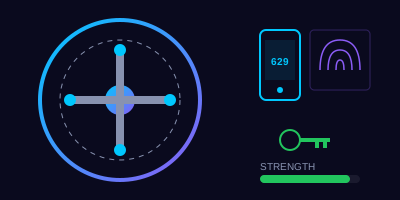
Why Passwords Still Matter
Despite predictions that passwords would disappear, they remain the primary way most systems verify your identity. The problem is that most people handle them poorly — reusing the same password across dozens of accounts, choosing predictable patterns, or writing them on sticky notes under their keyboard.
In 2024 alone, over 10 billion stolen credentials were published in data breaches. If you reuse passwords, a breach at one site hands attackers the keys to every account where you used that same password. This is called credential stuffing, and it is one of the most common attack methods today.
Password Strength Myths
Before we talk about creating good passwords, let's bust some common myths.
A password like 'P@ssw0rd!' is strong because it uses uppercase, lowercase, numbers, and special characters.
What Actually Makes a Password Strong
- Length is king — A 20-character passphrase beats an 8-character complex password every time.
correct-horse-battery-stapletakes centuries to crack;P@ssw0rd!takes seconds. - Randomness matters — Avoid names, dates, pet names, sports teams, or anything someone could guess from your social media.
- Uniqueness is non-negotiable — Every account gets its own password. No exceptions.
- Passphrases work — String together 4-5 random words:
umbrella-glacier-notebook-trumpet. Easy to remember, nearly impossible to crack.
Enter the Password Manager
Nobody can remember 50+ unique, complex passwords. That is exactly what password managers solve. Tools like Bitwarden, 1Password, or KeePass:
- Generate truly random passwords for every account
- Store them in an encrypted vault protected by one master password
- Auto-fill login forms so you never need to type (or remember) individual passwords
- Alert you when a password has appeared in a known breach
Your master password is the one password you must make unbreakable. Make it a long passphrase (5+ words), write it down once, store that paper in a secure location, and memorize it.
Multi-Factor Authentication (MFA)
Even the strongest password can be stolen through phishing, malware, or a data breach. MFA adds a second barrier: something you have (phone, hardware key) or something you are (fingerprint, face).
Common MFA Methods — Ranked by Security
| Method | Security Level | Notes |
|---|---|---|
| Hardware security key (YubiKey) | Highest | Phishing-resistant, works offline |
| Authenticator app (Microsoft Authenticator, Google Authenticator) | High | Time-based codes, works offline |
| Push notification | Medium | Convenient but vulnerable to MFA fatigue attacks |
| SMS text code | Low | Better than nothing, but vulnerable to SIM swapping |
MFA Fatigue Attacks
Attackers who have your password may trigger dozens of MFA push notifications hoping you'll approve one just to make them stop. This is called MFA fatigue or prompt bombing.
You're watching TV at home when your phone suddenly starts buzzing with MFA approval requests — one after another. You haven't tried to log in to anything. What do you do?
How would you respond? Choose the best option:
Key Takeaways
- Use a password manager — Let it generate and store unique passwords for every account
- Make passphrases, not passwords — Length beats complexity every time
- Never reuse passwords — One breach should not compromise all your accounts
- Enable MFA everywhere — Prefer authenticator apps or hardware keys over SMS
- Never approve unexpected MFA prompts — Repeated push notifications are an attack, not a glitch
- Report compromised credentials immediately — If you suspect a password is stolen, change it and notify your security team