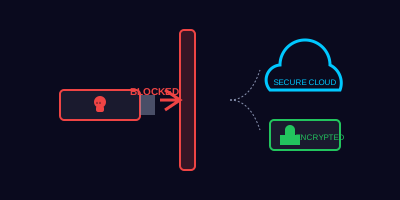
The Tiny Device That Can Take Down a Network
A USB drive is smaller than your thumb, costs a few dollars, and can carry enough malware to cripple an entire organization. USB-based attacks have been used in some of the most significant cyberattacks in history — including Stuxnet, which destroyed nuclear centrifuges in Iran using a single infected USB drive.
The reason USB attacks are so effective is simple: curiosity. Studies show that 48% of people who find a USB drive in a parking lot will plug it into their computer. Attackers know this, and they count on it.
How USB Attacks Work
Infected Storage Drives
The simplest attack: a USB drive containing malware files. When you plug it in and open a file (or if autorun is enabled), the malware executes. It might:
- Install a keylogger to capture everything you type
- Deploy ransomware that encrypts your files
- Create a backdoor for remote access to your computer
- Spread across the network to other machines
Rubber Ducky Attacks
A USB Rubber Ducky looks like an ordinary flash drive but acts as a keyboard. When plugged in, it types pre-programmed commands at superhuman speed — hundreds of keystrokes per second. In under 10 seconds, it can:
- Open a command prompt
- Download and execute malware from the internet
- Create a new admin account
- Exfiltrate data to an attacker's server
Your antivirus won't catch it because it's not running a program from the drive — it's "typing" commands as if a person were at the keyboard.
USB Killers
Some malicious USB devices aren't after your data at all. USB Killers rapidly charge capacitors from the USB port's power, then discharge high voltage back into the computer, physically destroying the hardware.
If you find a USB drive at work and it looks like it belongs to a colleague, it's safe to plug it in to check whose it is.
Safe Removable Media Practices
The Golden Rules
- Never plug in unknown USB drives — Found in a parking lot, received in the mail, or given to you by someone you don't fully trust
- Use only company-approved devices — If your organization provides encrypted USB drives, use those exclusively
- Scan before opening — If you must use a USB drive from a known source, scan it with updated antivirus before opening any files
- Disable autorun — Ensure your computer doesn't automatically execute files from USB devices (most modern systems disable this by default)
- Encrypt sensitive data on USB drives — If you must transport data on removable media, encrypt it
What About Other Removable Media?
USB drives aren't the only concern:
- External hard drives — Same risks as USB drives, just larger capacity
- SD cards — Can carry malware just like USB drives
- CDs/DVDs — Less common now but can contain autorun malware
- Charging cables — Malicious cables (like O.MG cables) can act as USB Rubber Duckies while appearing to be normal charging cables
A colleague from another department comes to your desk and says, 'I have some project files on this USB drive that I need you to review. My email wasn't working so I put them on a flash drive instead.' They hand you a USB drive.
How would you respond? Choose the best option:
What to Do If You Accidentally Plug in a Suspicious USB
If you realize you've plugged in an unknown or suspicious USB device:
- Don't panic, but act quickly — Unplug the device immediately
- Don't try to clean it yourself — Don't run antivirus scans or try to investigate
- Disconnect from the network — Unplug your ethernet cable or disable Wi-Fi to prevent malware from spreading
- Contact IT security immediately — Tell them exactly what happened and when
- Don't use the computer until IT has examined it
Key Takeaways
- Never plug in found USB drives — Curiosity is exactly what attackers exploit
- Use company-approved file sharing — Email, cloud storage, and shared drives are always safer than USB
- Rubber Ducky attacks look like regular USB drives — They execute instantly and bypass antivirus
- Disable autorun and ensure your system doesn't auto-execute removable media
- If in doubt, hand it to IT — They have isolated systems and tools to safely examine suspicious devices