Overview
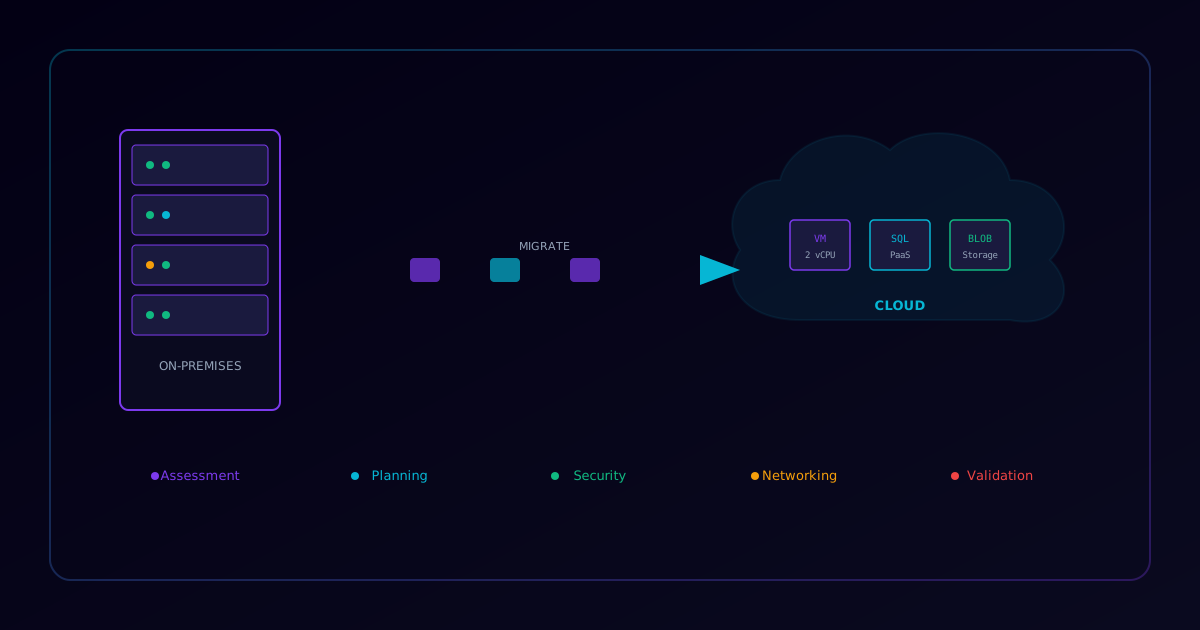
Use this checklist when planning and executing cloud migration projects. It covers the six Rs of migration (Rehost, Replatform, Refactor, Repurchase, Retire, Retain) and ensures nothing is missed during the transition.
Phase 1: Assessment & Discovery
Application Inventory
- Catalog all applications — Name, owner, criticality, dependencies
- Map application dependencies — Database connections, API integrations, shared storage
- Classify data sensitivity — PII, PHI, financial, public
- Identify licensing constraints — BYOL vs cloud-native licensing
- Document current performance baselines — CPU, memory, disk, network utilization
Infrastructure Audit
- Inventory all servers and VMs — OS versions, patch levels, resource utilization
- Map network topology — VLANs, subnets, firewall rules, DNS zones
- Document storage requirements — IOPS, throughput, capacity, backup schedules
- Identify compliance requirements — Data residency, regulatory frameworks (SOC 2, HIPAA, PCI)
- Assess current costs — Hardware, licensing, power, cooling, personnel
Phase 2: Planning & Design
Architecture Design
- Select migration strategy per workload — Rehost, Replatform, or Refactor
- Design target architecture — Landing zone, hub-spoke networking, shared services
- Plan identity and access management — Entra ID/IAM integration, SSO, MFA
- Design network connectivity — VPN/ExpressRoute/Direct Connect, DNS resolution
- Plan disaster recovery — RPO/RTO targets, cross-region replication
Security Design
- Define security baseline — CIS benchmarks for cloud platform
- Plan encryption strategy — At-rest (KMS/Key Vault), in-transit (TLS 1.2+)
- Design network security — NSGs, WAF, DDoS protection, private endpoints
- Plan logging and monitoring — Cloud-native SIEM, diagnostic settings, alerts
- Define RBAC model — Least privilege roles, PIM for elevated access
Cost Management
- Estimate monthly cloud costs — Use Azure Pricing Calculator / AWS Calculator
- Plan reserved instances — 1-year or 3-year commitments for stable workloads
- Configure budget alerts — Threshold notifications at 50%, 75%, 90%, 100%
- Identify cost optimization opportunities — Right-sizing, spot instances, auto-scaling
- Plan tagging strategy — Cost center, environment, owner, project
Phase 3: Pre-Migration
Environment Setup
- Provision landing zone — Subscriptions/accounts, resource groups, networking
- Configure DNS — Private DNS zones, conditional forwarders
- Set up VPN/ExpressRoute — Verify connectivity to on-premises
- Deploy shared services — Domain controllers, jump boxes, monitoring agents
- Configure backup policies — Automated backups with retention schedules
Testing
- Create test migration environment — Mirror production with reduced scale
- Run pilot migration — Migrate one non-critical workload end-to-end
- Validate application functionality — Smoke tests, integration tests
- Test failback procedure — Verify ability to revert if needed
- Load test target environment — Confirm performance meets baselines
Phase 4: Migration Execution
- Communicate maintenance window — Notify all stakeholders
- Verify backup of source systems — Final pre-migration backup
- Execute migration runbook — Follow documented steps precisely
- Validate data integrity — Compare checksums, row counts, file hashes
- Update DNS records — Point to new cloud endpoints
- Verify application health — All services responding, no errors in logs
- Update monitoring dashboards — Cloud-native metrics and alerts active
- Run smoke tests — End-to-end user workflow validation
Phase 5: Post-Migration
- Monitor for 48-72 hours — Watch for performance anomalies
- Decommission source systems — After confirmation period (30-90 days)
- Update documentation — Architecture diagrams, runbooks, DR procedures
- Conduct lessons learned — What worked, what didn't, improvements for next batch
- Optimize costs — Right-size resources based on actual utilization
- Update security controls — Remove temporary migration rules, tighten access
Migration Strategy Decision Matrix
| Factor | Rehost (Lift & Shift) | Replatform | Refactor |
|---|---|---|---|
| Timeline | Fast (days-weeks) | Medium (weeks-months) | Slow (months) |
| Cost Savings | Low (10-20%) | Medium (30-50%) | High (50%+) |
| Effort | Low | Medium | High |
| Best For | Quick wins, legacy apps | Database migrations | Cloud-native transformation |
| Risk | Low | Medium | High |
Go/No-Go Decision Criteria
| Criteria | Status |
|---|---|
| Backup of source verified | [ ] Go [ ] No-Go |
| Target environment tested | [ ] Go [ ] No-Go |
| Rollback plan documented | [ ] Go [ ] No-Go |
| Stakeholders notified | [ ] Go [ ] No-Go |
| Monitoring configured | [ ] Go [ ] No-Go |
| DNS TTL lowered | [ ] Go [ ] No-Go |
| Change approval obtained | [ ] Go [ ] No-Go |