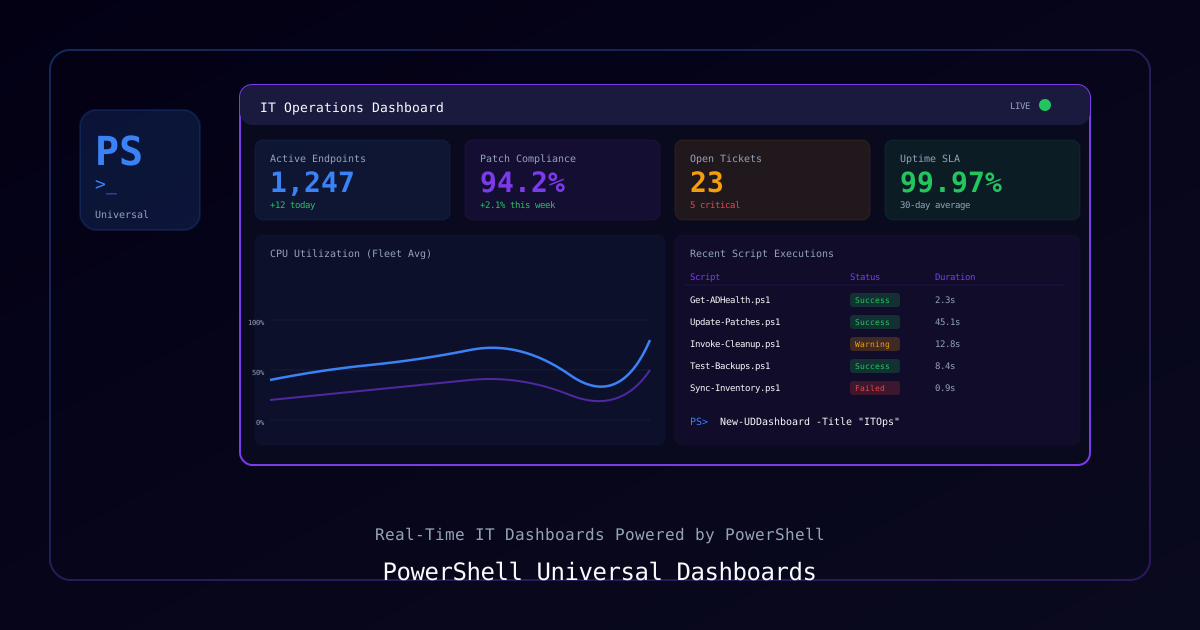
Overview
PowerShell Universal transforms PowerShell scripts into web dashboards, APIs, and automation workflows. This guide builds an IT service management portal with real-time client information, ticket tracking, and infrastructure health monitoring.
What You'll Build
- Client management dashboard with contact info and contract status
- Live infrastructure health panel pulling from monitoring APIs
- Automated ticket summary views with filtering and export
- Role-based access control for different team views
Requirements
| Component | Requirement |
|---|---|
| PowerShell | 7.2+ |
| PowerShell Universal | 4.0+ |
| SQL Server | 2019+ (for data storage) |
| Windows Server | 2022 (recommended) |
Installation
# Install PowerShell Universal
Install-Module -Name Universal -Scope CurrentUser
Install-PSUServer

# Or use MSI installer for production
# Download from ironmansoftware.comProcess
Step 1: Configure the PSU Server
# appsettings.json
{
  "Kestrel": {
    "Endpoints": {
      "HTTP": { "Url": "http://*:5000" }
    }
  },
  "Data": {
    "ConnectionString": "Server=localhost;Database=ClientManager;Trusted_Connection=True;"
  }
}Step 2: Create the Database Schema
-- SQL Server schema for client management
CREATE TABLE Clients (
    ClientId INT IDENTITY(1,1) PRIMARY KEY,
    CompanyName NVARCHAR(200) NOT NULL,
    PrimaryContact NVARCHAR(100),
    Email NVARCHAR(254),
    Phone NVARCHAR(20),
    ContractStart DATE,
    ContractEnd DATE,
    Tier NVARCHAR(20) DEFAULT 'Standard', -- Standard, Premium, Enterprise
    Active BIT DEFAULT 1,
    Notes NVARCHAR(MAX),
    CreatedAt DATETIME2 DEFAULT GETDATE()
);

CREATE TABLE Tickets (
    TicketId INT IDENTITY(1,1) PRIMARY KEY,
    ClientId INT FOREIGN KEY REFERENCES Clients(ClientId),
    Subject NVARCHAR(200) NOT NULL,
    Description NVARCHAR(MAX),
    Priority NVARCHAR(10) DEFAULT 'Medium', -- Low, Medium, High, Critical
    Status NVARCHAR(20) DEFAULT 'Open',     -- Open, In Progress, Resolved, Closed
    AssignedTo NVARCHAR(100),
    CreatedAt DATETIME2 DEFAULT GETDATE(),
    ResolvedAt DATETIME2
);Step 3: Build the Dashboard
# dashboards/client-portal.ps1

New-UDDashboard -Title "Client Management Portal" -Theme @{
    palette = @{
        primary = @{ main = '#0f3460' }
        background = @{ default = '#0a0a0a' }
    }
} -Pages @(
    # Overview Page
    New-UDPage -Name "Overview" -Content {
        New-UDGrid -Container -Content {
            # Summary Cards
            New-UDGrid -Item -ExtraSmallSize 3 -Content {
                $totalClients = (Invoke-DbaQuery -SqlInstance localhost -Database ClientManager `
                    -Query "SELECT COUNT(*) AS Count FROM Clients WHERE Active = 1").Count
                New-UDCard -Title "Active Clients" -Content {
                    New-UDTypography -Text $totalClients -Variant h2
                }
            }

            New-UDGrid -Item -ExtraSmallSize 3 -Content {
                $openTickets = (Invoke-DbaQuery -SqlInstance localhost -Database ClientManager `
                    -Query "SELECT COUNT(*) AS Count FROM Tickets WHERE Status IN ('Open','In Progress')").Count
                New-UDCard -Title "Open Tickets" -Content {
                    New-UDTypography -Text $openTickets -Variant h2
                }
            }

            New-UDGrid -Item -ExtraSmallSize 3 -Content {
                $expiringContracts = (Invoke-DbaQuery -SqlInstance localhost -Database ClientManager `
                    -Query "SELECT COUNT(*) AS Count FROM Clients WHERE ContractEnd <= DATEADD(day, 30, GETDATE()) AND Active = 1").Count
                New-UDCard -Title "Expiring Soon" -Content {
                    New-UDTypography -Text $expiringContracts -Variant h2 -Style @{color = '#ff6b6b'}
                }
            }

            New-UDGrid -Item -ExtraSmallSize 3 -Content {
                $avgResolution = (Invoke-DbaQuery -SqlInstance localhost -Database ClientManager `
                    -Query "SELECT AVG(DATEDIFF(hour, CreatedAt, ResolvedAt)) AS AvgHours FROM Tickets WHERE ResolvedAt IS NOT NULL").AvgHours
                New-UDCard -Title "Avg Resolution" -Content {
                    New-UDTypography -Text "$([math]::Round($avgResolution, 1))h" -Variant h2
                }
            }
        }

        # Recent Tickets Table
        New-UDCard -Title "Recent Tickets" -Content {
            New-UDDynamic -Content {
                $tickets = Invoke-DbaQuery -SqlInstance localhost -Database ClientManager -Query "
                    SELECT TOP 20 t.TicketId, c.CompanyName, t.Subject, t.Priority, t.Status, t.CreatedAt
                    FROM Tickets t JOIN Clients c ON t.ClientId = c.ClientId
                    ORDER BY t.CreatedAt DESC"

                New-UDTable -Data $tickets -Columns @(
                    New-UDTableColumn -Property TicketId -Title "ID"
                    New-UDTableColumn -Property CompanyName -Title "Client"
                    New-UDTableColumn -Property Subject -Title "Subject"
                    New-UDTableColumn -Property Priority -Title "Priority" -Render {
                        $color = switch ($EventData.Priority) {
                            'Critical' { '#ff4444' }
                            'High' { '#ff8800' }
                            'Medium' { '#ffbb33' }
                            default { '#00C851' }
                        }
                        New-UDChip -Label $EventData.Priority -Style @{backgroundColor = $color}
                    }
                    New-UDTableColumn -Property Status -Title "Status"
                ) -Sort -Filter -Export
            } -AutoRefresh -AutoRefreshInterval 30
        }
    }

    # Client Details Page
    New-UDPage -Name "Clients" -Content {
        New-UDDynamic -Content {
            $clients = Invoke-DbaQuery -SqlInstance localhost -Database ClientManager `
                -Query "SELECT * FROM Clients WHERE Active = 1 ORDER BY CompanyName"

            New-UDTable -Data $clients -Columns @(
                New-UDTableColumn -Property CompanyName -Title "Company"
                New-UDTableColumn -Property PrimaryContact -Title "Contact"
                New-UDTableColumn -Property Tier -Title "Tier" -Render {
                    $color = switch ($EventData.Tier) {
                        'Enterprise' { '#6c5ce7' }
                        'Premium' { '#0984e3' }
                        default { '#636e72' }
                    }
                    New-UDChip -Label $EventData.Tier -Style @{backgroundColor = $color}
                }
                New-UDTableColumn -Property ContractEnd -Title "Contract Ends" -Render {
                    $daysLeft = (New-TimeSpan -Start (Get-Date) -End $EventData.ContractEnd).Days
                    $color = if ($daysLeft -le 30) { '#ff4444' } elseif ($daysLeft -le 90) { '#ffbb33' } else { '#00C851' }
                    New-UDTypography -Text "$daysLeft days" -Style @{color = $color}
                }
            ) -Sort -Filter -Search
        }
    }
)Step 4: Add API Endpoints
# endpoints/client-api.ps1

New-PSUEndpoint -Url "/api/clients" -Method GET -Endpoint {
    $clients = Invoke-DbaQuery -SqlInstance localhost -Database ClientManager `
        -Query "SELECT ClientId, CompanyName, Tier, Active FROM Clients WHERE Active = 1"
    $clients | ConvertTo-Json
}

New-PSUEndpoint -Url "/api/clients/:id/tickets" -Method GET -Endpoint {
    param($id)
    $tickets = Invoke-DbaQuery -SqlInstance localhost -Database ClientManager `
        -Query "SELECT * FROM Tickets WHERE ClientId = @Id ORDER BY CreatedAt DESC" `
        -SqlParameters @{Id = [int]$id}
    $tickets | ConvertTo-Json
}

New-PSUEndpoint -Url "/api/tickets" -Method POST -Endpoint {
    param($Body)
    $data = $Body | ConvertFrom-Json
    Invoke-DbaQuery -SqlInstance localhost -Database ClientManager -Query "
        INSERT INTO Tickets (ClientId, Subject, Description, Priority)
        VALUES (@ClientId, @Subject, @Description, @Priority)" `
        -SqlParameters @{
            ClientId = $data.clientId
            Subject = $data.subject
            Description = $data.description
            Priority = $data.priority
        }
    @{status = "created"} | ConvertTo-Json
}Step 5: Role-Based Access
# Configure authentication and roles
New-PSURole -Name "Admin" -Description "Full access"
New-PSURole -Name "Technician" -Description "Ticket management only"
New-PSURole -Name "Viewer" -Description "Read-only access"

# Assign dashboard access by role
Set-PSUDashboard -Name "Client Portal" -Role @("Admin", "Technician", "Viewer")Key Takeaways
- PowerShell Universal turns scripts into production web apps without learning a new framework
New-UDDynamicwith auto-refresh creates real-time dashboards- Use
Invoke-DbaQuery(dbatools) for safe parameterized SQL queries - Role-based access control is built into the platform
- Export functionality (CSV/PDF) comes free with
New-UDTable -Export - Schedule scripts for automated data collection and alerting