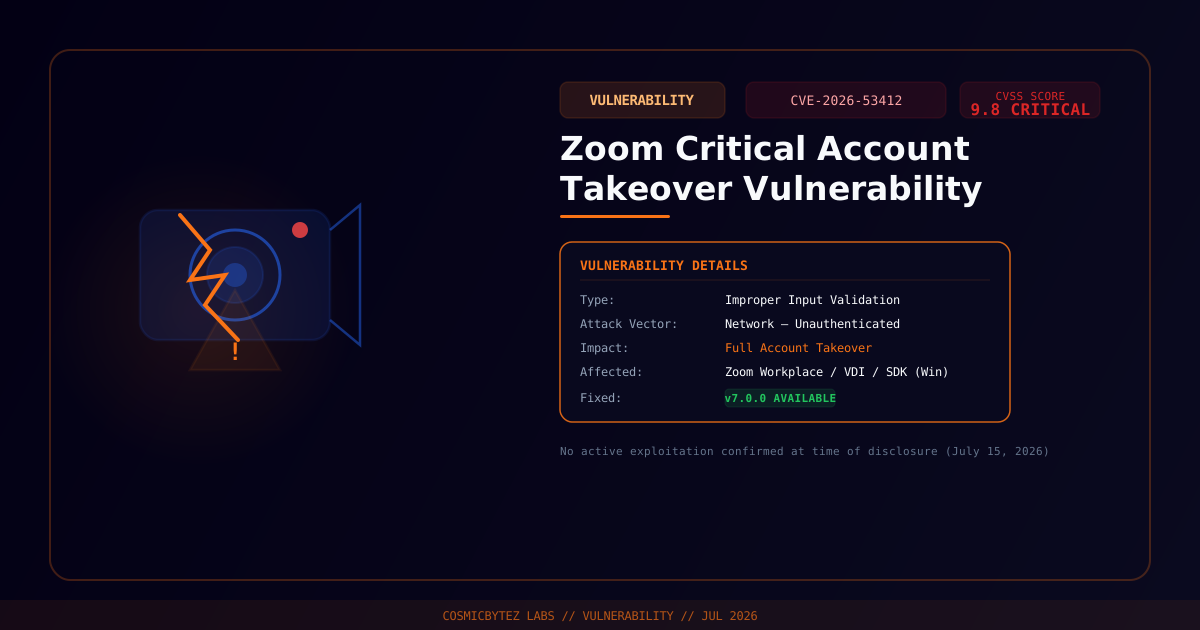
Zoom has issued a critical security advisory warning users of CVE-2026-53412, an improper input validation flaw in its Windows desktop client and Meeting SDK that could allow an unauthenticated remote attacker to take over accounts — no credentials required. The vulnerability carries a CVSS 3.x score of 9.8 (Critical), placing it among the most severe flaws disclosed this year.
What Is the Vulnerability?
CVE-2026-53412 is an improper input validation bug that exists in Zoom's network-facing code on Windows. The flaw allows an attacker with network access — no prior authentication required and no user interaction specified — to conduct a complete account takeover.
Zoom has not disclosed deeper technical specifics beyond "improper input validation," and no public proof-of-concept code is available as of the disclosure date. The vulnerability was discovered internally by Zoom's own security team.
Affected Products
| Product | Vulnerable Version | Fixed Version |
|---|---|---|
| Zoom Workplace for Windows | < 7.0.0 | 7.0.0 |
| Zoom Workplace VDI Client for Windows | < 7.0.10, < 6.6.15, < 6.5.18 | 7.0.10 / 6.6.15 / 6.5.18 |
| Zoom Meeting SDK for Windows | < 7.0.0 | 7.0.0 |
macOS, Linux, iOS, and Android versions are not listed as affected in the advisory.
CVSS Breakdown
| Metric | Value |
|---|---|
| Attack Vector | Network |
| Attack Complexity | Low |
| Privileges Required | None |
| User Interaction | None |
| Scope | Unchanged |
| CVSS 3.x Score | 9.8 Critical |
The combination of no authentication required and no user interaction makes this particularly dangerous for organizations running Zoom on Windows in environments where the Zoom client listens for incoming network connections.
Additional High-Severity Fixes
The same July 15 security bulletin also patched three high-severity privilege escalation issues:
- CVE-2026-53409 — Privilege escalation
- CVE-2026-53410 — Privilege escalation
- CVE-2026-53411 — Privilege escalation
These are rated High but do not reach the critical threshold of CVE-2026-53412.
Exploitation Status
No active in-the-wild exploitation has been confirmed at the time of disclosure. However, given the CVSS 9.8 score and the ease of exploitation (unauthenticated, network-based), threat actors are likely to begin scanning and weaponizing this quickly.
Immediate Action Required
Update Zoom Now
- Open the Zoom desktop app
- Click your profile icon (top right) → Check for Updates
- Install the latest version — target 7.0.0 or later
- Alternatively, download directly from zoom.us/download
Enterprise Deployment
For organizations managing Zoom centrally:
# Example: Deploy Zoom 7.0.0 via SCCM or Intune
# Download MSI from Zoom's admin portal and deploy via software distribution
# Zoom supports silent install:
msiexec /i ZoomInstaller.msi /quiet /norestart ALLUSERS=1For VDI environments using Zoom Workplace VDI Client, ensure you deploy the appropriate fixed version for your VDI client branch (7.0.10, 6.6.15, or 6.5.18).
Network-Level Mitigations
While patching is underway:
- Restrict inbound network access to Zoom client ports at the perimeter where feasible
- Prioritize patching for Windows machines in high-value or externally-facing environments (meeting rooms, shared workstations, VDI pools)
- Monitor for anomalous Zoom process behavior — unexpected network connections or privilege changes
Why This Matters
Zoom's ubiquity in enterprise environments makes this a high-priority target. A successful account takeover via CVE-2026-53412 could give an attacker access to:
- Zoom meeting recordings and transcripts
- Contacts and calendar integrations
- SSO-linked corporate accounts (if Zoom is federated with enterprise identity)
- Chat history and shared files
Organizations with Zoom integrated into their identity infrastructure (via SAML/SSO) face elevated risk if a Zoom account takeover can be leveraged as a pivot into broader corporate systems.