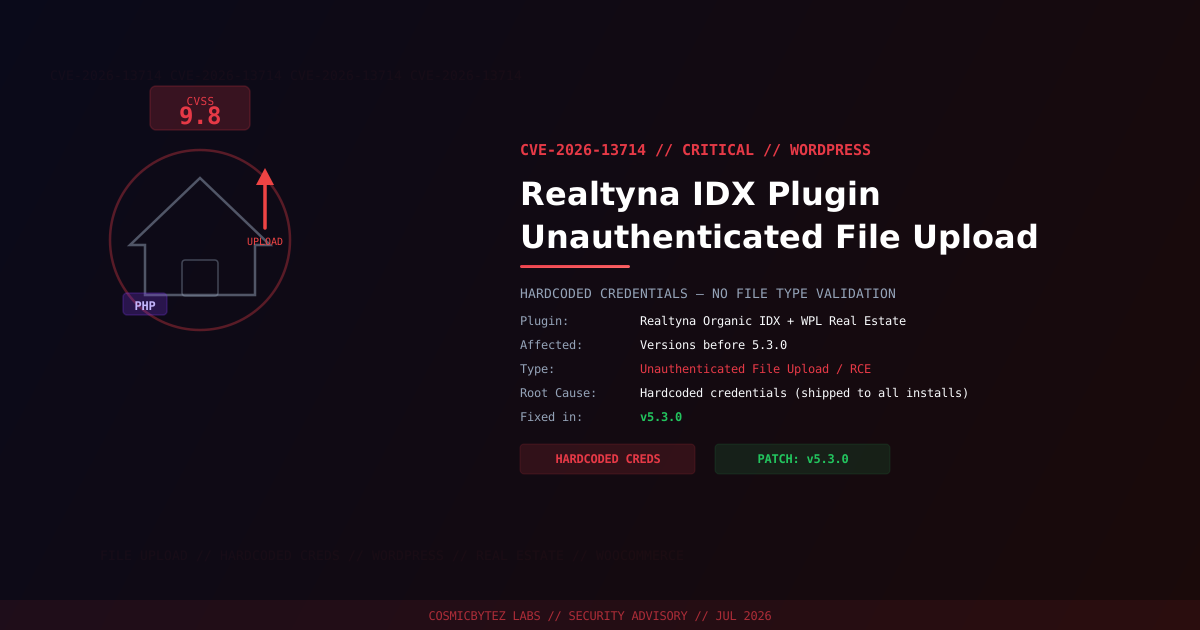
Executive Summary
A critical unauthenticated arbitrary file upload vulnerability (CVE-2026-13714) has been identified in the Realtyna Organic IDX plugin + WPL Real Estate WordPress plugin — a popular solution used by real estate agencies, brokers, and MLS-integrated property listing websites.
The vulnerability carries a CVSS score of 9.8 and is particularly severe due to two compounding weaknesses: a file upload API that is enabled by default and hardcoded credentials that are identical across every installation of the plugin. An attacker who knows these hardcoded credentials — which are presumably public or trivially discovered — can upload arbitrary files, including PHP webshells, achieving full remote code execution on any affected site.
CVSS Score: 9.8 (Critical)
Vulnerability Details
| Attribute | Value |
|---|---|
| CVE ID | CVE-2026-13714 |
| CVSS Score | 9.8 (Critical) |
| Type | Unauthenticated Arbitrary File Upload / RCE |
| Attack Vector | Network |
| Privileges Required | None (hardcoded credentials bypass auth) |
| User Interaction | None |
| File Type Validation | None |
| Fixed Version | 5.3.0 |
Affected Versions
| Plugin | Affected Versions | Fixed Version |
|---|---|---|
| Realtyna Organic IDX plugin + WPL Real Estate | < 5.3.0 | 5.3.0 |
Root Cause Analysis
The vulnerability is the result of two independent security failures that combine to create a critical exploitable path:
Failure 1: Hardcoded Credentials
The file upload API is protected by credentials that are hardcoded into the plugin source code and shipped identically to every WordPress installation. Unlike empty default keys, these are actual credential values — but because they are identical everywhere, knowledge of them (whether through source code review, prior disclosure, or brute force) grants access to every installation of the plugin globally.
Failure 2: No File Type Validation
Even if the authentication were secure, the upload handler performs no validation of the file type being uploaded. This means an attacker who authenticates with the hardcoded credentials can upload any file type — including .php webshells — without restriction.
// Combined attack path
1. Attacker obtains hardcoded credentials (source review / prior disclosure)
2. Attacker authenticates to the upload API using those hardcoded credentials
3. No file type check is performed on the uploaded content
4. Attacker uploads a PHP webshell (e.g., <?php system($_GET['cmd']); ?>)
5. Webshell is written to a web-accessible directory
6. Attacker accesses webshell via browser → full RCEImpact Assessment
| Impact | Severity | Description |
|---|---|---|
| Remote Code Execution | Critical | PHP webshell execution on server |
| Database Compromise | Critical | wp-config.php credentials exposed via RCE |
| Full Site Takeover | Critical | Admin account creation, content modification |
| Data Exfiltration | High | Customer/lead data, property listings, PII |
| Lateral Movement | High | Pivot to other sites on shared hosting |
| Persistence | High | Backdoors survive plugin updates |
| SEO Spam | Medium | Inject spam/phishing content into real estate listings |
Immediate Remediation
Step 1: Update to Version 5.3.0
# Via WP-CLI
wp plugin update realtyna-wpl

# Verify installed version
wp plugin get realtyna-wpl --field=versionOr update through WordPress admin: Plugins > Installed Plugins > Realtyna Organic IDX > Update Now.
Step 2: Deactivate if Patching Is Delayed
If you cannot patch immediately, deactivate the plugin entirely:
wp plugin deactivate realtyna-wplStep 3: Scan for Uploaded Webshells
Given that hardcoded credentials are likely widely known, treat every installation of the unpatched plugin as potentially compromised:
# Find PHP files in upload directories
find /var/www/html/wp-content/uploads/ -name "*.php" -type f

# Search for webshell patterns
grep -rl "system\s*(\$_" /var/www/html/wp-content/
grep -rl "passthru\s*(\$_" /var/www/html/wp-content/
grep -rl "eval\s*(base64_decode" /var/www/html/wp-content/
grep -rl "shell_exec\s*(\$_" /var/www/html/wp-content/

# Check Realtyna-specific upload paths
find /var/www/html/wp-content/plugins/realtyna-wpl/ -name "*.php" \
  -newer /var/www/html/wp-includes/version.php -type f

# Verify WordPress core integrity
wp core verify-checksumsStep 4: Block Upload Endpoint at Web Server Level
Until patched, block the vulnerable upload API endpoint:
# Nginx — block Realtyna upload endpoint
location ~* /wp-content/plugins/realtyna-wpl/.*upload {
    deny all;
    return 403;
}# Apache .htaccess
<FilesMatch "upload\.php$">
Order Deny,Allow
Deny from all
</FilesMatch>Detection Indicators
| Indicator | Location | Description |
|---|---|---|
| POST requests to Realtyna upload endpoints | Web access logs | Exploitation attempts |
| PHP files in wp-content/uploads/ | Filesystem | Uploaded webshells |
| Access to .php files in upload dirs from external IPs | Web logs | Webshell execution |
| Unexpected child processes of Apache/Nginx/PHP | Process/EDR | Post-exploitation commands |
| New WordPress admin accounts | WP database | Attacker persistence |
| Outbound connections to unknown IPs from web server | Firewall | C2 communication |
Why Hardcoded Credentials Are Especially Dangerous
Unlike secrets that are empty by default (and thus only exploitable before configuration), hardcoded credentials create a permanently vulnerable state for every unpatched installation:
- The credentials cannot be rotated without a plugin update
- Every site running the plugin uses the same credentials
- Once the credentials are public (from source code, security reports, or PoC), mass exploitation becomes trivial
- Exploitation tools can be scripted to scan and exploit all vulnerable sites at scale
This makes CVE-2026-13714 a candidate for automated mass exploitation campaigns targeting real estate websites globally.
Post-Remediation Checklist
- Confirm plugin updated to v5.3.0 or later
- Scan for uploaded webshells in all content directories
- Remove any discovered malicious files and restore from clean backups
- Review user accounts — remove unauthorized administrators
- Rotate all credentials: WordPress admin passwords, database password, API keys
- Regenerate WordPress security keys:
wp config shuffle-salts - Review web logs for POST requests to upload endpoints in the past 90 days
- Deploy a WAF (Wordfence, Sucuri) to detect and block future exploitation attempts
- Enable file integrity monitoring to alert on unexpected PHP file creation