Executive Summary
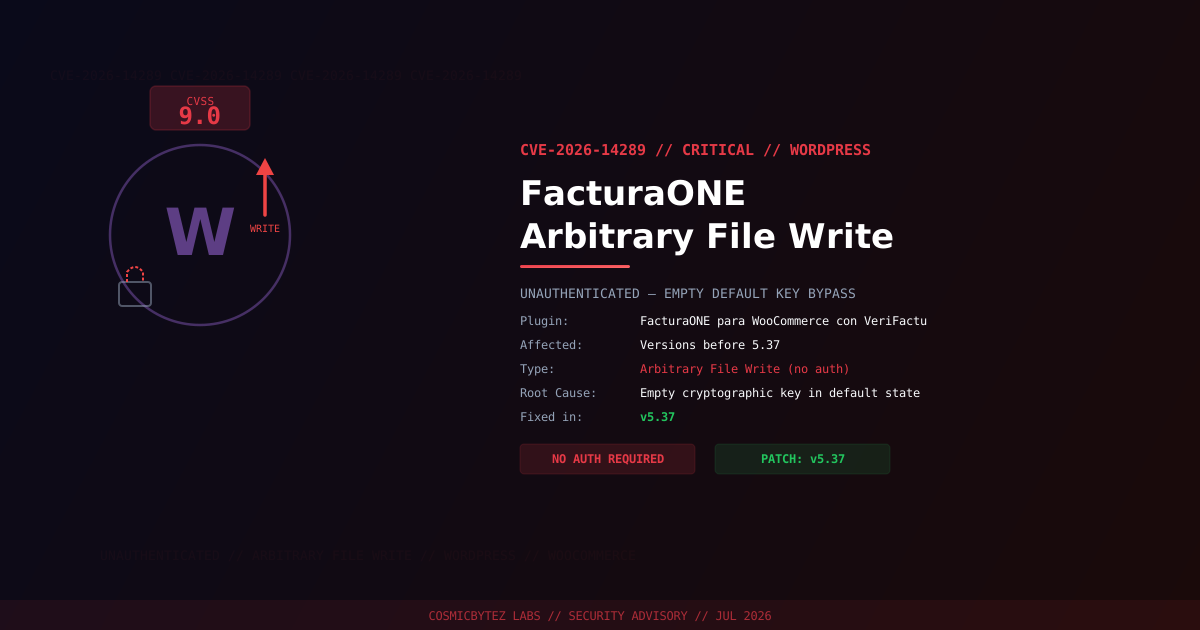
A critical unauthenticated arbitrary file write vulnerability (CVE-2026-14289) has been disclosed in the FacturaONE para WooCommerce con VeriFactu WordPress plugin. The plugin is used by Spanish e-commerce merchants to automate electronic invoice generation in compliance with Spain's VeriFactu electronic invoicing regulation.
The vulnerability carries a CVSS score of 9.0 and exploits a fundamental design flaw: the plugin's request handler relies on a cryptographic key for protection, but that key is empty by default in the unconfigured state — effectively providing no protection at all to any site that has not been manually configured.
CVSS Score: 9.0 (Critical)
Vulnerability Details
| Attribute | Value |
|---|---|
| CVE ID | CVE-2026-14289 |
| CVSS Score | 9.0 (Critical) |
| Type | Unauthenticated Arbitrary File Write |
| Attack Vector | Network |
| Privileges Required | None |
| User Interaction | None |
| Condition | Plugin installed in default/unconfigured state |
| Fixed Version | 5.37 |
Affected Versions
| Plugin | Affected Versions | Fixed Version |
|---|---|---|
| FacturaONE para WooCommerce con VeriFactu | < 5.37 | 5.37 |
Root Cause Analysis
The vulnerability stems from a request handler that is intended to be protected by a cryptographic key — a shared secret between the plugin and an external service. However, in the plugin's default, unconfigured state, this key is empty.
An unauthenticated attacker can:
- Send a request to the handler with an empty key (or no key at all)
- The empty-key check passes validation because the expected value is also empty
- The handler accepts the request as authenticated
- The attacker can write arbitrary content to an arbitrary file path on the server
// Simplified logic flaw
expected_key = get_plugin_setting('api_key')  // Returns "" in default state
submitted_key = request.param('key')          // Attacker sends ""

if submitted_key == expected_key:             // "" == "" → TRUE
allow_file_write() // Attacker proceedsAttack Vector
1. Attacker scans for WordPress sites running FacturaONE WooCommerce plugin
2. Attacker checks if site is in default (unconfigured) state — empty key
3. Attacker crafts HTTP POST request with empty/no authentication key
4. Plugin validates the empty key against empty expected key — passes
5. Attacker writes arbitrary file content to target path on the server
6. If PHP file written to web-accessible directory → Remote Code ExecutionPotential Impact of Successful Exploitation
| Impact | Description |
|---|---|
| Arbitrary File Write | Write any content to any path accessible by the web server |
| Remote Code Execution | Write PHP webshell to web-accessible directory |
| Data Exfiltration | Access wp-config.php and database credentials via webshell |
| Site Defacement | Overwrite theme files or core WordPress files |
| Persistence | Planted backdoors survive plugin updates |
| Lateral Movement | Pivot to other sites on shared hosting environments |
Immediate Remediation
Step 1: Update to Version 5.37
# Via WP-CLI
wp plugin update facturaone-woocommerce-verifactu

# Verify installed version
wp plugin get facturaone-woocommerce-verifactu --field=versionOr update through WordPress admin: Plugins > Installed Plugins > FacturaONE > Update Now.
Step 2: Set a Strong API Key
Even after patching, ensure the plugin's cryptographic key is set to a strong, random value:
- Navigate to the plugin settings in WordPress admin
- Generate and set a strong API key (minimum 32 random characters)
- Rotate this key in the connected FacturaONE/VeriFactu service accordingly
Step 3: Scan for Compromise
If your site ran this plugin in the default state, conduct an immediate compromise assessment:
# Search for recently modified PHP files in unexpected locations
find /var/www/html/wp-content/ -name "*.php" \
  -newer /var/www/html/wp-includes/version.php -type f

# Look for webshell signatures
grep -rl "eval\s*(base64_decode" /var/www/html/wp-content/
grep -rl "system\s*(\$_" /var/www/html/wp-content/
grep -rl "passthru\s*(\$_" /var/www/html/wp-content/

# Verify WordPress core file integrity
wp core verify-checksums

# Check recently modified files (last 7 days)
find /var/www/html/ -name "*.php" -mtime -7 -type f | \
grep -v ".git"If Immediate Patching Is Not Possible
- Deactivate the plugin entirely until it can be updated
- Block web server access to the vulnerable plugin endpoint at the WAF or web server level
- Monitor access logs for POST requests to the plugin's API endpoints
Detection Indicators
| Indicator | Description |
|---|---|
| POST requests to FacturaONE plugin endpoints with empty/no auth | Exploitation attempts |
| New or modified PHP files in wp-content directories | Possible webshell installation |
| Access to newly created PHP files from external IPs | Attacker executing uploaded webshell |
| wp-config.php read followed by outbound connections | Credential theft |
| Unexpected admin account creation | Post-exploitation persistence |
Post-Remediation Checklist
- Confirm plugin updated to v5.37 or later
- Set a strong, unique API key in plugin settings
- Scan for webshells and unauthorized file modifications
- Review user accounts for unauthorized administrators
- Rotate all credentials — WordPress admin, database password, API keys
- Regenerate WordPress security keys:
wp config shuffle-salts - Review web server access logs for exploitation attempts (look for POST requests to plugin API endpoints)
- Deploy a WAF (Wordfence, Sucuri) for ongoing protection