Executive Summary
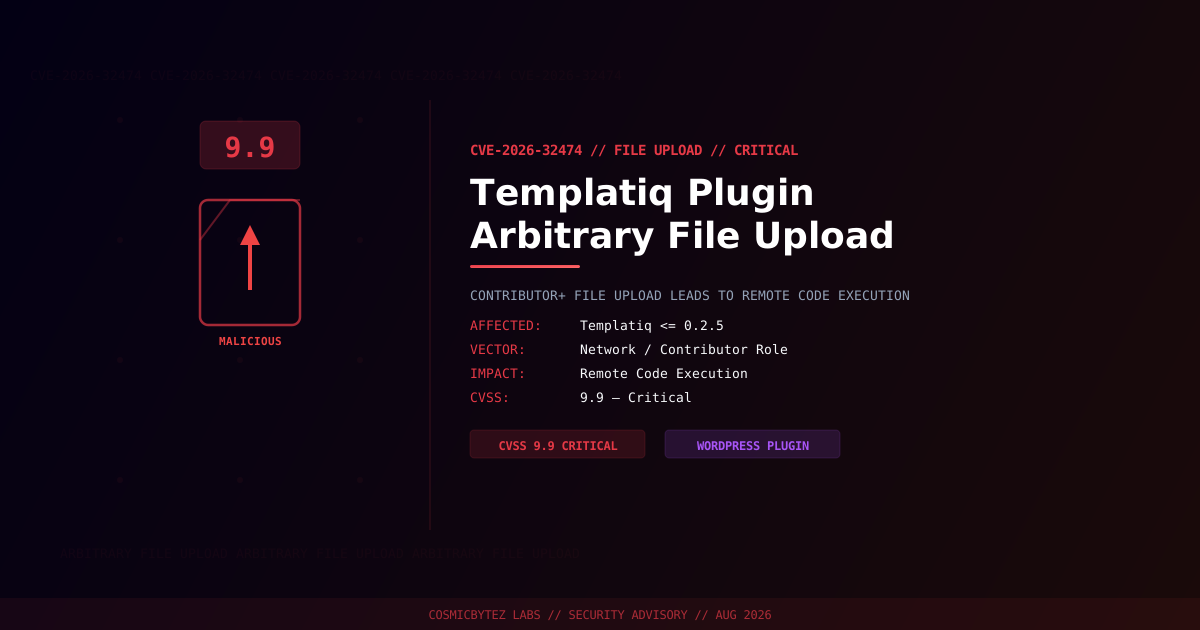
A critical arbitrary file upload vulnerability (CVE-2026-32474) has been disclosed in the Templatiq WordPress plugin, affecting all versions up to and including 0.2.5. The vulnerability carries a CVSS score of 9.9 — among the highest possible — and allows any user with at least Contributor-level access to upload arbitrary files including PHP webshells, leading to full remote code execution.
CVSS Score: 9.9 (Critical)
Templatiq is a WordPress template library plugin used to import pre-built page designs. The file upload endpoint responsible for importing template assets fails to restrict file types, allowing authenticated Contributor-level users to upload PHP files directly to the web server.
Vulnerability Overview
| Attribute | Value |
|---|---|
| CVE ID | CVE-2026-32474 |
| CVSS Score | 9.9 (Critical) |
| Type | Arbitrary File Upload leading to RCE |
| Attack Vector | Network |
| Privileges Required | Low (Contributor role) |
| User Interaction | None |
| Scope | Changed |
Affected Versions
| Plugin | Affected Versions | Fixed Version |
|---|---|---|
| Templatiq | <= 0.2.5 | > 0.2.5 (patch required) |
Technical Analysis
The vulnerability exists in Templatiq's template import functionality. The plugin registers a REST API or AJAX endpoint that allows contributors to upload template files. Insufficient validation of the uploaded file type allows an attacker to substitute a PHP file for a legitimate template asset. Once uploaded to a web-accessible directory, the attacker can directly execute the webshell.
Attack Chain
1. Attacker registers or obtains a Contributor-level WordPress account
2. Attacker crafts a PHP webshell disguised as a Templatiq template file
3. File is uploaded via the vulnerable Templatiq import endpoint
4. Plugin writes file to web-accessible directory without type validation
5. Attacker accesses the uploaded PHP file via HTTP
6. Webshell executes — full server compromise achieved
7. Attacker installs backdoor, exfiltrates data, or pivots to hosted sitesWhy CVSS 9.9?
The near-perfect CVSS score reflects:
- Scope change: Compromising one site can affect the entire hosting environment
- Full confidentiality, integrity, and availability impact
- Low privileges required: Contributor accounts are commonly granted to untrusted users, freelancers, or guest authors
- No user interaction required post-authentication
Impact of Successful Exploitation
| Impact | Description |
|---|---|
| Remote Code Execution | Execute arbitrary PHP on the web server |
| Full Site Takeover | Modify WordPress database, create rogue admins |
| Data Exfiltration | Steal user PII, payment data, credentials |
| Malware Distribution | Serve drive-by malware to site visitors |
| Lateral Movement | Compromise other sites on shared hosting |
| Persistent Access | Maintain backdoor across plugin updates |
Immediate Remediation
Step 1: Update or Remove Templatiq
# Check current installed version
wp plugin get templatiq --field=version

# Update if a patch is available
wp plugin update templatiq

# If no patch is available, deactivate immediately
wp plugin deactivate templatiq && wp plugin delete templatiqStep 2: Audit Existing Uploads
Scan for PHP files in directories where only media/template files should exist:
# Check for PHP files in the uploads directory
find /path/to/wordpress/wp-content/uploads/ -name "*.php" -type f

# Check Templatiq's working directories
find /path/to/wordpress/wp-content/plugins/templatiq/ -name "*.php" \
  -newer /path/to/wordpress/wp-config.php -type f

# Search for common webshell patterns
grep -rl "system\s*(\$_" /path/to/wordpress/wp-content/
grep -rl "passthru\s*(\$_" /path/to/wordpress/wp-content/Step 3: Restrict Contributor Capabilities
If Contributor-level accounts cannot be removed, restrict their capabilities:
// Add to wp-config.php or a must-use plugin
add_action('init', function() {
    $role = get_role('contributor');
    if ($role) {
        $role->remove_cap('upload_files');
    }
});Step 4: Block PHP Execution in Upload Directories
# Apache — prevent PHP execution in uploads and temp directories
<Directory /path/to/wordpress/wp-content/uploads>
    <FilesMatch "\.php$">
        Order Allow,Deny
        Deny from all
    </FilesMatch>
</Directory># Nginx — block PHP execution in uploads
location ~* /wp-content/uploads/.*\.php$ {
deny all;
return 403;
}Detection Indicators
| Indicator | Description |
|---|---|
PHP files in wp-content/uploads/ | Potential webshells from file upload exploitation |
| POST requests to Templatiq API endpoints | Upload exploitation attempts |
| Unexpected file extensions in template directories | Disguised payloads |
| New administrator accounts | Post-exploitation privilege escalation |
| Outbound HTTP/DNS from web server | C2 communication or data exfiltration |
Post-Remediation Steps
- Update or remove Templatiq immediately
- Delete any PHP files found in upload/template directories
- Audit Contributor-level accounts — revoke upload privileges
- Rotate all WordPress credentials — admin, database, API keys
- Block PHP execution in upload directories at the web server level
- Enable file integrity monitoring to detect future unauthorized changes
- Deploy a WAF with file upload filtering rules
- Review access logs for POST requests to Templatiq endpoints