Executive Summary
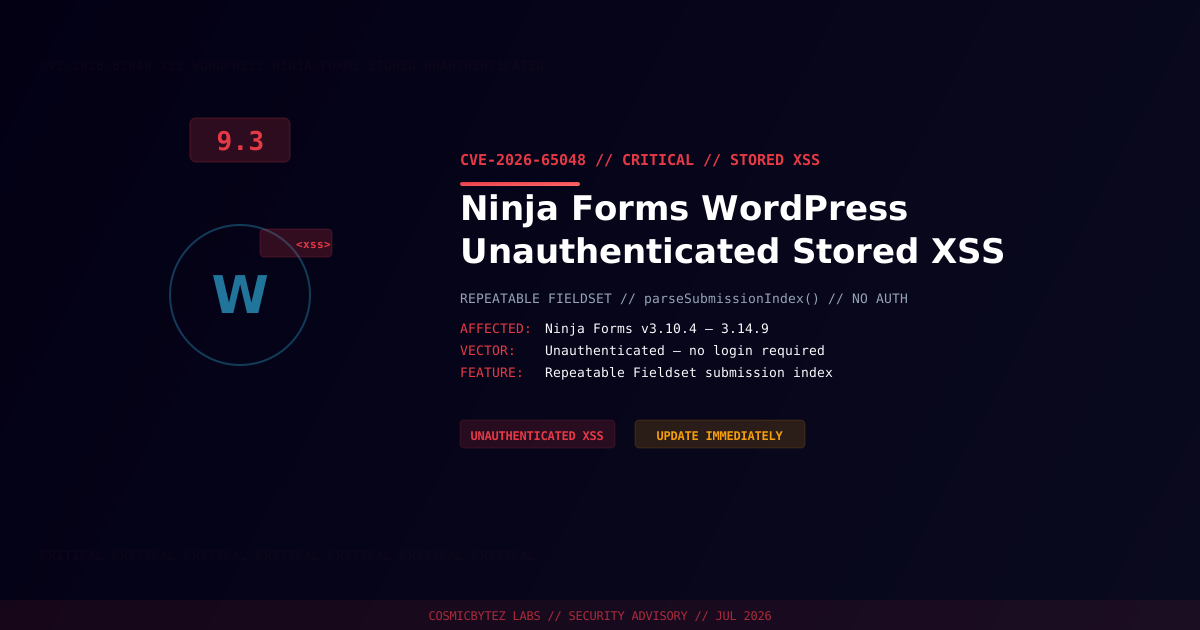
A critical unauthenticated stored cross-site scripting (XSS) vulnerability has been disclosed in the Ninja Forms plugin for WordPress, one of the most widely used form-builder plugins with millions of active installations. Tracked as CVE-2026-65048, the flaw carries a CVSS score of 9.3 and requires no authentication to exploit.
The vulnerability resides in the Repeatable Fieldset feature, where the parseSubmissionIndex() function accepts arbitrary strings as submission indexes without performing numeric validation. Combined with the admin_form_element() function's insufficient output escaping, attackers can inject and store malicious JavaScript that executes when site administrators view form submissions.
Vulnerability Overview
| Attribute | Value |
|---|---|
| CVE ID | CVE-2026-65048 |
| CVSS Score | 9.3 (Critical) |
| Vulnerability Type | Unauthenticated Stored XSS |
| Attack Vector | Network — no authentication required |
| Privileges Required | None |
| User Interaction | Admin must view the affected submission |
| Affected Feature | Repeatable Fieldset |
Technical Root Cause
The vulnerability is a two-part failure:
1. parseSubmissionIndex() — Missing Input Validation
The function accepts submission index values from user input and passes them
into storage without enforcing that values are numeric. Arbitrary strings,
including JavaScript payloads wrapped in HTML event handlers, are accepted
and stored without sanitization.
2. admin_form_element() — Insufficient Output Escaping
When rendering stored submission data in the WordPress admin panel,
the function does not adequately escape the submission index value
before rendering it in HTML context, allowing stored script tags
or event handlers to execute in the admin's browser.
Affected Versions
| Plugin | Affected Versions | Status |
|---|---|---|
| Ninja Forms for WordPress | 3.10.4 – 3.14.9 | Patch — update beyond 3.14.9 |
Attack Chain
1. Attacker visits any public-facing page or post with a Ninja Forms
   Repeatable Fieldset form
2. Attacker submits the form with a crafted submission index value
   containing a JavaScript payload (e.g. XSS event handler)
3. parseSubmissionIndex() accepts the value without numeric validation
4. Payload is stored in the WordPress database tied to the form submission
5. Administrator opens Form Submissions in WP admin to review entries
6. admin_form_element() renders the stored value without escaping
7. Attacker's JavaScript executes in the admin's browser context
8. Attacker can steal session cookies, perform admin actions, create
backdoor admin accounts, or redirect the siteImpact of Successful Exploitation
| Impact | Description |
|---|---|
| Session Hijacking | Steal administrator session cookies |
| Admin Account Creation | Create rogue admin users with full access |
| Malware Injection | Inject malicious scripts into site pages |
| Credential Theft | Capture credentials entered in admin panel |
| Site Defacement | Modify content visible to site visitors |
| Supply Chain Risk | Sites serving third-party scripts at risk of widened impact |
Remediation
Step 1: Update Ninja Forms
Update the plugin through the WordPress admin panel or via WP-CLI:
# Update via WP-CLI
wp plugin update ninja-forms

# Verify version after update
wp plugin get ninja-forms --field=versionOr navigate to WordPress Admin > Plugins > Installed Plugins > Ninja Forms > Update Now.
Ensure the installed version is higher than 3.14.9.
Step 2: Audit Existing Submissions for Malicious Payloads
# Search for script tags in Ninja Forms submission data (adjust table prefix if needed)
# Connect to your WordPress database and run:
# SELECT * FROM wp_ninja_forms_submissions WHERE value LIKE '%<script%';
# SELECT * FROM wp_ninja_forms_submissions WHERE value LIKE '%javascript:%';
# SELECT * FROM wp_ninja_forms_submissions WHERE value LIKE '%onerror%';
# SELECT * FROM wp_ninja_forms_submissions WHERE value LIKE '%onload%';Step 3: Enable a WAF
Deploy a Web Application Firewall with XSS filtering rules:
# Wordfence (free tier available)
wp plugin install wordfence --activate

# Or deploy at the server/CDN layer:
# - Cloudflare WAF (OWASP ruleset)
# - AWS WAF (XSS managed ruleset)
# - ModSecurity (OWASP CRS)Step 4: Restrict Admin Submission Review Until Patched
If immediate patching is not possible:
- Disable the Repeatable Fieldset feature in all active forms
- Temporarily restrict admin access to form submission review
- Deploy WAF XSS rules to block payloads at the perimeter
- Monitor server logs for unusual POST requests targeting form endpoints
Detection Indicators
| Indicator | Description |
|---|---|
Suspicious strings in form submissions (<script, javascript:, event handlers) | Exploit attempt in stored data |
| Unexpected JavaScript in browser console when viewing WP admin submissions | Active XSS executing |
| New unauthorized administrator accounts | Post-exploitation account creation |
| Unexpected outbound requests from admin browser | XSS beaconing exfiltrated data |
Post-Remediation Checklist
- Confirm Ninja Forms updated to patched version
- Scan all stored form submissions for malicious payloads
- Review WordPress admin accounts for unauthorized additions
- Rotate credentials for all admin accounts
- Deploy WAF with XSS ruleset for ongoing protection
- Enable WordPress audit logging (e.g. WP Activity Log plugin)
- Consider Content Security Policy (CSP) headers to limit XSS blast radius